Participating Frequently
April 6, 2021
Question

Trick for including ligatures and tracking?

  • April 6, 2021
  • 2 replies
  • 480 views

Hello --

I am doing a mail merge document to print guest addresses for wedding invitations. I set up the design in illustrator for a client, everything looks great. For the address, the font is set to use ligatures and tracking. Because of the way this font is designed (Le Grand Ligatures, all caps), it spaces fine while using ligatures. However, when I go into inDesign, it will not allow me to use the ligatures when the tracking goes above 10. I'd like to set it at 150. Is there a workaround to tell inDesign to use ligatures with tracking?
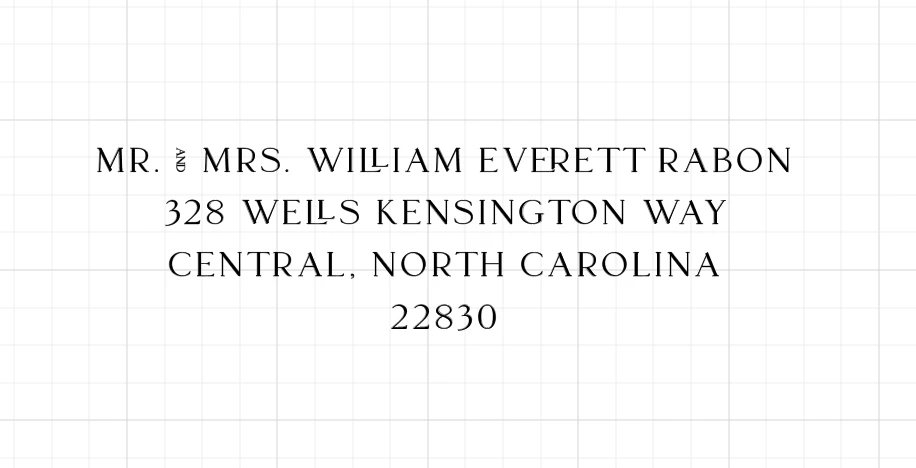
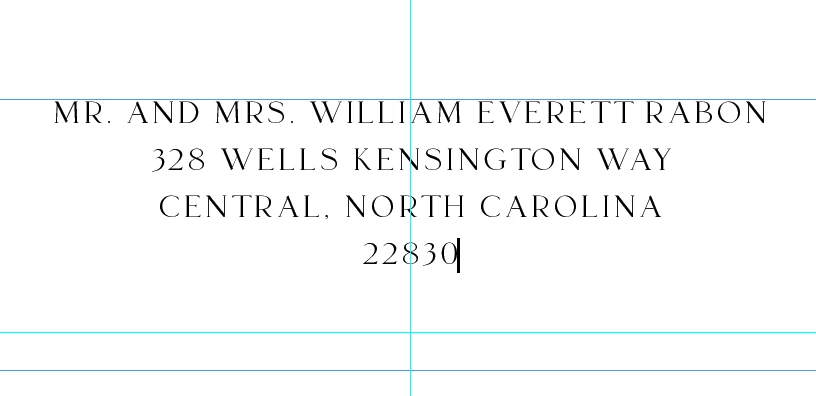
This topic has been closed for replies.

2 replies

Community Expert
April 7, 2021

Hm. I had hopes for adding a GREP Style to the applied paragraph style that would single out all the cases where tracking should not be done or only to a distinct extend. That GREP Style could apply a character style where the tracking value is set below a certain threshold.


Regards,
Uwe Laubender

( ACP )

Community Expert
April 7, 2021

Hi Rachel,

would it help applying the tracking only to parts of your text?

Leaving out all occurences of "AND" and "LL" for example.


Regards,
Uwe Laubender

( ACP )

Participating Frequently
April 7, 2021

Thanks for the reply. It won't because it is a data merge document. All the names and addresses are different, plus there are lots of ligatures beyond the LL. The LL just happens to be the one showing up in this address.