


Question
Trouble Adjusting Last Line Indent for Table of Contents in InDesign
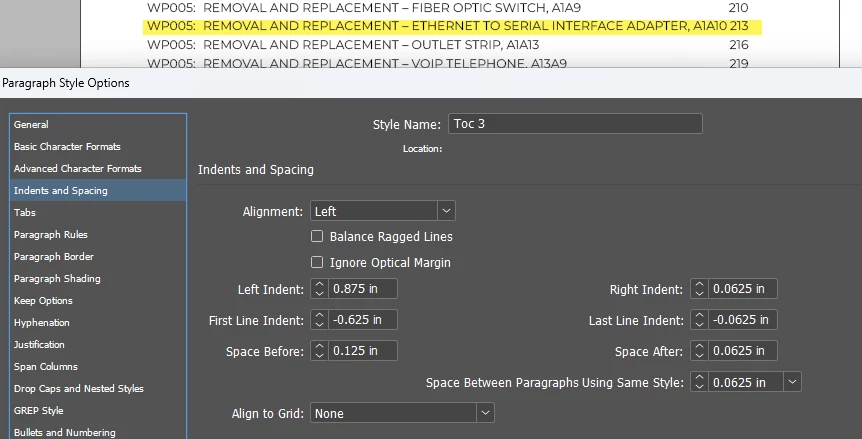
Hi, I've searched this forum and found how to get the text that is too close to the page number to wrap. It is not working for me and I can't figure out what I am doing wrong. I set up my TOC style to have a right-aligned tab for the page numbers and then set the Right Indent to 0.0625 and Last Line Indent to -0.0625 and it looks exactly the same. I need the highlighted line to break so that it's not right next to the page number. Text frame width is 7 inches. What am I missing?
<Title renamed by MOD>


 AdChoices