Inspiring
January 10, 2017
Answered

Trouble selecting the "paragraph" that inline graphics occupy

  • January 10, 2017
  • 3 replies
  • 1145 views

CC on a Mac. Here is a screen shot of a typical page. The photos are all inline objects sitting on a 1 line paragraph that has its own paragraph style.
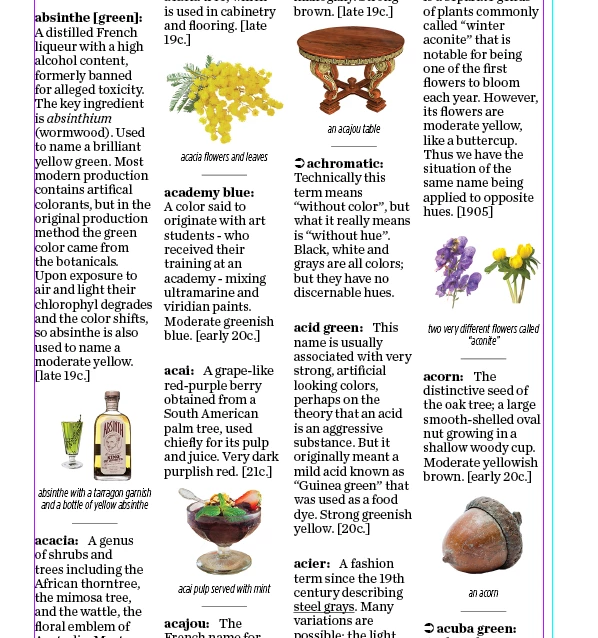
I've created a second version of that paragraph style with a few changes and would like to be able to apply it to selected photos. However, I am finding it difficult to select the "paragraph" so that I can apply the new style. Here is a close up:
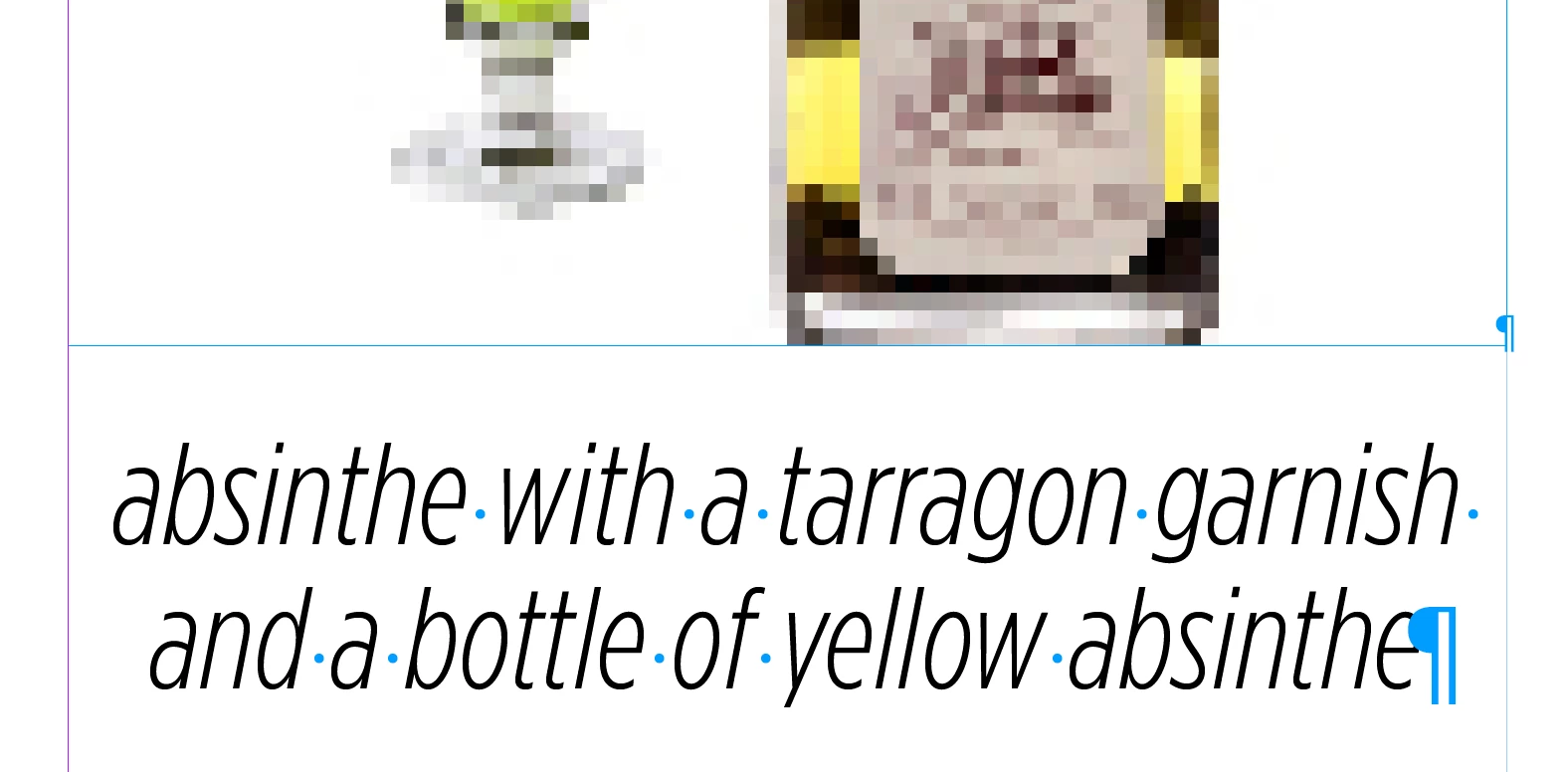
That first, smaller paragraph symbol is what I am trying to select, but I am unable to get to it with with either the type tool or the black arrow.

Any thoughts? I would like to work with the images this way rather than make them custom anchored objects.

    This topic has been closed for replies.
    Correct answer BobLevine

    Try it with the story editor.

    3 replies

    Obi-wan Kenobi
    Legend
    January 11, 2017

    Hi,

    If the para style you want to apply is called "Center", just select your image (in fact, its frame; click on it with the "T" tool + Cmd [Mac]) …

    Before:

    … and just play this:

    app.selection[0].parent.appliedParagraphStyle = "Center";

    After:

    If you associate a keyboard shortcut to this simple script, do it … quick!

    (^/)

    Inspiring
    January 11, 2017

    Don't forget that you don't have to select the whole paragraph to apply a paragraph style. If you just click to the right of the image, you will be in the right place to apply the style.

    Obviously, applying character styles is different because you have to select the text to style ...

    Regards,

    Malcolm

    BobLevine
    Community Expert
    BobLevineCommunity ExpertCorrect answer
    Community Expert
    January 10, 2017

    Try it with the story editor.

    Inspiring
    January 10, 2017

    Yes, that works.