Participant
June 26, 2024
Answered

Turn off paragraph styles menu pop-up

  • June 26, 2024
  • 1 reply
  • 234 views

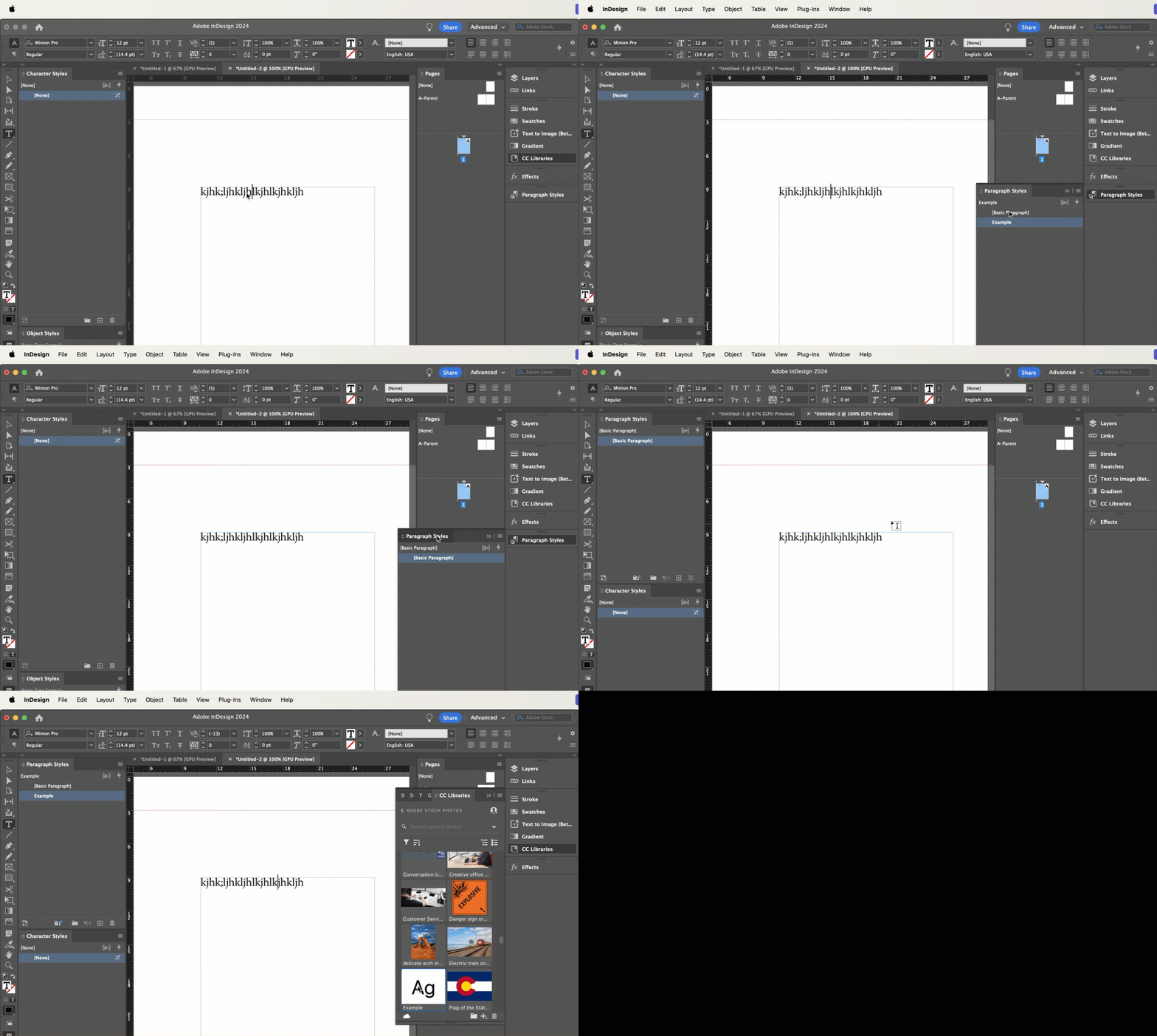
When I apply a paragraph style from one of my Creative Cloud libraries, the paragraph styles menu automatically pops up over the top of my libraries window. Is there a way to turn this feature off? 

This topic has been closed for replies.
Correct answer Barb Binder

Hi @Bailey Baas and welcome to the InDesign Community forum!


Not that I'm aware of. The way I see it, it's popping open to let you know that the style was added to this InDesign document.


You could deal with this by adjusting your workspace. I always work with my various styles panels expanded so that I can see them at all times because I work exclusively with styles during during layout. If the panel is expanded, then you won't have it popping open. (I prefer to dock my styles on the left side of my screen, but you could also dock them on the right.)


~Barb


1 reply

Barb Binder
Community Expert
Barb BinderCommunity ExpertCorrect answer
Community Expert
June 26, 2024

Hi @Bailey Baas and welcome to the InDesign Community forum!


Not that I'm aware of. The way I see it, it's popping open to let you know that the style was added to this InDesign document.


You could deal with this by adjusting your workspace. I always work with my various styles panels expanded so that I can see them at all times because I work exclusively with styles during during layout. If the panel is expanded, then you won't have it popping open. (I prefer to dock my styles on the left side of my screen, but you could also dock them on the right.)


~Barb


~Barb at Rocky Mountain Training