
Participant
March 9, 2021
Answered

Turn to next page automatically

  • March 9, 2021
  • 3 replies
  • 1831 views

Hello,

I want to craete a pdf that turns page after a predefined time automatically. Meaning without click or else on a button.

Is this possible with InDesign? And if yes, how?

Thank you very much for your help! Nadja
This topic has been closed for replies.
Correct answer Luke Jennings3

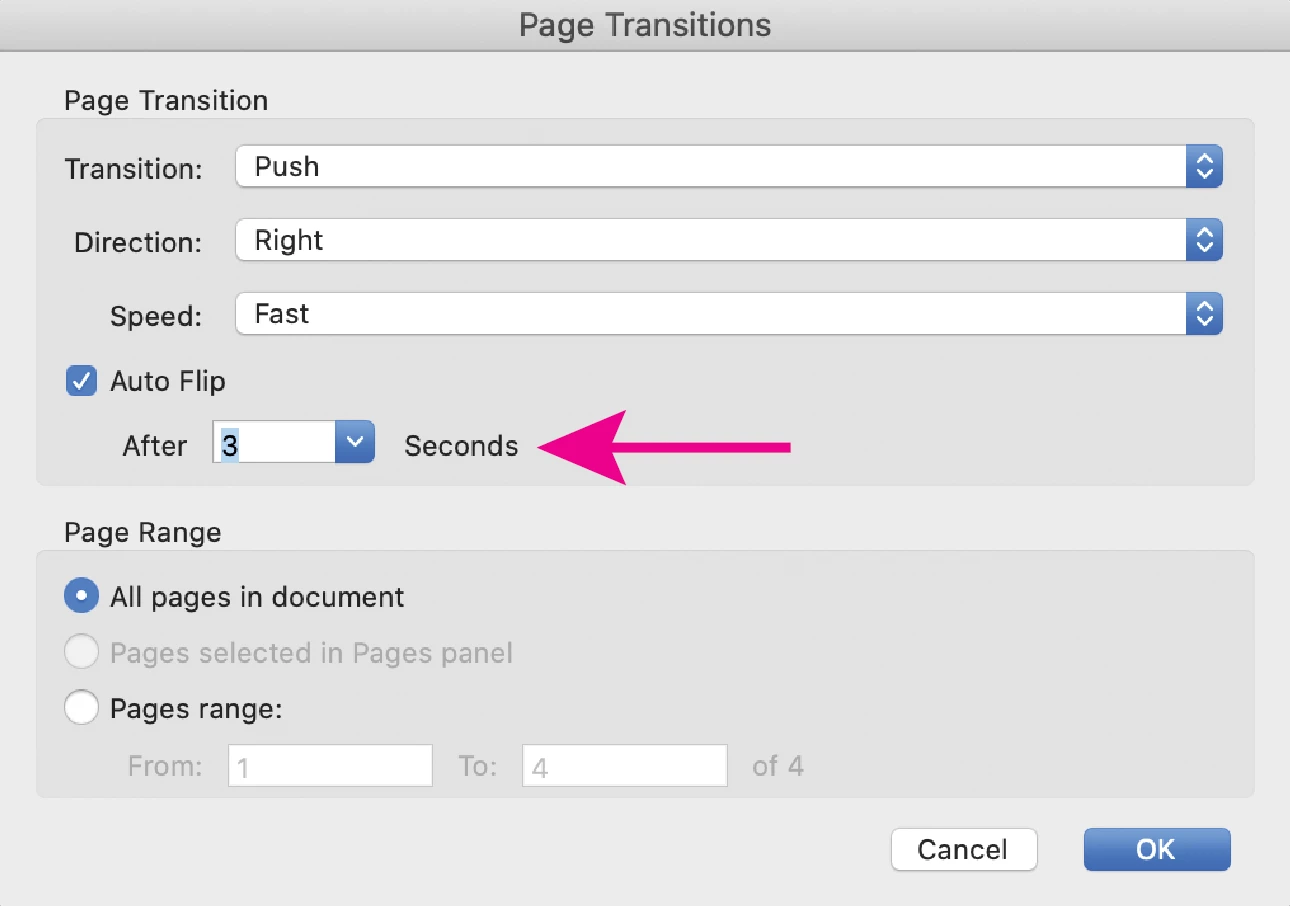
You can set the page transition in Acrobat, click on the fly-out menu on the page thumbnail panel. Page transitions only work in full screen mode, which can be set as the initial page view. (File> Properties> Initial view).

3 replies

Luke Jennings3
Community Expert
Luke Jennings3Community ExpertCorrect answer
Community Expert
March 10, 2021

You can set the page transition in Acrobat, click on the fly-out menu on the page thumbnail panel. Page transitions only work in full screen mode, which can be set as the initial page view. (File> Properties> Initial view).

Derek Cross
Community Expert
Community Expert
March 9, 2021

Have a look at in5 (an InDesign plugin at extra cost) https://ajarproductions.com/pages/products/in5/

Mike Witherell
Community Expert
Community Expert
March 9, 2021

To my awareness, no. The amount of time for a PDF page to show on screen is set by each user in their preferences. And that would trigger when they are in full-screen mode of Acrobat or Reader.

Mike Witherell