
Participant
June 6, 2023
Question

Turned on setting by mistake

  • June 6, 2023
  • 1 reply
  • 150 views

I have turned on some setting by mistake and I dont know how to revert it.

The area in grey initially used to be black and I could see my grids. I think the two are co-related. 
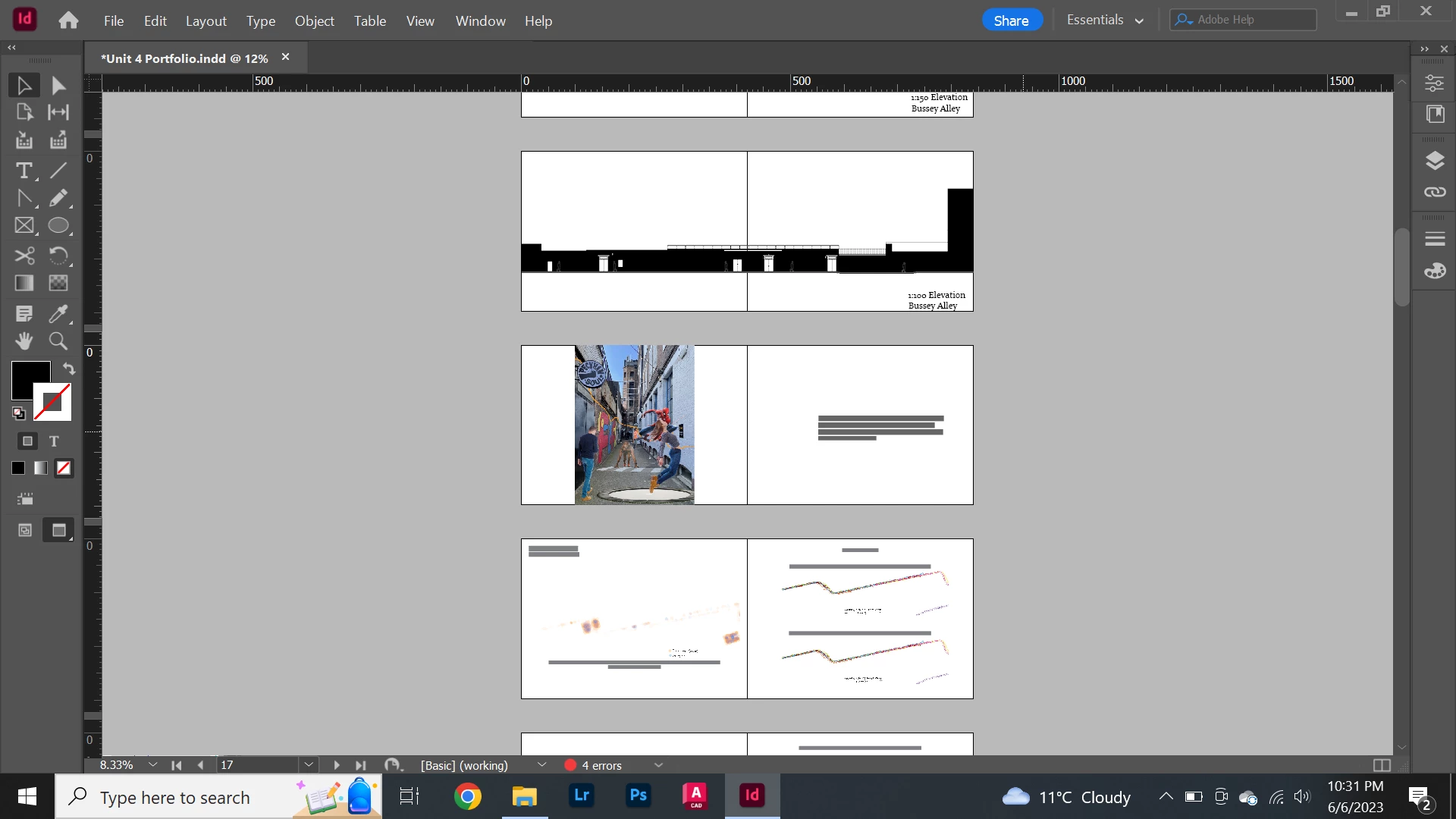


Can someone please tell me how to revert this as I cant see my guides.

This topic has been closed for replies.

1 reply

jmlevy
Community Expert
Community Expert
June 6, 2023

Click and hold the icon shown with a red rectangle and choose “normal”

Participant
June 6, 2023

its giving me these options 

jmlevy
Community Expert
Community Expert
June 6, 2023

Sorry, I did not notice that your tool bar is displayed in 2 columns. Click on the left icon, at the very bottom of the tool bar.