KittyQuig
Known Participant
September 1, 2017
Answered

Two Faint Gridlines that show up on my InDesign print outs. I don't want them.

  • September 1, 2017
  • 3 replies
  • 1295 views

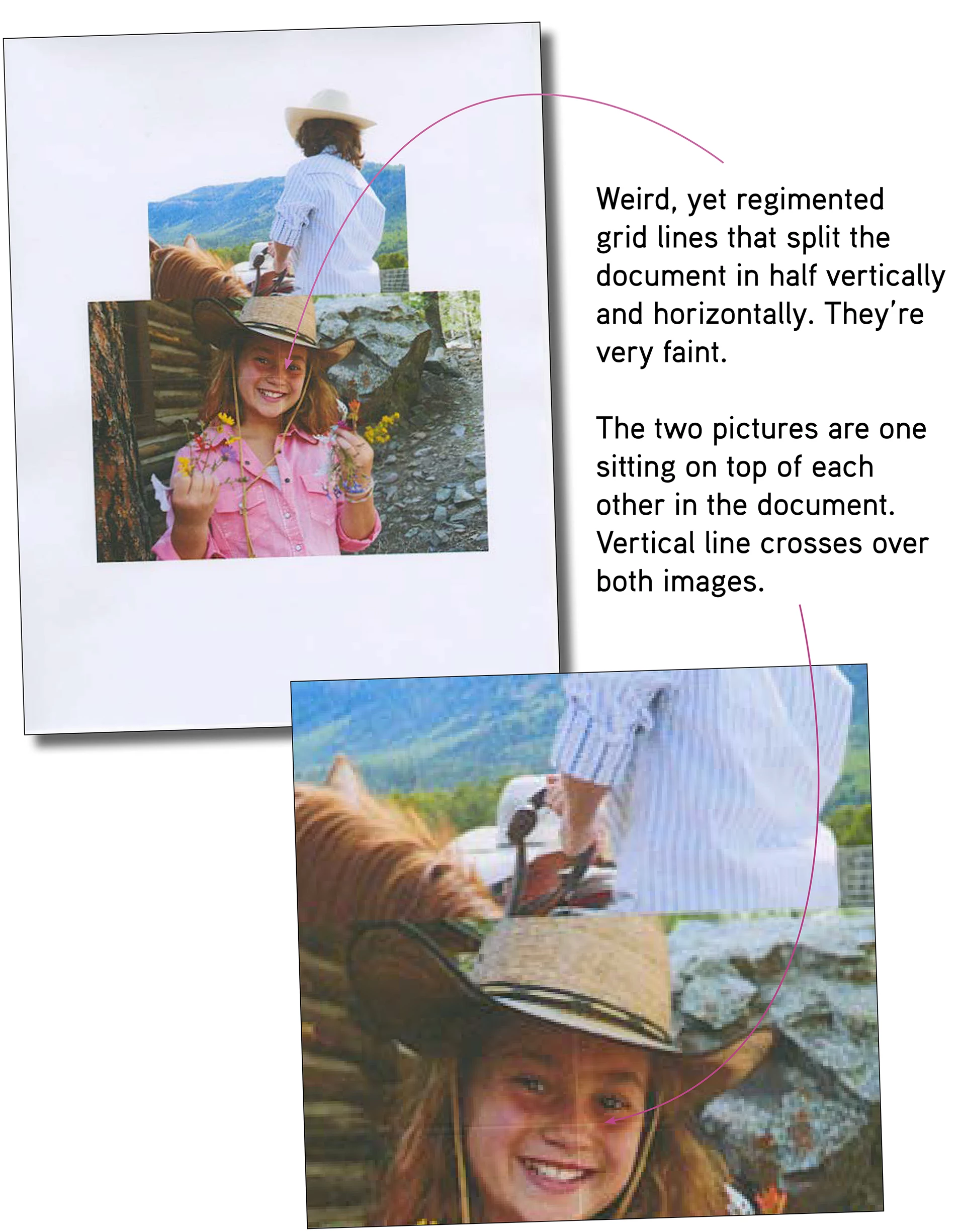
Hi. I have two faint gridlines that show up on my InDesign documents. They cannot be seen on the screen display. I can't figure out what they are. It doesn't seem to be my Lexmark printer as print-outs from other programs don't have these lines. They seem to be connected to some sort of grid function, but I can't figure out which. Any advice you can offer is greatly appreciated. Thanks!
This topic has been closed for replies.
Correct answer rob day

Placed images are jpgs, the final document has never been converted to a PDF, so I'm not sure the stitching artifact explanation applies..

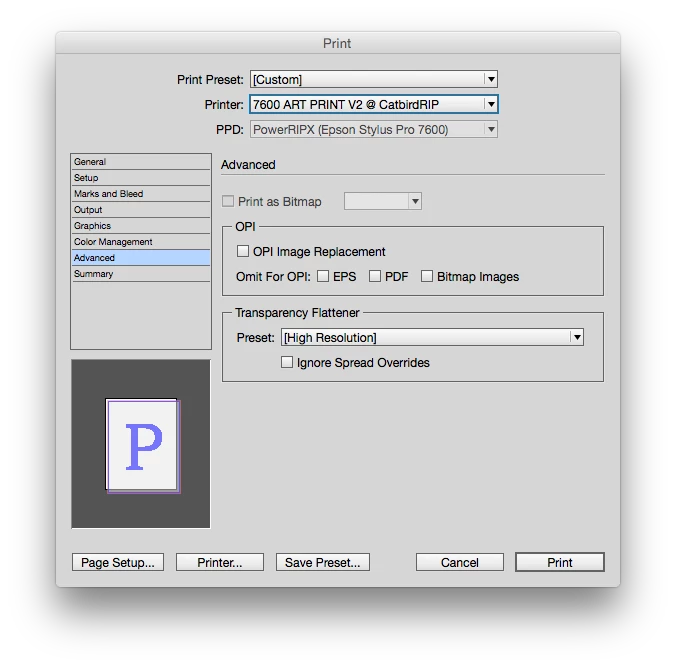
When you print a page with any transparent object directly from InDesign the spread gets flattened and the Transparency Flattener preset you choose under Advanced could have an effect

You should open the JPEGs in Photoshop and view them at 200% or higher just to confirm the artifacts are not in the image. When you place an image in InDesign a proxy is used for the preview, and you are not really seeing the image's actual pixels.

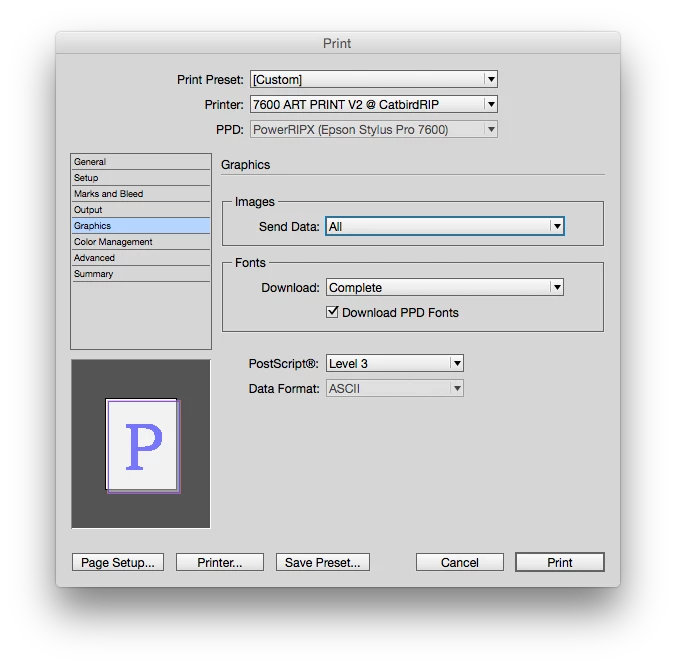
If can you confirm the lines are not in the image, make sure you are using the High Resolution preset. Also make sure Graphics>Send Data is set to All and you are using the printer's highest resolution.

3 replies

KittyQuig
KittyQuigAuthor
Known Participant
September 2, 2017

Placed images are jpgs, the final document has never been converted to a PDF, so I'm not sure the stitching artifact explanation applies.. It is a straight InDesign document that is output directly to my Lexmark printer. Other programs aren't creating this "faint line" situation. I even printed the girl with flowers directly from Photoshop, an none of the lines appeared.

KittyQuig
KittyQuigAuthor
Known Participant
September 2, 2017

Th faint lines can also appear with only one image placed in the InDesign File. For my example, I used two images (in my example) in a effort to show that the faint lines weren't within the placed photo, but somehow, part of the InDesign document. Unfortunately, the top image of the boy on the horse doesn't do a great job of showing that the line crosses over both images in the same place.

BobLevine
Community Expert
Community Expert
September 2, 2017

Is there any transparency involved anywhere?

rob day
Community Expert
Community Expert
September 2, 2017

What format are the placed pictures?

KittyQuig
KittyQuigAuthor
Known Participant
September 1, 2017

Beuller, Bueller anyone???

BobLevine
Community Expert
Community Expert
September 2, 2017

Google for "stitching artifacts." That's what it looks like to me.