
Two identical scripts, only one of them giving (weird) error
I have been experiencing some very weird behavior.
While working on a script, I started experiencing what felt to me like inconsistent results that weren't consistent with the most up-tp-date state of the code. Sometimes something that didn't make sense happened, other times, when running the same script on the same document, the same thing didn't happen.
For example, the script checks for some logical errors in the document. If it finds any, it indicates its position by adding a red rectangle around it and sets some flag to true. Later an alert triggered by that flag is shown to the use. There are only 4 or 5 places in the code where those red rectangles are being added, and each one of them is followed immediately by setting that flag to true. I verified several times I didn't miss any call to the function that adds a red rectangle. Yet, sometimes the script would add red rectangles but not show any alert.
I got the feeling there was some caching mechanizm or something similar, as if it wasn't the most up-to-date, full version of the code that was always running.
So I decided to see what what would happen if I ran the same script under a new name. And then it got really weird:
The second copy, which was identical to the first one (I had just duplicated the file), gave this weird error:
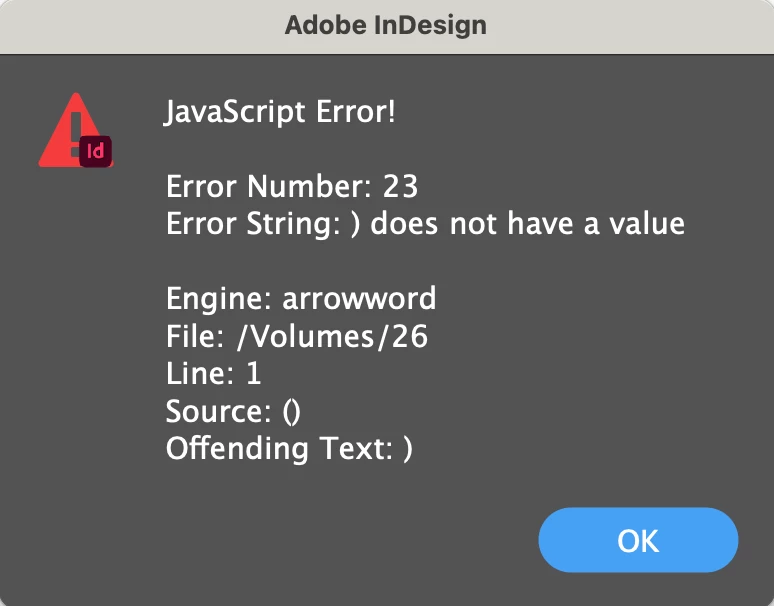
I have no idea what it's talking about.
By now I have tried several different copies of the same script, some of them give this error and some don't.
I use InDesign 2023 on macOS Ventura.
I would appreciate any help, thanks!
 AdChoices