Inspiring
January 18, 2025
Answered

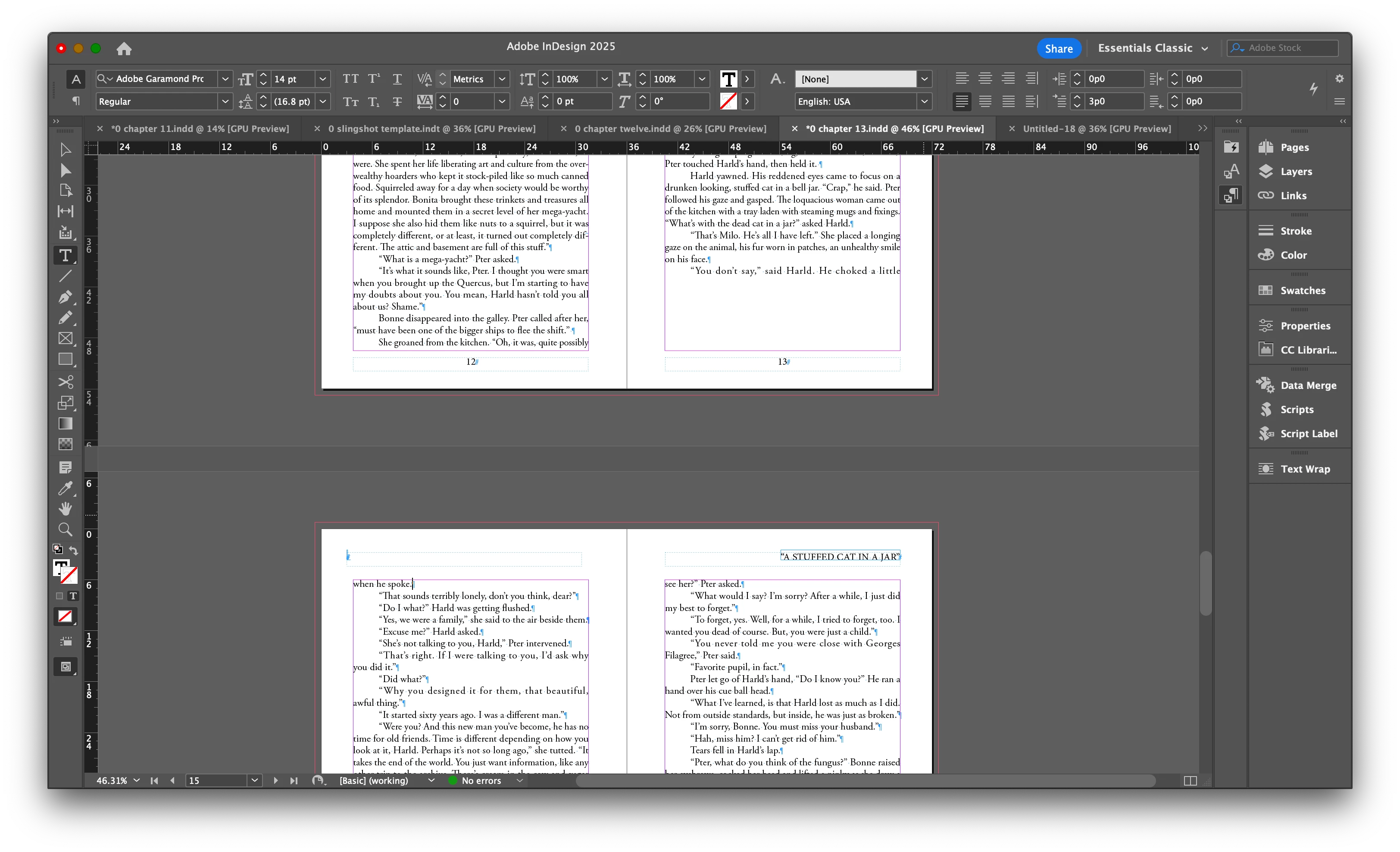
two line paragraph splits across pages

  • January 18, 2025
  • 3 replies
  • 1738 views

Hello community,

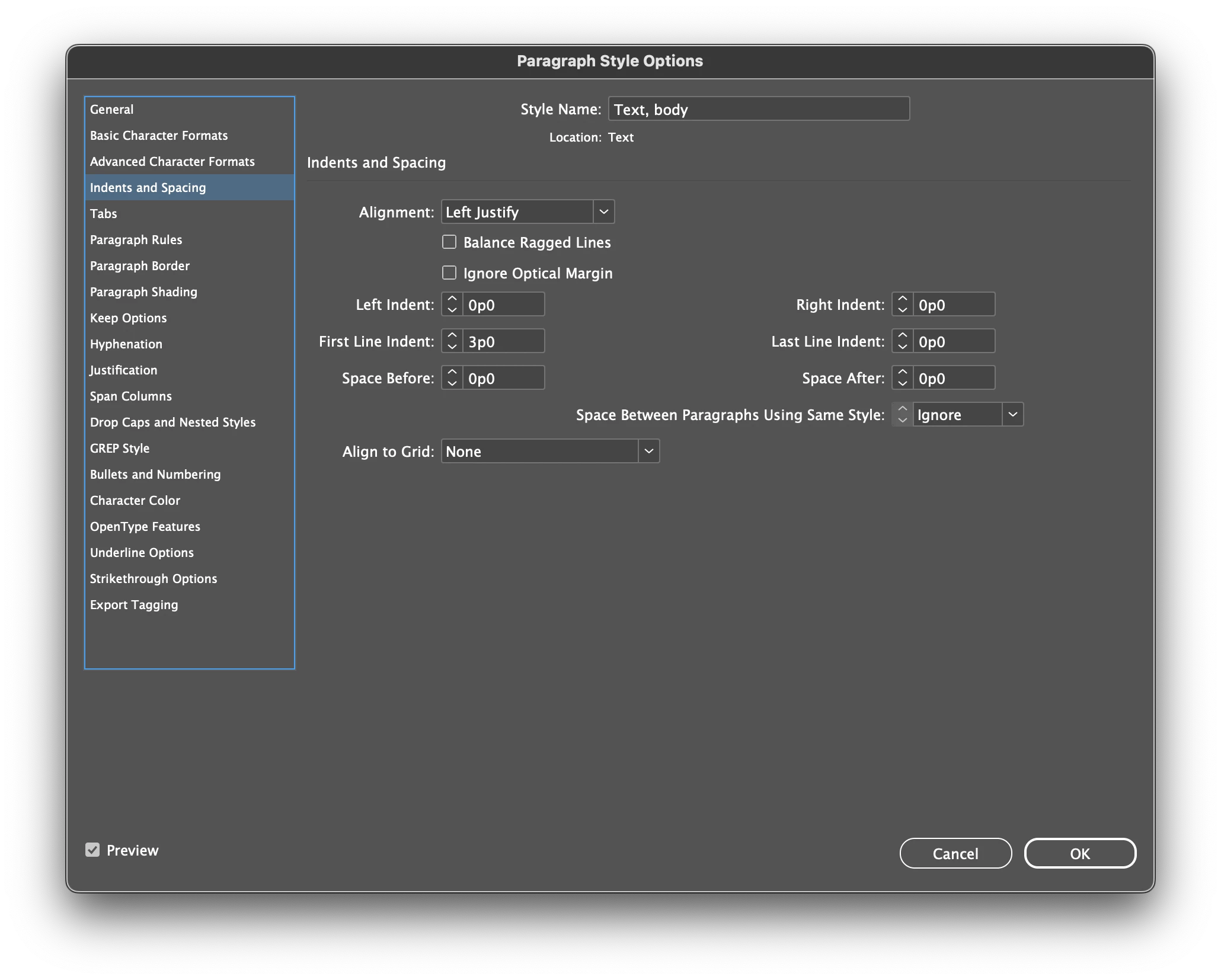
I'm a relatively new user. I'm formatting a novel. InD is doing something I don't like and I haven't been able to fix it yet. I have looked at all available settings and I feel it is one of those things that isn't a setting. I have "placed" the text from a MS Word file. I have cleaned up the word file. I have so far as to clear all formatting in the Word file. I am quite frustrated as I could never in a million years release a book that had this error in it.


Please help me. I am lost.
Correct answer Robert at ID-Tasker

@david mcnicholas 


Now checking your initiall files...


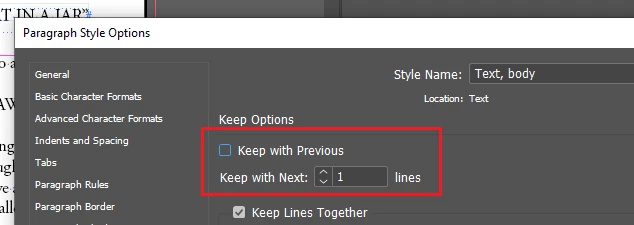
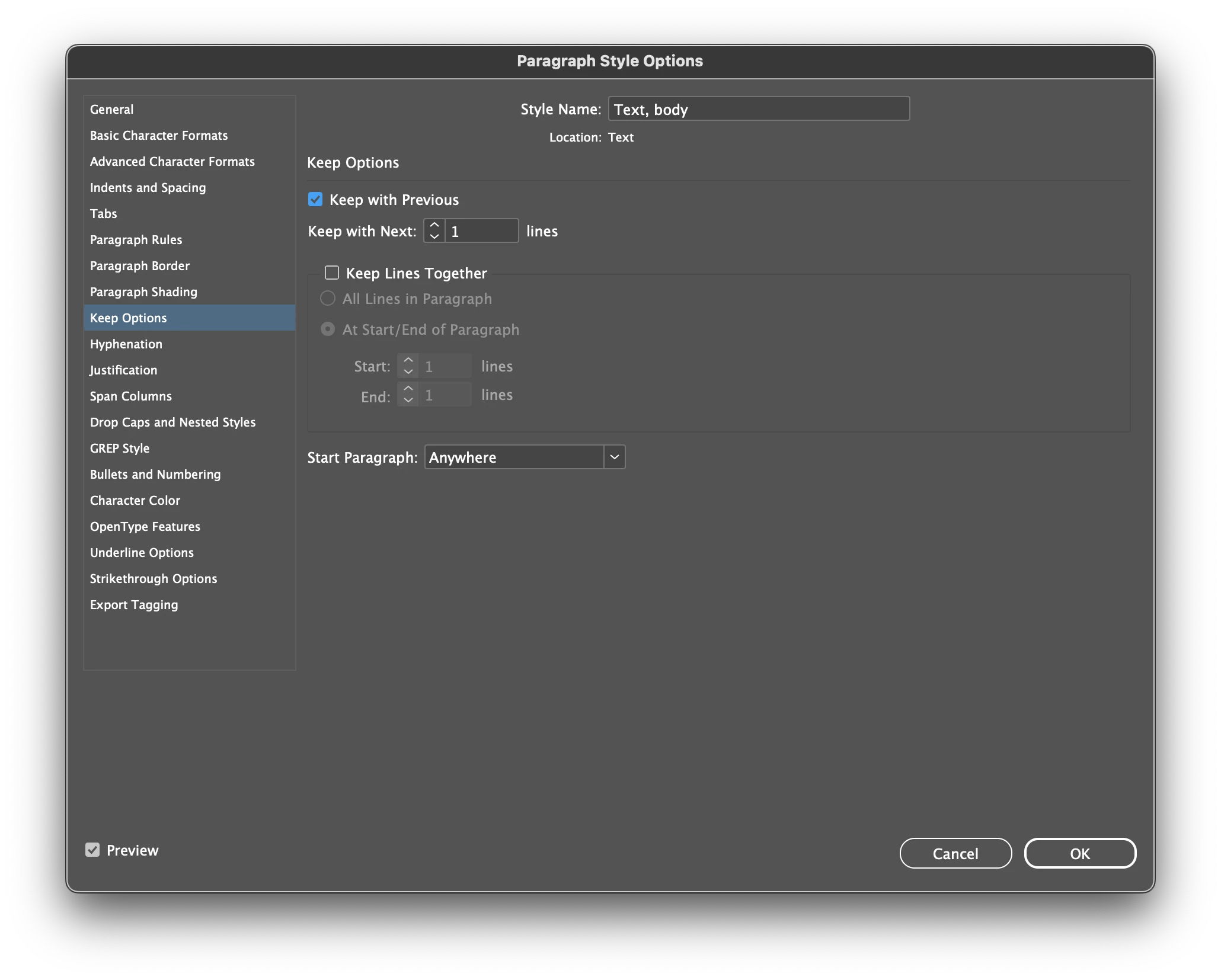
I think THIS is the problem?


The old thing - even the KEEP WITH NEXT looks like it is active only when KEEP WITH PREVIOUS is checked - it IS NOT.


It's an old UI bug.


Those are two SEPARATE options - working independently.


3 replies

Robert at ID-Tasker
Robert at ID-TaskerCorrect answer
Legend
January 19, 2025

@david mcnicholas 


Now checking your initiall files...


I think THIS is the problem?


The old thing - even the KEEP WITH NEXT looks like it is active only when KEEP WITH PREVIOUS is checked - it IS NOT.


It's an old UI bug.


Those are two SEPARATE options - working independently.


Robert at ID-Tasker
Legend
January 19, 2025

After unchecking first and setting second to "0" - it looks OK to me:


Robert at ID-Tasker
Legend
January 19, 2025


Joel Cherney
Community Expert
Community Expert
January 18, 2025

I think that you are maybe reading the Keep Options menu incorrectly? "Keep with Previous" here means "Keep 1 line of this paragraph glued to the previous paragraph." I think you want to turn that off, and if further adjustment is necessary, you would most likely want to Keep Lines Together for all the lines in that paragraph.

Inspiring
January 18, 2025

Thanks Joel. Yes, I am reading that incorrectly. I simply can't get it right no matter which way I set the keep options. But what seems crazier to me is that I turn keep options off entirely, and this paragraph is still split.

thanks
Robert at ID-Tasker
Legend
January 18, 2025

@david mcnicholas


How long have you been working on that document - WITHOUT doing Save As with a new name?


Maybe it got corrupted - try IDMLing - export as IDML, open, save with a new name - do not overwrite your original file unless you have a backup copy. 


Inspiring
January 18, 2025

paragraph in question starts at bottom of page 13 and splits onto 14.

thanks