

dublove
Legend
May 10, 2025 4:30 AM UTC
Question

Two questions about font previews please.

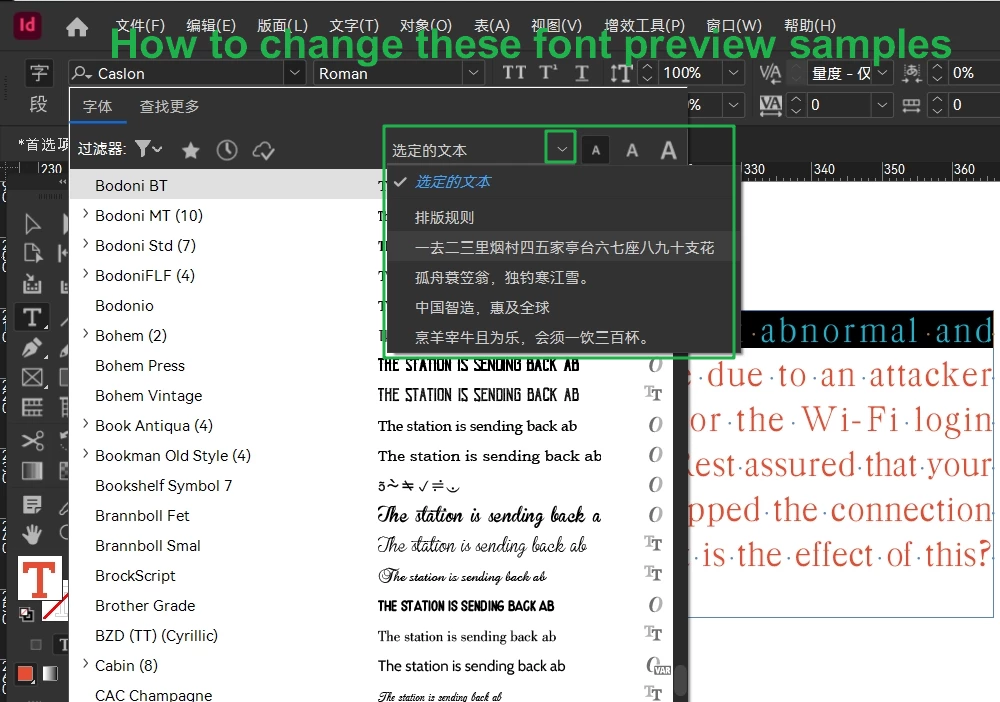
The first one is: how to change these font preview samples?
I want to customize the samples.

Where are they hiding?
 

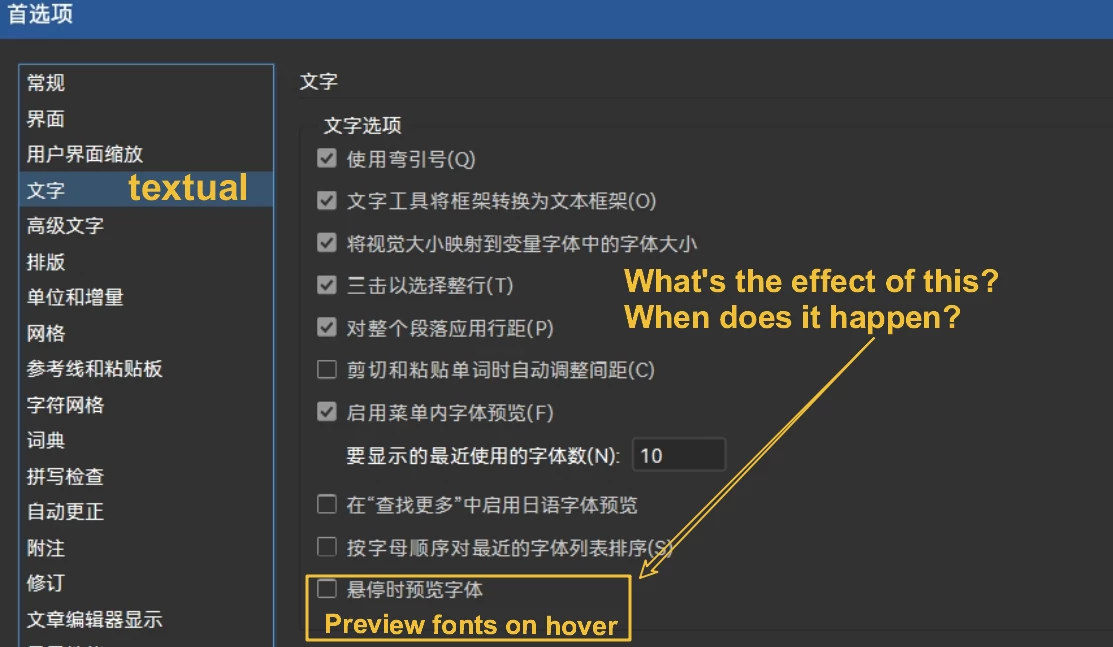
The second one is: Preferences>Text>Preview on hover, how do I see the effect of this, I don't see any change.

I see that checking it, or unchecking it, previews the font effect of the currently selected content in real time.
I don't know where it says preview.
Thanks.

4 replies

Mike Witherell
Community Expert
Community Expert
May 10, 2025 11:49 AM UTC

Interestingly, under Character Panel (or Control Panel) > Font dropdown ... you can change the sample text to show the selected text, or to 5 other preset strings of characters. One of those is similar to what you want to display.

But if you go to Type menu > Font > ... it just says Sample and you cannot change it.

Also, the sample doesn't show in Paragraph Styles at all.

Translate
Mike Witherell
dublove
dubloveAuthor
Legend
May 10, 2025 1:59 PM UTC

The samples must be hidden in some XML file. Because the English and Chinese versions show them differently.

Translate
Community Expert
May 10, 2025 6:27 AM UTC

Not quite sure entirely what you're asking here but you can make a font catalog with this script

http://kasyan.ho.ua/indesign/font/make_font_catalog.html


Translate
dublove
dubloveAuthor
Legend
May 10, 2025 9:39 AM UTC

I'm asking about these samples where they are hidden.
I want to mount them instead:
0123456789 AaBbCcDdEeFfGg Hello.

Translate