Participant
August 25, 2018
Answered

Ugly black strip when placing Word doc in InDesign

  • August 25, 2018
  • 4 replies
  • 2093 views

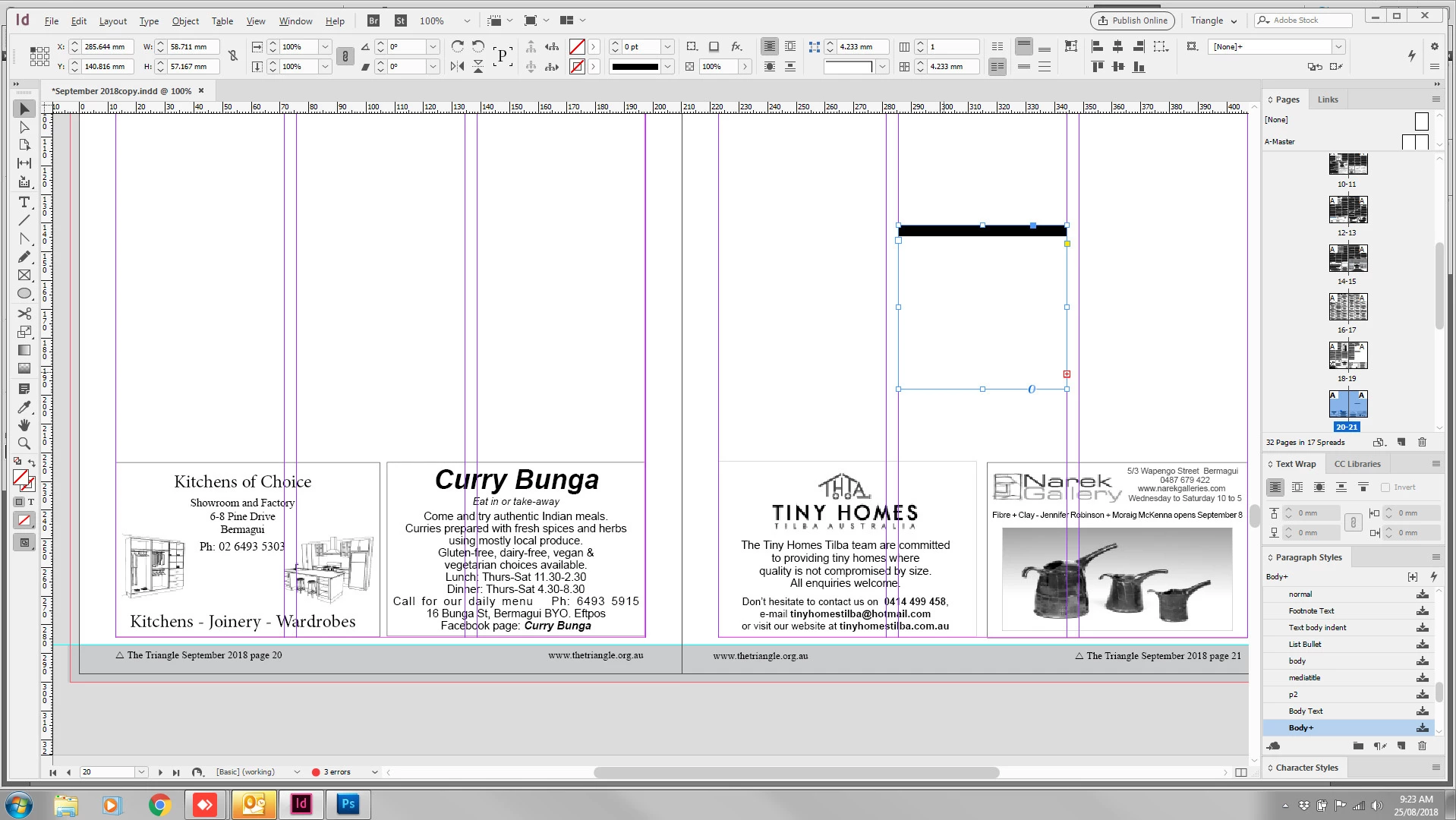
Have a look at this - the selected item. This happens SOMETIMES when placing a regular Word doc in our little community newspaper. If I delete it and try again with the same doc, it might work perfectly. What does it mean? If I click on the red '+' there's nothing there. Help please, it's slowing us down and print deadline approaches

    This topic has been closed for replies.
    Correct answer Francesco Della Peruta

    please take a look here:

    Lines in word document imported to InDesign

    4 replies

    barbara_a7746676
    Community Expert
    Community Expert
    August 26, 2018

    You could try clicking inside the text frame with the Type tool and choosing Edit > Edit in Story Editor. That will show you a word processing view. If you scroll down to the bottom, any overset text will show and be indicated with a red bar. You may be able to see if there is something in the paragraph that could easily be deleted.

    Participant
    August 26, 2018

    Thanks Francesco and Bob. Right now we're copy&pasting text as a workaround as deadline is upon us and it's only a few documents, not everything. We'll definitely check out your suggestions before next month. But I had a quick look at your link, Francesco, and we can't delete all our paragraph styles and rebuild them just for one document---there are about 20 of them.

    BobLevine
    Community Expert
    Community Expert
    August 25, 2018

    Looks like either paragraph shading or a paragraph rule. Put your cursor in there and open the paragraph panel to find out if that type of format is in there.

    Community Expert
    August 25, 2018