Participant
February 10, 2020
Question

(Un-) show a grafic via click on another grafic (aim = interactive PDF file)

  • February 10, 2020
  • 2 replies
  • 210 views

Hello everyone,

Similar to a homepage design with CSS possibilities I'd love to archieve the following in InDesign (aim: creating an interactive pdf file):


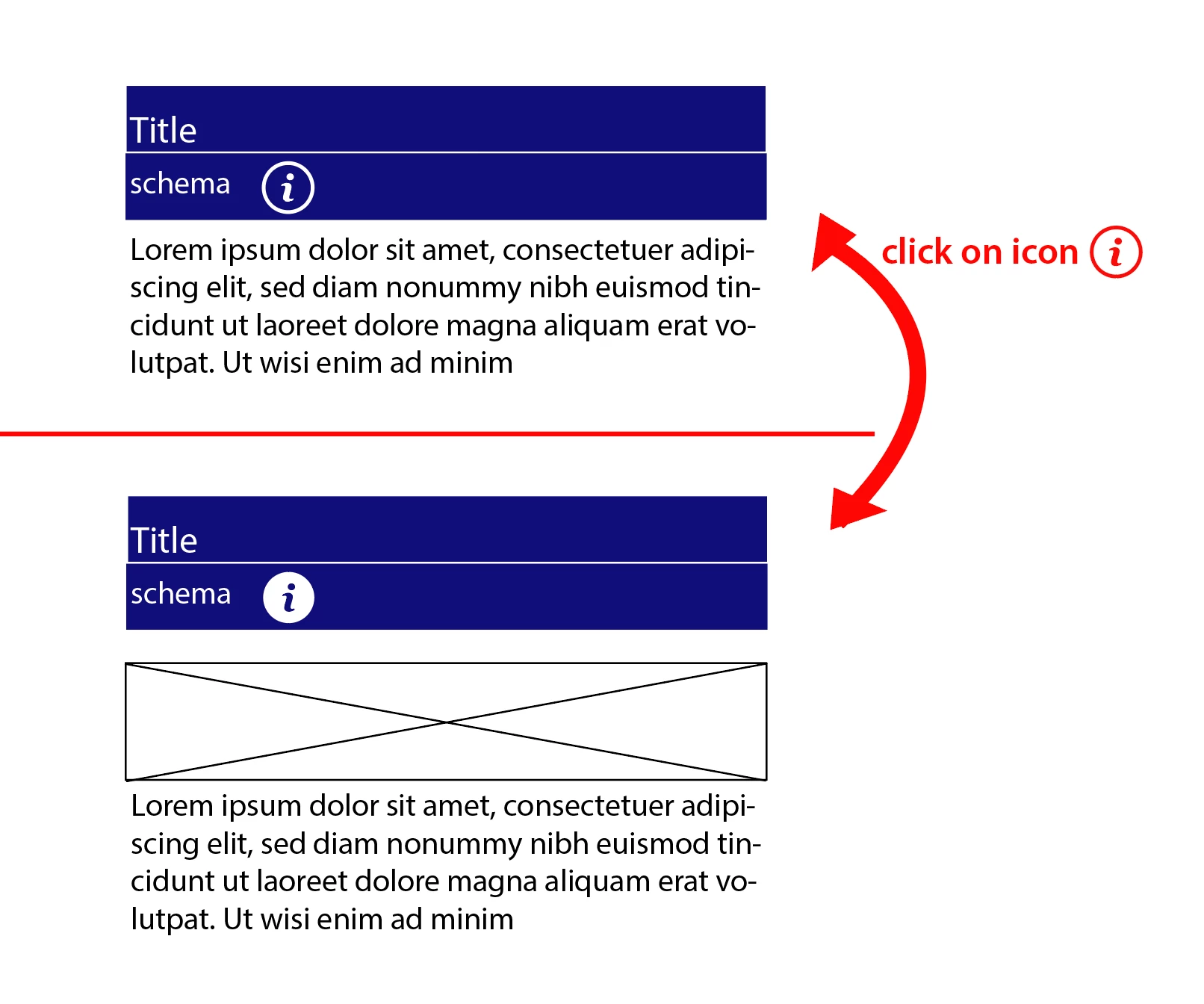
I have an icon (info "quotation mark icon" with a circle around it). Below this there is a text box. 


Click on info icon:

1. info icon turns to another icon (here: same icon but different colors)

2. a grafic is shown below the icon

3. the text box is shifted down


Click again on the info icon:

1. icon changes to its first appearance

2. grafic is shown anymore

3. textbox is shifted up again to its first position


Thanks so much iin advance for your help!

Foxi


This topic has been closed for replies.

2 replies

Derek Cross
Community Expert
Community Expert
February 10, 2020

Might be worth experimenting with InDesign's Publish Online or in5.

Foxi55Author
Participant
February 10, 2020

Thanks for the first replies. I already archieved that clicking on a button will result in showing a graphic. Unfortunately I wasn't able to change the button's appearance (and just show a small icon). While going on trying out other things I lost the working code in VB..


Related to InDesign: In InDesign CC I easily created this function. BUT: I cannot create form field with a kind of placeholder text that disappears automatically when typing in something. I was told that this wouldn't be possible with InDesign (and I myself didn't find a way to realize this)...

BobLevine
Community Expert
Community Expert
February 10, 2020
Even if you could get that to work, it would take an inordinate amount of work with show / hide buttons and then it might...and I stress might only work in Acrobat on a desktop. Even there, this type of thing can be wonky.

Don't waste your time.