
Inspiring
Mar 29, 2024 8:24 PM UTC
Question

Unable to Accept Updates to the Developer Terms of Use

Following a suggestion here on the forum, I opened the file on one of the stock Applescript scripts.

In its heading, there was a prompt to visit an Adobe website to learn more about development, etc... 

The link is this: http://www.adobe.com/devnet/indesign/sdk.html

But it opens here: https://developer.adobe.com/indesign/ 

Never mind, though.

If I click on "Get the SDK" or on "Console" or on anything else, I get asked to accept the Updated Terms, but the button is greyed out and I cannot proceed: 
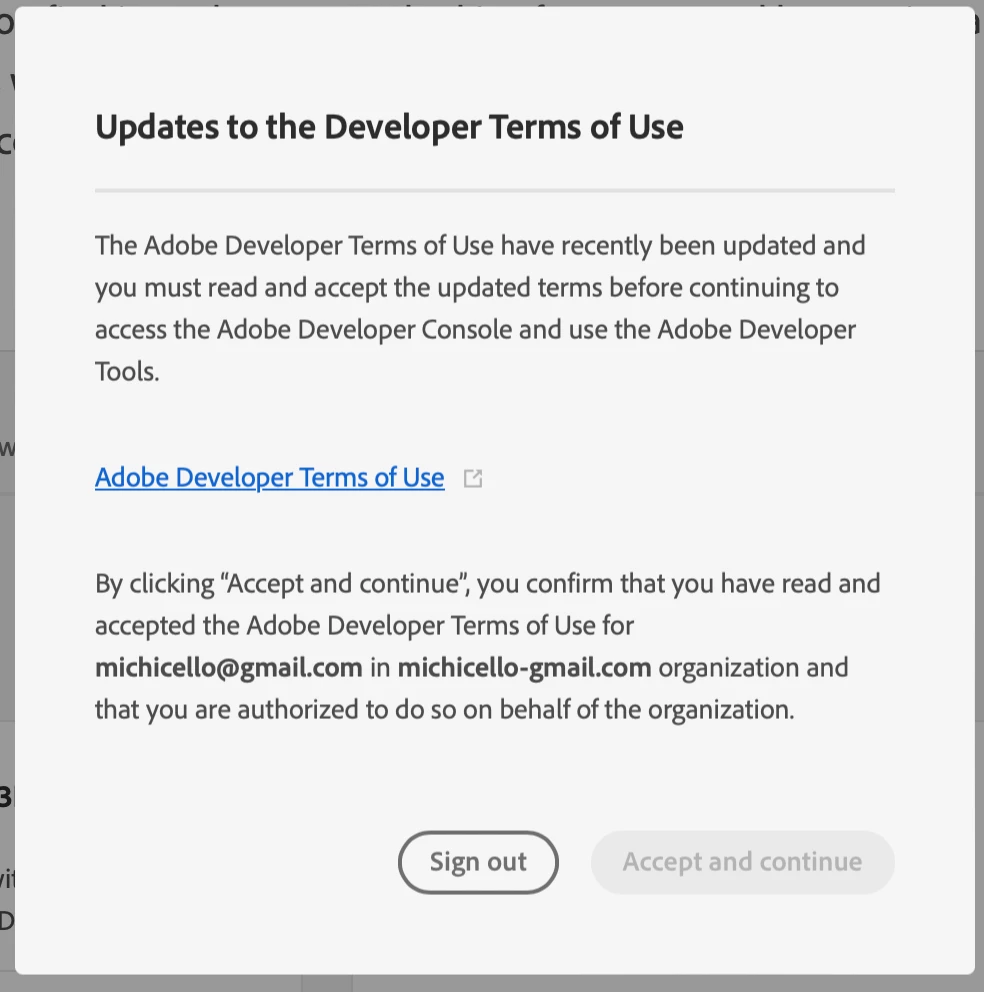
This is the first time I visit this website.

I have clicked on the blue link, read the terms, but then I cannot Accept.

What am I missing?

This topic is closed to new replies. Start a new post to keep the conversation going.

14 replies

ErinF
Community Manager
Community Manager
Apr 2, 2024 9:11 PM UTC

You need to click the link that will open the Developer Terms of Use in a new window or tab. After that the button will no longer be greyed out.

Translate
Inspiring
Apr 2, 2024 9:47 PM UTC

This is from my message:

"I have clicked on the blue link, read the terms, but then I cannot Accept."

It seems you've missed that.


I've tried again now, and it still shows the same issue.

Translate
rob day
Community Expert
Community Expert
Mar 29, 2024 9:43 PM UTC

Hi @Inélsòre , I’m not sure where you are finding the Applescript examples, but AppleScript is not part of the SDK. If you just want to look at some Applescript samples, there is a folder of samples for both JavaScript (ExtendScript) and Applescript that get installed in your scripts panel. You’ll find the AppleScript samples in this folder: ⁨Applications⁩ ▸ ⁨Adobe InDesign 202X ▸ ⁨Scripts⁩ ▸ ⁨Scripts Panel⁩ ▸ ⁨Samples⁩ ▸ ⁨AppleScript⁩. Or you can right click one in the panel to edit or reveal in the finder.


Translate
Inspiring
Mar 29, 2024 10:17 PM UTC

That's where I went.

If you open any AppleScript one, you will find the first link I've posted.

No idea why I cannot accept the terms and get started with the rest.

Translate
rob day
Community Expert
Community Expert
Mar 29, 2024 11:16 PM UTC

If you open any AppleScript one, you will find the first link I've posted.


Try opening one of the scripts from your Finder:


Translate