
Unable to enable GPU Performance settings
Hello. I have a problem with Indesign related to GPU settings and would love some help.
I mainly work with Photoshop and Illustrator, and so far I have had no issues with those applications making use of the GPU preview on my system. I recently installed Indesign and seemingly don't have access to any GPU related options or functionality. The GPU Performance tab that's supposed to be in Preferences is missing-
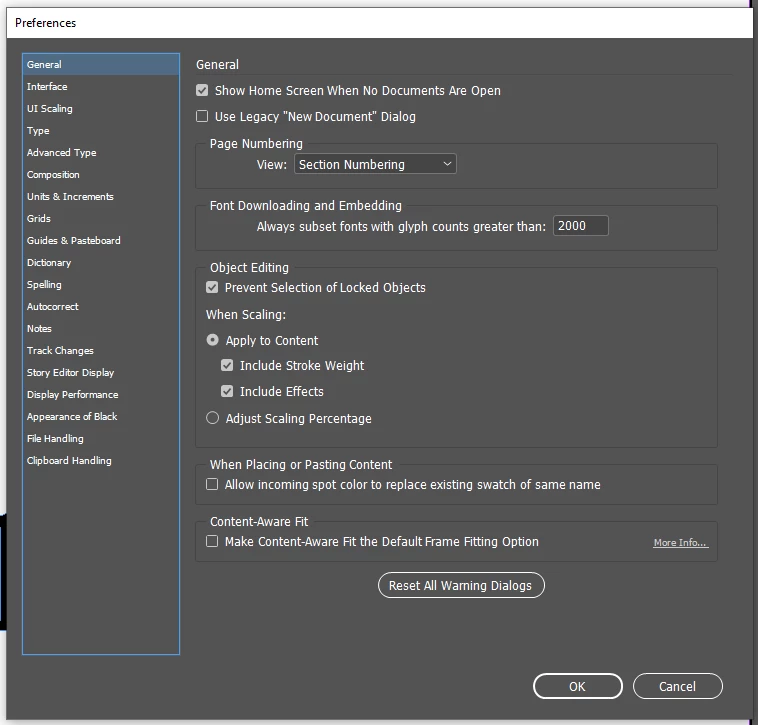
The only tutorial I can find for enabling those preferences says to click a GPU Performance icon (looks like a rocket ship) on the "application bar" to see them, but I can not find that anywhere on the UI-

I'm running a NVIDIA GeForce RTX 2060 on a Windows 10 system. Indesign is the most up to date CC version at this time, 16.1. I will happily provide more info if necessary for a solution.
 AdChoices