Participating Frequently
May 25, 2026
Answered

Unable to export from InDesign 2026 on macOS

  • May 25, 2026
  • 2 replies
  • 36 views

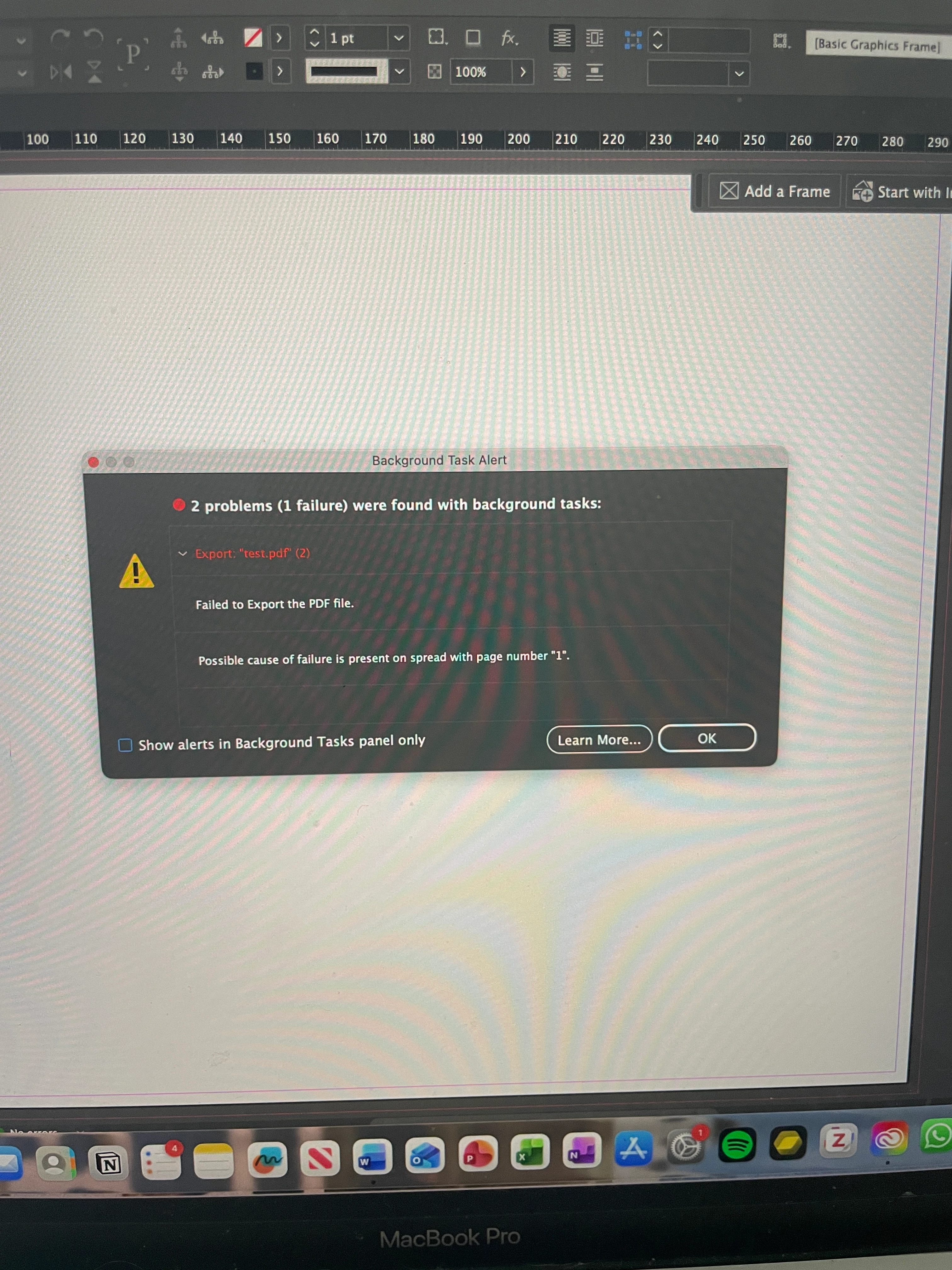
Tearing my hair out with this one - trying to export hi res print pdf but keeps failing. Thought maybe it was a dodgy link so created new blank doc and getting the same error. 
tried exporting as png and jpg which doesn’t work either. Any ideas?


    Correct answer Anubhav M

    Hi @M.L.M.,

    Sorry to hear you're running into trouble exporting PDFs or PNGs/JPGs from InDesign. I hope Leo's earlier suggestions helped, if not, a couple of additional things to check:

    1. Does the issue occur with a specific folder location only? Please test exporting to an internal drive, an external drive, a network drive, and a cloud-synced folder (iCloud Drive, Dropbox, Google Drive, etc.) to see if the behavior is consistent across all of them.
    2. Enable Full Disk Access for InDesign in macOS System Settings, then relaunch InDesign and try the export again.

    Let us know what you find. If Leo's reply or this resolves the issue, please mark the helpful response as the correct answer so others facing the same problem can find it.

    Anubhav

    2 replies

    Anubhav M
    Community Manager
    Anubhav MCommunity ManagerCorrect answer
    Community Manager
    May 25, 2026

    Hi @M.L.M.,

    Sorry to hear you're running into trouble exporting PDFs or PNGs/JPGs from InDesign. I hope Leo's earlier suggestions helped, if not, a couple of additional things to check:

    1. Does the issue occur with a specific folder location only? Please test exporting to an internal drive, an external drive, a network drive, and a cloud-synced folder (iCloud Drive, Dropbox, Google Drive, etc.) to see if the behavior is consistent across all of them.
    2. Enable Full Disk Access for InDesign in macOS System Settings, then relaunch InDesign and try the export again.

    Let us know what you find. If Leo's reply or this resolves the issue, please mark the helpful response as the correct answer so others facing the same problem can find it.

    Anubhav

    M.L.M.Author
    Participating Frequently
    May 25, 2026

    It was enabling Full Disk Access that did the trick! Many thanks both of you

    leo.r
    Community Expert
    Community Expert
    May 25, 2026

    What’s your macOS version, and is InDesign updated to its latest version?


    Also, try resetting preferences and caches first:

    https://www.rockymountaintraining.com/adobe-indesign-rebuilding-preferences-cache/

    M.L.M.Author
    Participating Frequently
    May 25, 2026

    Tahoe 26.3.1(a) and I’m using an up to date InDesign 2026 on a MacBook Pro.

    I’ve gone through resetting prefs and caches but no luck.

    leo.r
    Community Expert
    Community Expert
    May 25, 2026

    Try to update Tahoe to 26.5. Also, try to create a clean user account in System Settings > Users & Groups and work from there. Will it make a difference?