


Participant
Feb 6, 2019 10:02 PM UTC
Answered

Unable to move Indesign window

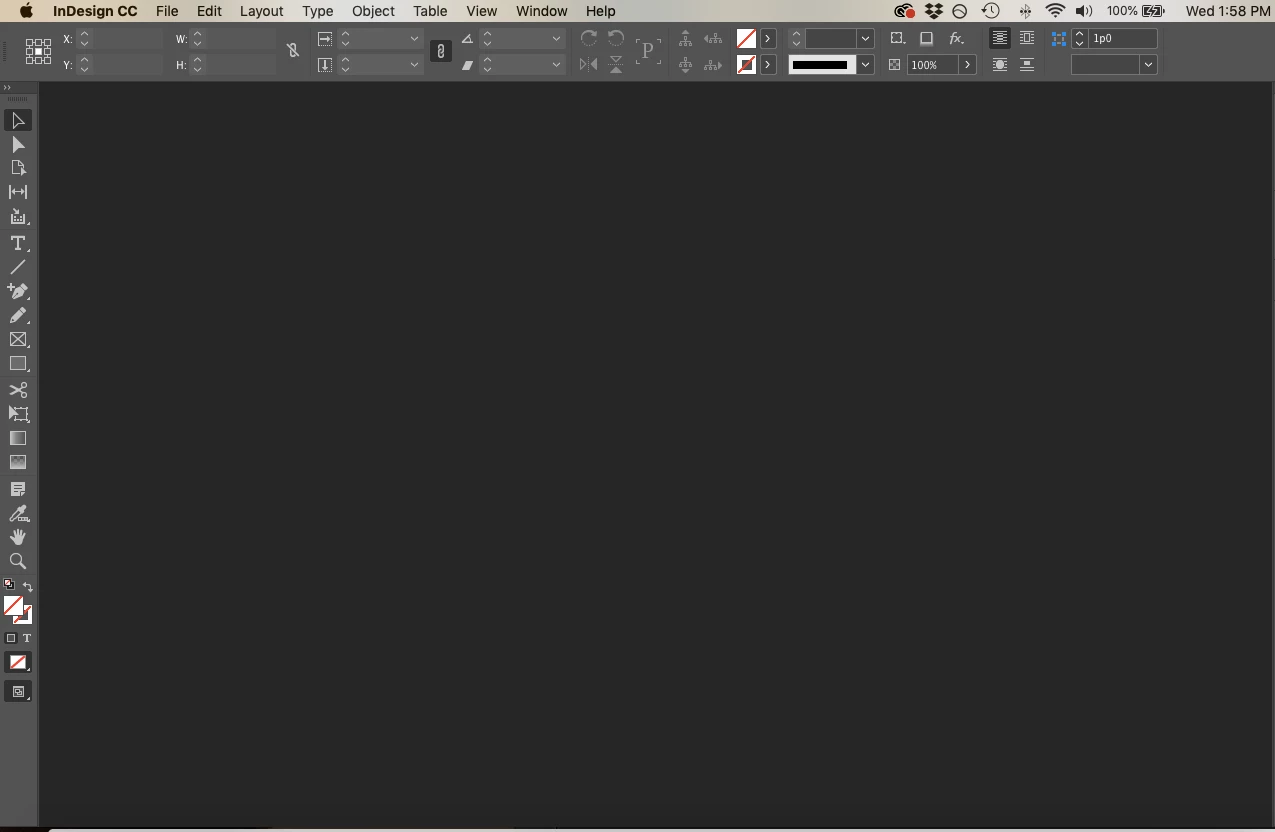
This is driving me mad. I'm unable to drag my InDesign window around my screen or across my dual monitor. I'm not sure if this has anything to do with it, but I noticed that the little bar that always lives at the top of the window with the close, maximize, and minimize buttons is GONE. I most likely accidentally altered a setting but now I have no idea how to fix it! It does not have to do with being in Full Screen Mode or my Application Frame not being checked. I have checked both of these things. No other windows or documents are open within InDesign and I have already reset my Workspace multiple times.
Orange MilkshakeCorrect answer
Participant
May 26, 2024 2:00 AM UTC

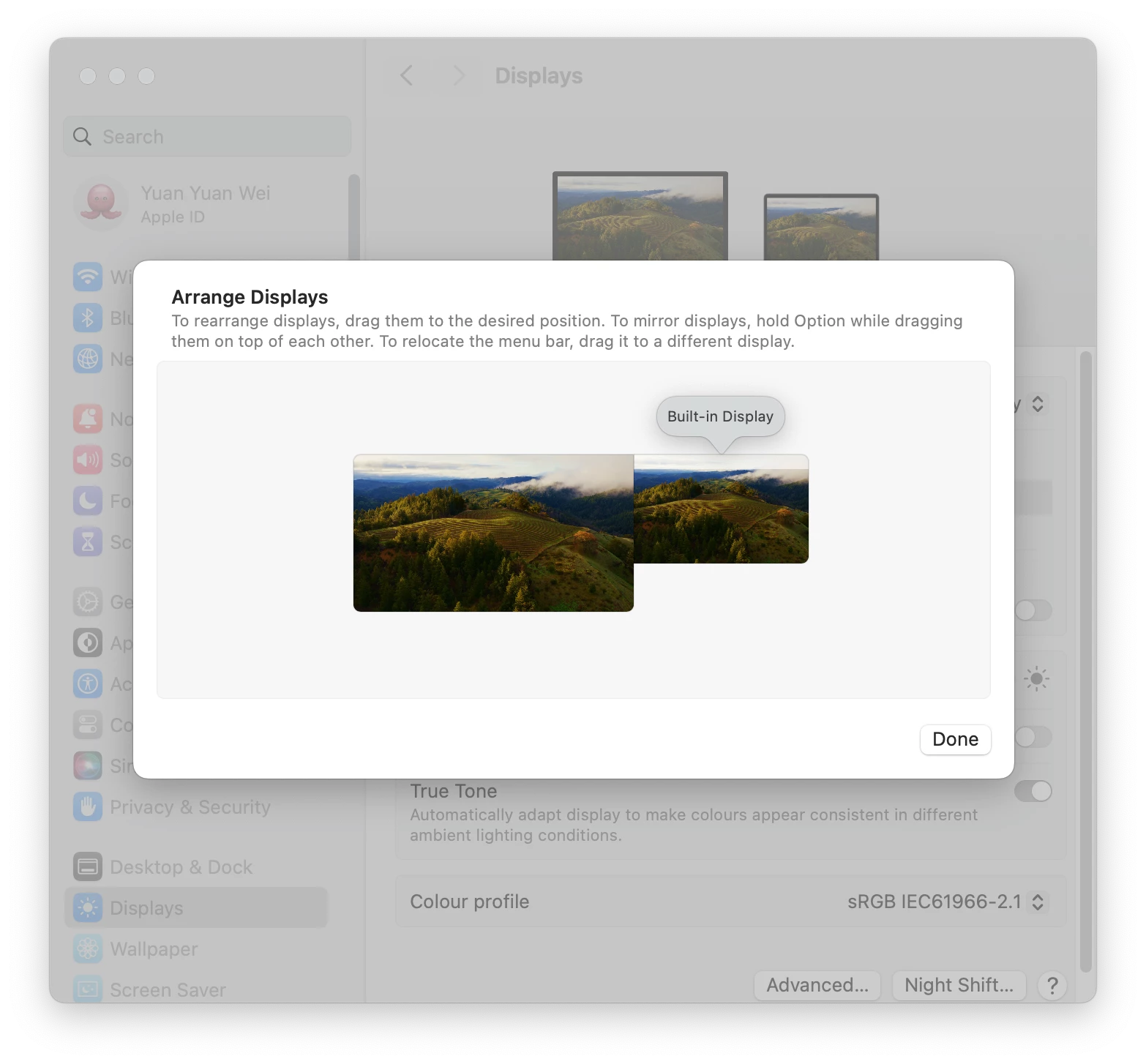
If this issue is caused by split view, try change the monitor arrangements: System Settings > Display > Arrange > make sure your Built-in Display aligned to the top with the Extended Display.


25 replies

Participant
Jul 30, 2025 5:38 AM UTC

I found a super quick solution to this - if the problem is you have two screens/laptop split extended screen etc.
Simply disconnect the laptop/computer from the second screen. The indesign window will then revert to a normal window and you can move it where you want & plug everything back in.
I have spent ages previously trying different methods, can't believe something so easy worked for me..

Translate
Participant
Oct 16, 2024 2:32 PM UTC

Unable to move Indesign window from laptop to other monitor after updating to 2025.  It jumps jumps back.  Anyone please help ?  I'm using Windows.

Translate
Participant
Oct 20, 2024 11:34 PM UTC

This is also happening to me and none of these suggestions are helping me whatsoever. I am also using Windows.

Translate
Dave Creamer of IDEAS
Community Expert
Community Expert
Oct 21, 2024 3:24 PM UTC

If you maximized your window by clicking the green button, the green/yellow/red buttons will "disappear". If that's the case, hover near the top of your screen and the button's bar will drop down. Click the green button again to unmaximize the window. The resize the screen manually after that. InDesign will remember your screen position. 

OR--Ctrl-Cmd-F will toggle Full Screen mode. 

Translate
David Creamer: Community Expert (ACI and ACE 1995-2023)
Orange MilkshakeCorrect answer
Participant
May 26, 2024 2:00 AM UTC

If this issue is caused by split view, try change the monitor arrangements: System Settings > Display > Arrange > make sure your Built-in Display aligned to the top with the Extended Display.


Translate
Participant
Sep 26, 2024 12:18 AM UTC

Thank you so much for helping me solve this issue. Your explanation was really clear and saved me a lot of time!

Translate
Participant
Oct 18, 2023 2:50 PM UTC

This is an extremely annoying and ongoing issue that I have had with InDesign when using a MacBook Pro and an external screen for some versions now. Sometimes I can drag the app to the external screen, sometimes not.


The only way to "fix" this is to instruct the macOS to use the external screen as the main screen instead of the laptop. I would love if Adobe fixed this for good.

Translate
Brett Fontana
Participant
Oct 18, 2023 2:30 PM UTC

In the very top menu bar that list,   file - edit - layout  -type - object,- table  - view - plug-ins - window and help go to the window menu go to the bottom of the list and engage application frame 


Translate
Participant
Apr 9, 2024 8:17 PM UTC

This sorta works, but it splits the toolbars and composition into multiple movable frames rather than one window, which isn't ideal. Thanks for sharing though, this will work for now until InDesign fixes the issue!

Translate
eepsmedia
Participating Frequently
Sep 26, 2023 12:01 AM UTC

Neither technique worked for me. Neither keyboard nor deleting the caches and preferences "by hand."

Translate
eepsmedia
Participating Frequently
Sep 26, 2023 12:07 AM UTC

Own solution, thanks to a different thread: I was using multiple monitors, with my "main" monitor (the laptop) below the others. So the title bar was getting stuck in the crack.


On the Mac: go to display preferences, choose Arrange, and make the "main" monitor one of the top ones. Now the opening InDesign window has a full title bar.

Translate
Participant
Nov 8, 2023 10:15 PM UTC

Thanks, this worked for me. As you adjust the monitors height the winow options magically appear again. 

Translate
BobLevine
Community Expert
Community Expert
Feb 6, 2019 10:28 PM UTC
htoy12Author
Participant
Feb 7, 2019 2:11 AM UTC

Ah! Thank you so much! This fixed it perfectly. Appreciate your help!

Translate