
Participating Frequently
April 13, 2022
Question

Unable to publish Adobe Indesign file online - getting error code #33

  • April 13, 2022
  • 3 replies
  • 3164 views

Hi everyone, 


I'm running into an issue publishing an Adobe indesign file online (see screenshot 1). 
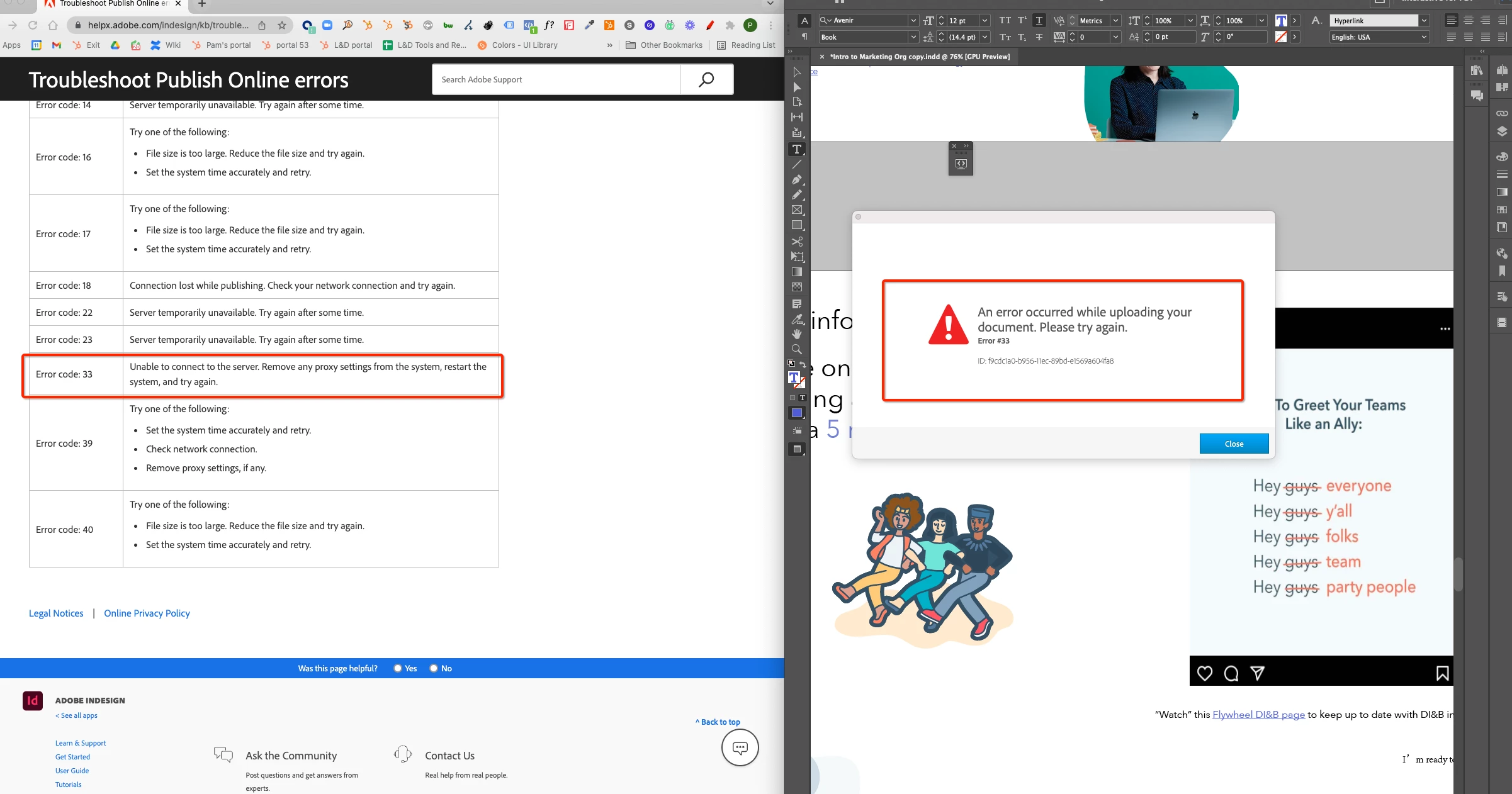
 

I got an error #33. Researching on this error, it says that I should "Remove any proxy settings from the system, restart the system, and try again". Digging in further on how to remove proxy settings, I tried following this article, but it seems like I do not have any proxies checked (see screenshot 2).
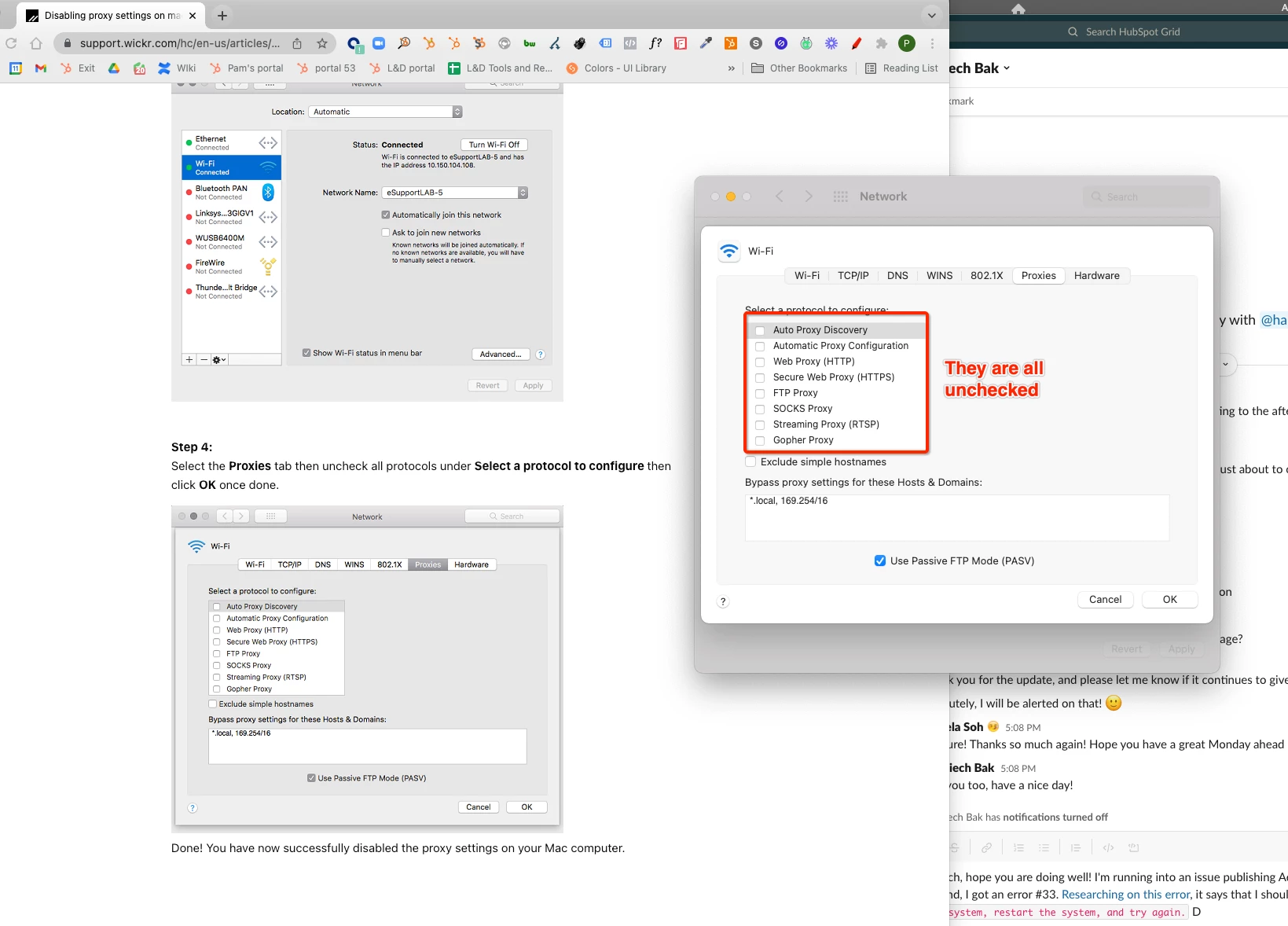
 

I also tried changing Wifi network and using another Macbook, but the same error message (error#33) still shows up. 


Wondering if anyone has any advice on this? Thanks!

This topic has been closed for replies.

3 replies

Participant
November 9, 2023

hi! i'm having this exact same issue. any chance you resolved it or have any solves?


Kevin Stohlmeyer
Community Expert
Community Expert
November 9, 2023

@emma5E12 did you reach out to your plan Admin to make sure the settings are correct for your account?

Ian Sayers
Inspiring
May 2, 2022

Can i ask if it is just this document you get an error on or all documents ? Have you tried uploading another to see if it works?


Trying to see if it is an image or other file in your document causing this problem.

pam sohAuthor
Participating Frequently
May 3, 2022

Thanks @Ian Sayers, I tried uploading an existing alternative Adobe Indesign file and I got the same #33 error. I created a brand new file and tried publishing that online and I got an error #18.  

Ian Sayers
Inspiring
May 3, 2022

The new files you create - do they have any text or images in them?

Please create a document with only a coloured box - no text and see if it works or what error is produced.


Thanks.

Kevin Stohlmeyer
Community Expert
Community Expert
April 13, 2022

Are you in an IT controlled environment? We had to have them allow access at the network level in order to bypass this error. They were blocking upstream.

pam sohAuthor
Participating Frequently
April 14, 2022

Hey @Kevin Stohlmeyer , 


Thanks for your reply! I tried using my personal Macbook (non-IT controlled environment) and I got the same error code as well 😞 Any other suggestions?


Thanks!

Kevin Stohlmeyer
Community Expert
Community Expert
April 14, 2022

Check your CC desktop app and make sure there are no updates pending for the CC app (not InDesign).

If not, try logging out and back in.