Participant
August 12, 2024
Répondu

Unable to Reset Zero Point to Top-Left Corner in InDesign v19.4

Hi all.
I'm really having trouble doing something bvery, very simple for some reason it just won't work for me.

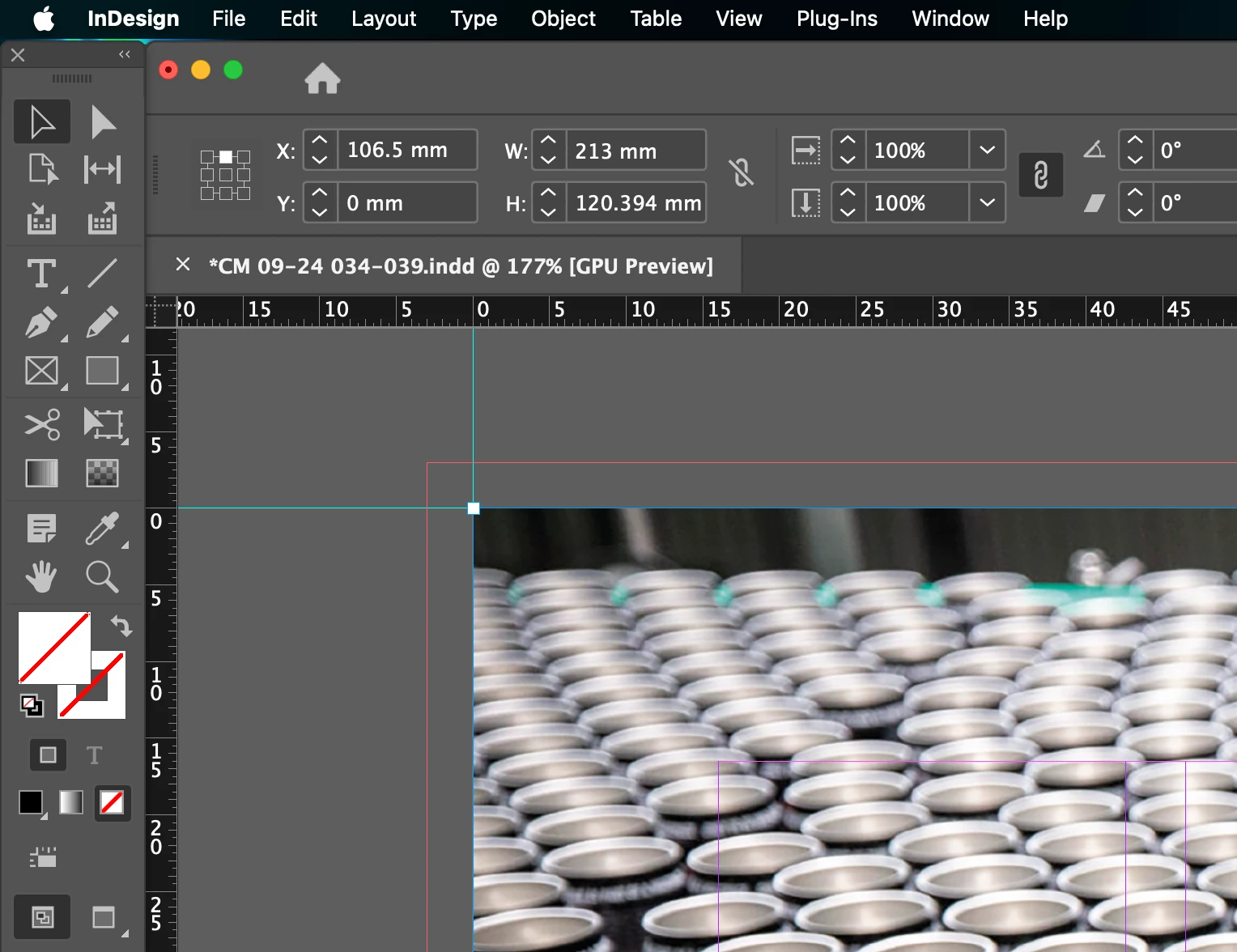
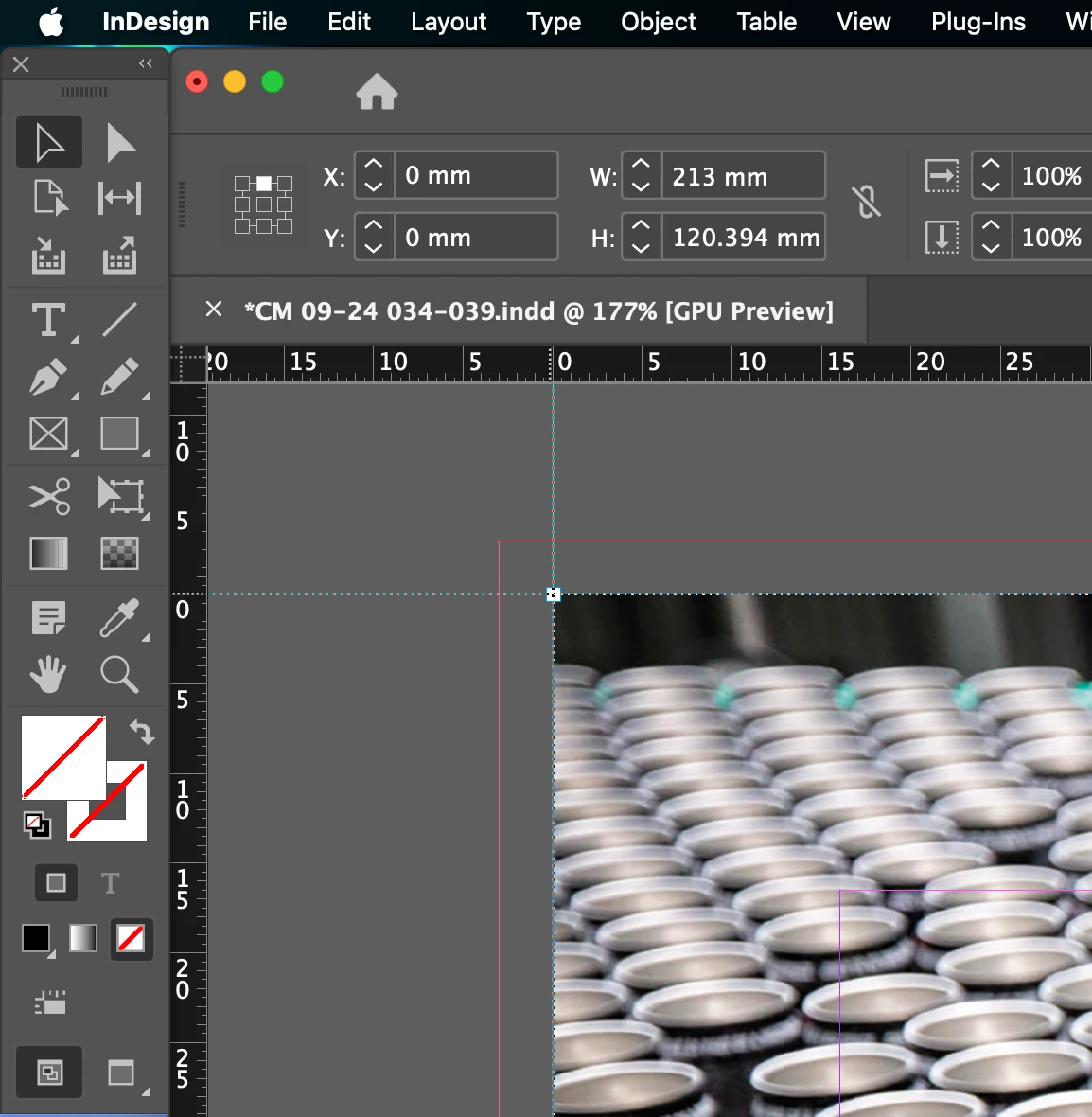
The issue is that I cannot reset zero point to 0-0 on top left hand corner of ANY page.
ID v19.4

I've tried the standard :
1. "double click" to reset.
2. Drag to the point I wish 0 to be.

But even when I do this an image still shows co-ordinates nto "0"
See screen shots below.
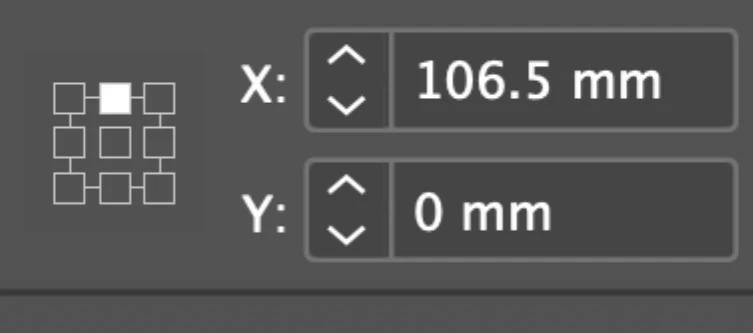
You'll see the image location as
X = 106.5mm and Y = 0

This is even after I've dragged the Zero point to the desired location. It just won't work for me.

As a side note, I also noticed at the same time this issue arose that when I adjust an image/text box the size increases equally on the left and right hand side of the box itself rather than the default of just expanding out to the right hand side.

I'm just a bot lost tbh

Thanks

Thank you


<Title renamed by MOD>

Ce sujet a été fermé aux réponses.
Meilleure réponse par Robert at ID-Tasker

@SayersHome


You've selected top-center reference point - not the top-left:


So the X value is half of the width of your object. 


The same goes for your width problem - as your reference point is middle of the width - width is increased proportionally on both sides. 


2 commentaires

Robert at ID-Tasker
Legend
August 12, 2024

@SayersHome


You've selected top-center reference point - not the top-left:


So the X value is half of the width of your object. 


The same goes for your width problem - as your reference point is middle of the width - width is increased proportionally on both sides. 


Participant
August 12, 2024

@Robert at ID-Tasker Robert at ID-Tasker
OMG: Thanks a million.  This has been bugging me.
Same issue arose for my about 18 months ago.... and could I recall or find the issue fix. NOPE!!!

You're a superstar and thanks for helping out a dullard with a brain like a sieve!! 

Robert at ID-Tasker
Legend
August 12, 2024

Happy to help. 


We all sometimes miss obvious things. 


Anshul_Saini
Community Manager
Community Manager
August 12, 2024

Hi @SayersHome,


I’m sorry to hear about the frustration you’re experiencing with resetting the zero point in InDesign. I’d recommend updating to version 19.5 first to see if the issue persists.


Additionally, does this issue occur in a specific document or across all your files? If it’s happening everywhere, it might be worth resetting your preferences, as that often resolves these types of issues. I hope this helps! Let me know if you need further assistance.


Best,

Anshul Saini