
Known Participant
March 23, 2026
Question

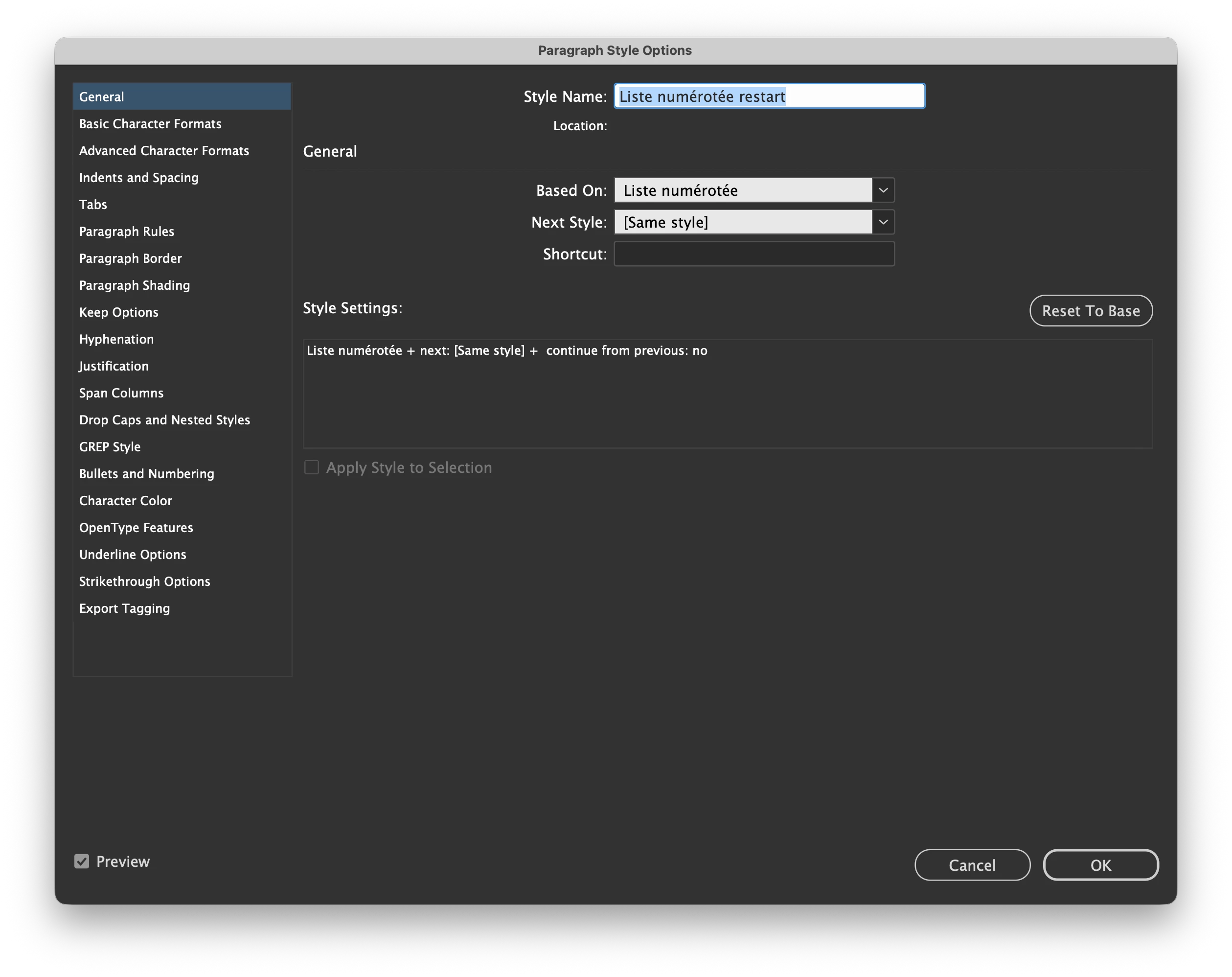
Unable to use Numpad as Paragraph/Character style shortuct

  • March 23, 2026
  • 3 replies
  • 63 views

Just clean installed on a new Mac. I used to be able to use my Microsoft bluetooth numpad keyboard to bind shortcuts to paragraph/character styles, but InDesign doesn't want that anymore. The field will stay blank, but the shortcut still works…
 

    3 replies

    Abhishek Rao
    Community Manager
    Community Manager
    March 24, 2026

    Hi ​@JolinMasson,


    Thanks for sharing the details. Could you please check System Settings > Accessibility > Pointer Control and ensure that Mouse Keys is turned off, as this can cause the numpad to behave like navigation keys instead of input keys? Also, try pressing the Clear key once while InDesign is active, and then attempt assigning the shortcut again, as it can toggle the numpad mode.


    Please give this a try and let me know how it goes. I’ll be happy to look into this further based on your update.

    Abhishek

    Known Participant
    March 26, 2026

    Hi ​@abshaik ,

    Mouse Keys is turned off. Pressing the Clear key won't change a thing.

    Paragraph Styles accepts (and show in the panel) CMD + number from my main keyboard.

    Is also accept CMD + keypad number , but won’t show it, neither in the Shortcut field nor in the Panel…


    Thanks for the help!


    Abhishek Rao
    Community Manager
    Community Manager
    March 27, 2026

    Hi ​@JolinMasson,


    Thanks for taking the time to test all of this and sharing the details. Could you please share a short screen recording showing the complete workflow, from assigning the shortcut using the numpad to how it behaves in the panel? This will help me clearly see what’s happening on your end. I’ll test it the same way and take this further with the team for investigation.


    Looking forward to your update.

    Abhishek

    BobLevine
    Community Expert
    Community Expert
    March 23, 2026

    You don’t need to use the number pad keys for style keyboard shortcuts. You can use any keys you want.

    Known Participant
    March 23, 2026

    I hear you, but I WANT to use the number; all my docs have styles linked to them.

    leo.r
    Community Expert
    Community Expert
    March 23, 2026

    Try to do Cmd-A in the field, then delete, then assign the shortcut. 


    If this still doesn’t work: does your numpad work as expected in general in other apps?

    Known Participant
    March 23, 2026

    The numpad works in other apps, and can also type 0123… in InDesign and elsewhere.

    Anubhav M
    Community Manager
    Community Manager
    March 23, 2026

    Hello ​@JolinMasson 


    Could you try assigning a different keyboard shortcut that does not include the numpad to see if that works? If so, kindly check whether the shortcut is affected by the Fn/Num lock and share your observations.


    Looking forward to hearing from you.
    Anubhav