
Participant
May 2, 2018
Question

Unable to Wrap Text around object made in illustrator

  • May 2, 2018
  • 1 reply
  • 1284 views

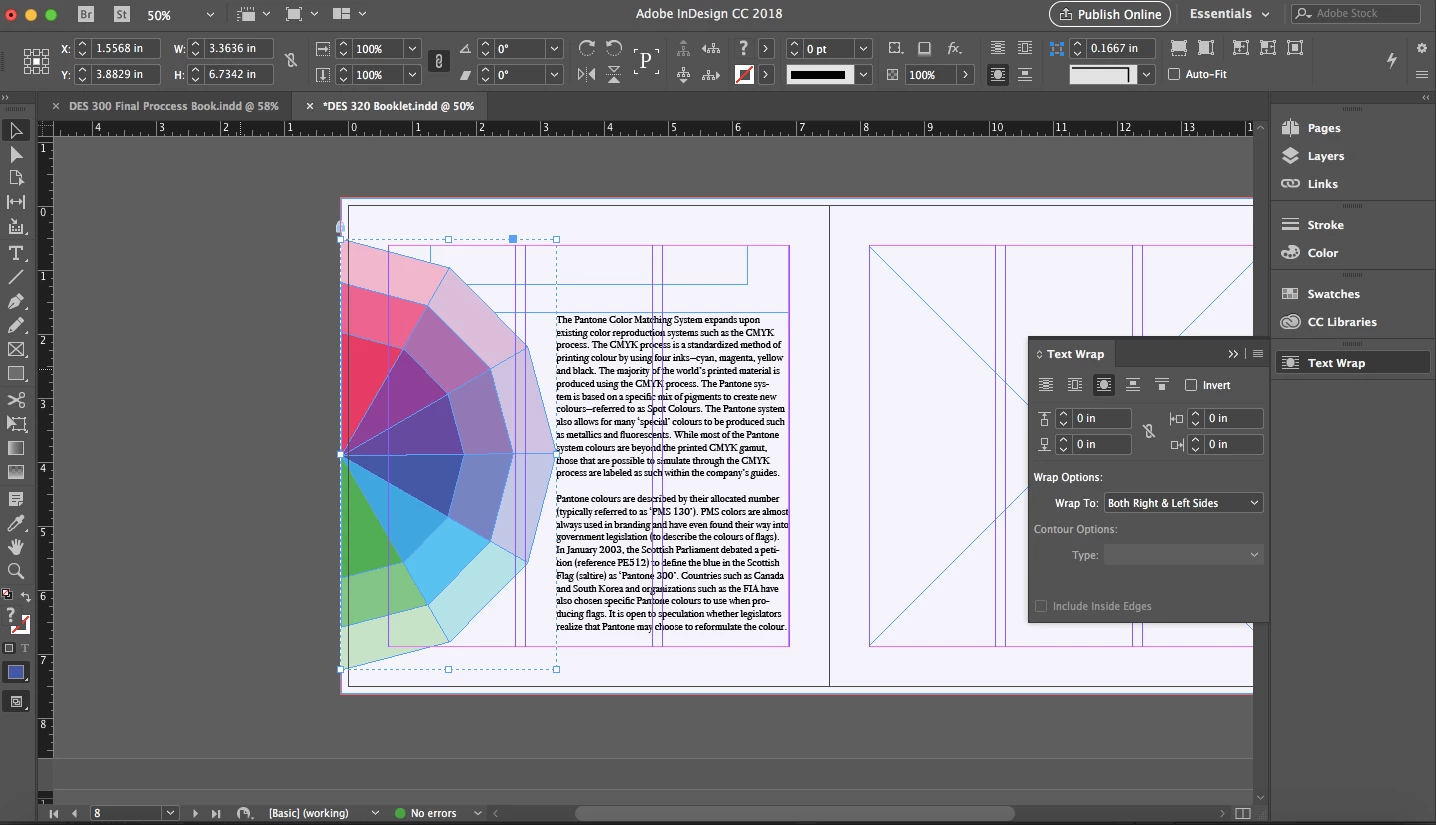
I am unable to text wrap around an object I made in illustrator. Contour options is completely greyed out for some reason. I'm still new to InDesign and I have to admit this is getting quite frustrating...
This topic has been closed for replies.

1 reply

John Mensinger
Community Expert
Community Expert
May 2, 2018

Tarrea90377  wrote

Contour options is completely greyed out for some reason.

That's because you have a group selected. Did you Place your Illustrator art or Paste it?

Participant
May 2, 2018

I pasted my Illustrator art. Whenever I place it the quality is not as good.

John Mensinger
Community Expert
Community Expert
May 2, 2018

Tarrea90377  wrote

I pasted my Illustrator art. Whenever I place it the quality is not as good.

You should Place as a matter of standard practice. When you pasted your Illustrator art, it pasted as a group of objects, and as you've discovered, that limits your text wrap options.

When to link graphics |

https://indesignsecrets.com/copy-and-paste-vs-place.php

As for the quality when you Place, a couple of things you need to know as a beginner:

  1. The display of the InDesign editing environment is really no place to judge "quality." For the sake of rendering speed, InDesign uses proxy images, rather than the actual Placed content. Reserve judgements involving quality for the output stage.
  2. InDesign has Display Performance Modes. See View > Display Performance. You may also set this globally in Preferences and at the individual object level. When you Place an image or graphic, its display quality is applied according to the settings you choose. The default is "Typical" which most new users mistake for a problem because it doesn't look very good.

Controlling graphics display