Inspiring
August 14, 2020
Answered

Underline text without cutting descender

  • August 14, 2020
  • 1 reply
  • 3191 views

Dear all,

I would like to know if it is possible to have the underlining of a text not cutting the descender of letters.

For example, if I underline example, here in the forum, the line stops just before the p's descender and starts again just after it. In my InDesign document using the Academico font it is not working like this.

Is it a characteristic of the font itself or is there some other option I could play with?

Thanks
This topic has been closed for replies.
Correct answer SJRiegel

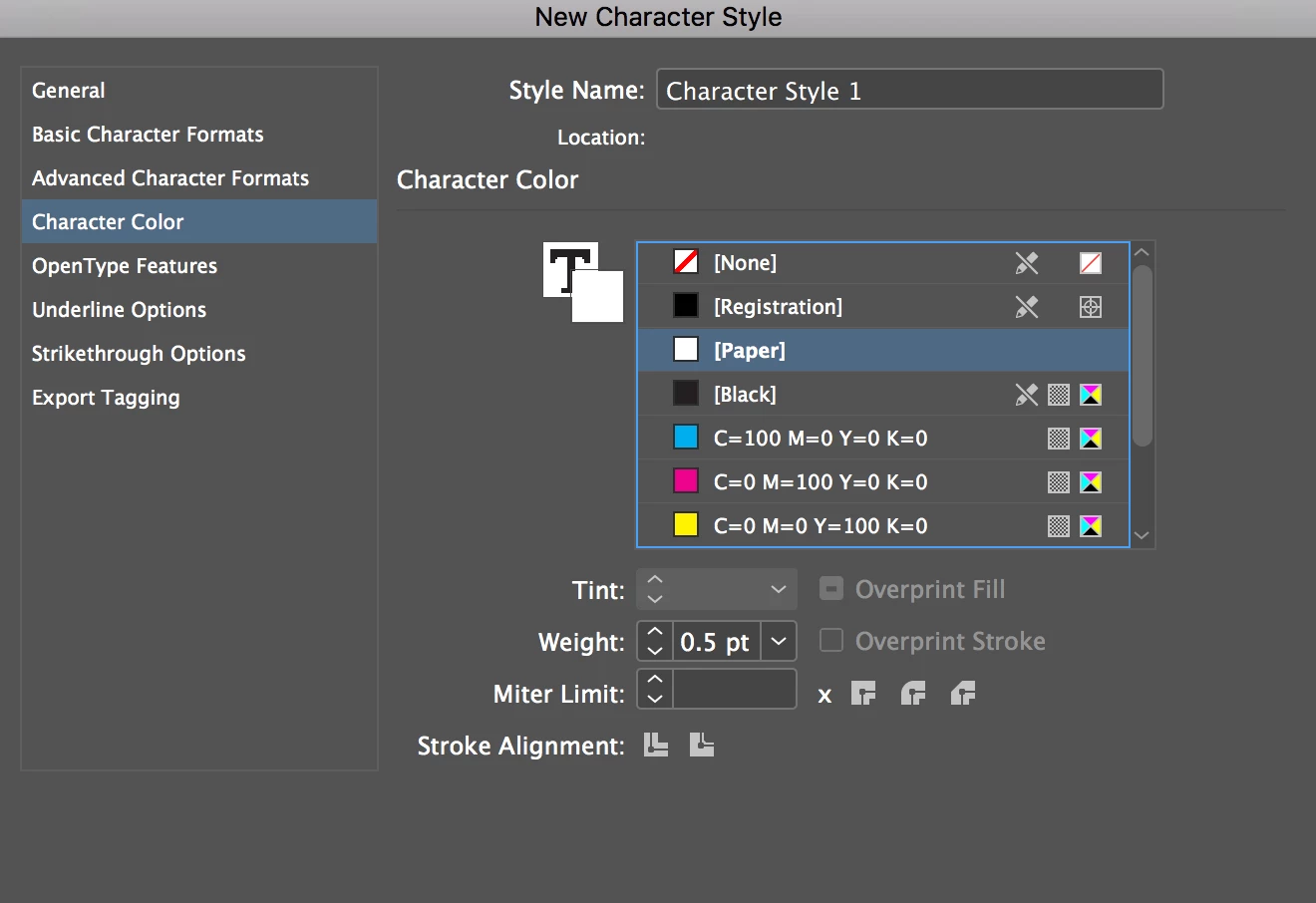
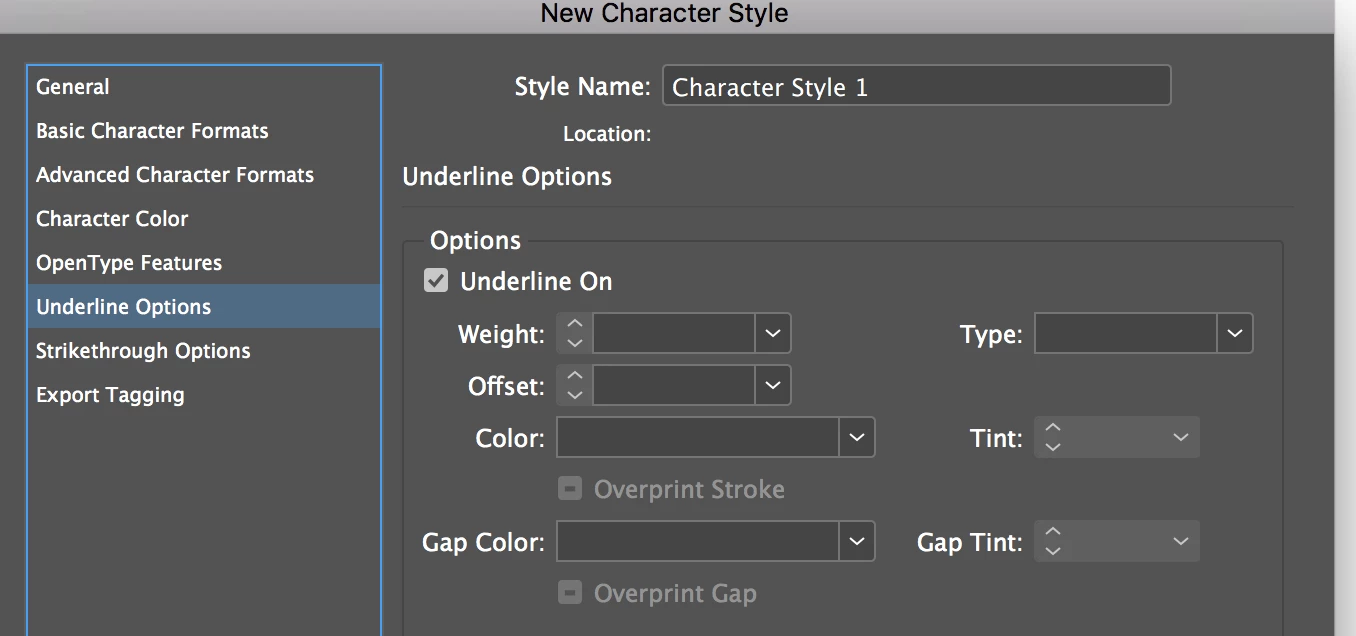
It's all in the screen shot. 

Add a stroke to the underlined text, colored white (see the Swatch Pallet image to see how)


To set up the Character Style, define only the stroke color and size, and set the underline to ON.  

That way, you can apply the underline and the text stroke at once.

1 reply

Legend
August 14, 2020

This could be a workaround for you. Set up and Underline Character style, and include a thin white stroke on the text (size of the stroke depends on your type size) 

Inspiring
August 14, 2020

The result looks amazing.

Could you please showme the steps to get there? 

I am quite new to InDesign.

Thanks

SJRiegelCorrect answer
Legend
August 14, 2020

It's all in the screen shot. 

Add a stroke to the underlined text, colored white (see the Swatch Pallet image to see how)


To set up the Character Style, define only the stroke color and size, and set the underline to ON.  

That way, you can apply the underline and the text stroke at once.