Hi Xerios234008559rl4,
that is "normal" behavior of InDesign.
Some formatting is thrown away when you convert text to outlines.
Or it could also happen that it changes the visual appearance of type.
So Willi's advice is a very good one.
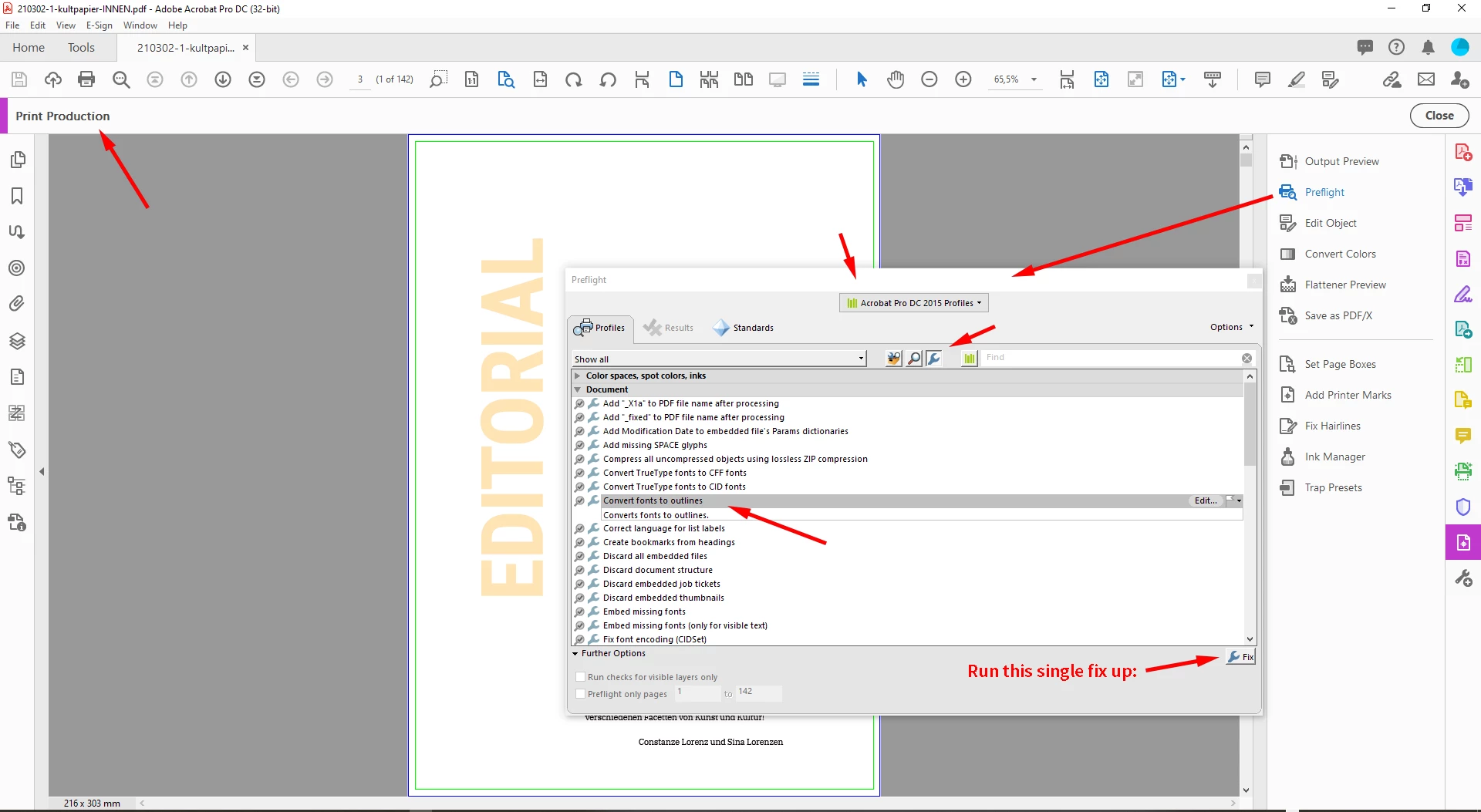
If you have to do this, do it in an exported PDF with Acrobat Pro DC's Preflight:
Print Production > Preflight > Acrobat Pro DC 2015 Profiles >
Press the icon for Single Fix Ups > Document > Convert fonts to outlines
If you have to do this with your InDesign document you have to draw a new underline.
Regards,
Uwe Laubender
( ACP )



 AdChoices