Known Participant
July 5, 2018
Question

Underlining in Paragraph / Text frame

  • July 5, 2018
  • 2 replies
  • 6812 views

I have inherited a catalogue document and cannot edit the underline colour in the below contents text box:
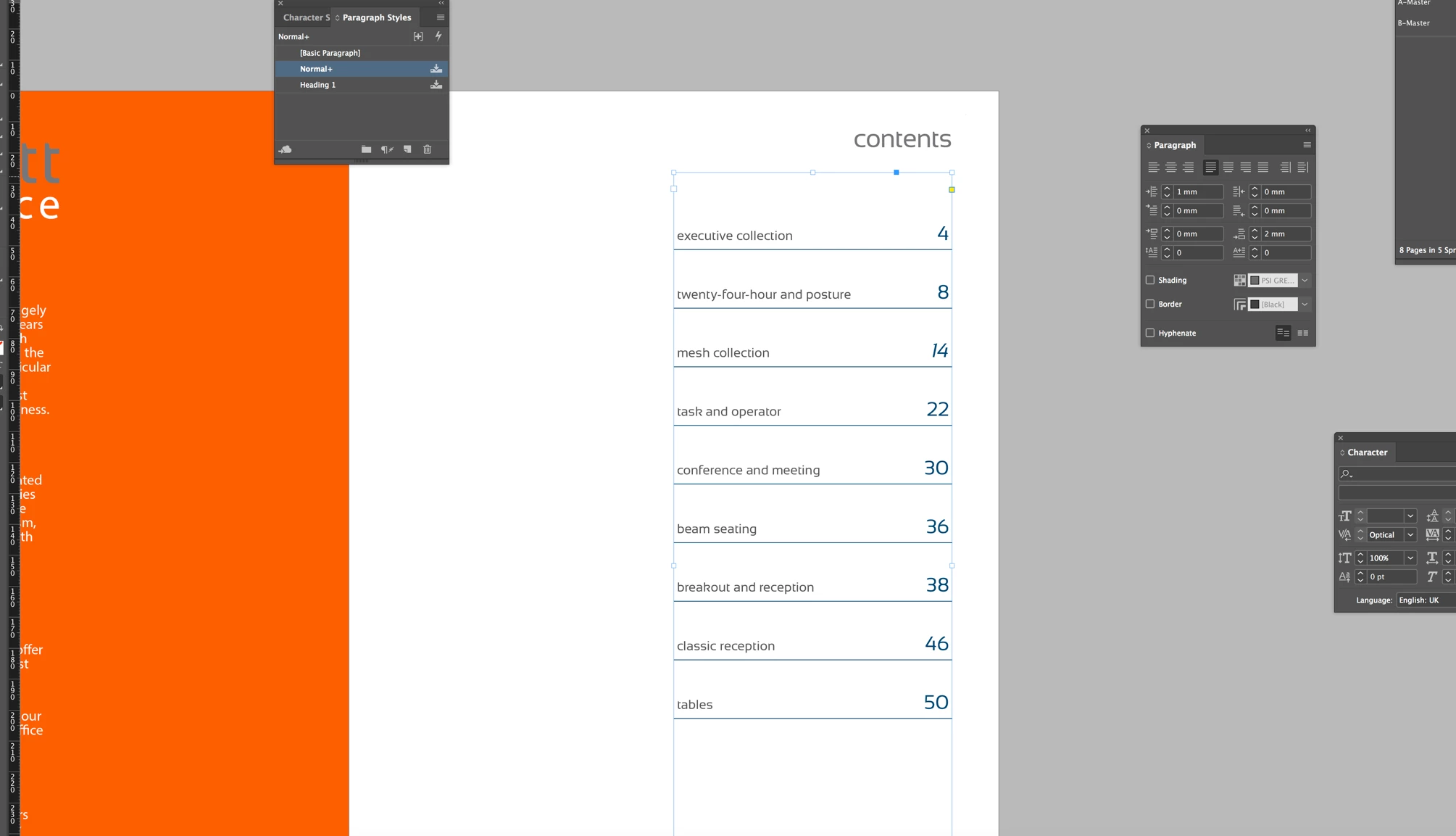
I can change text colour but not the lines underneath. They are part of the text box / paragraph.

This topic has been closed for replies.

2 replies

Jongware
Community Expert
Community Expert
July 5, 2018

If it isn't basic underlined text and the lines are not separately drawn but indeed part of the text, then they must be Paragraph Rules.

See the Online Help: Format paragraphs in Adobe InDesign: Add rules (lines) above or below paragraphs.

vladan saveljic
Inspiring
July 5, 2018

check paragraph rules (below or above) and change colour

Bevi Chagnon - PubCom.com
Legend
July 5, 2018

To clarify, if paragraph rules are turned on, then turn them off. (Uncheck either rule "above" or "below."

If a paragraph style was used to format the text, the turn them off in the style.

Underlines can also be set in the Underline Options portion of a style, too.

And they also could be done with Paragraph Borders.

Hard to tell from your screen capture which method was used.

|    Bevi Chagnon   |  Designer, Trainer, & Technologist for Accessible Documents ||    PubCom |    Classes & Books for Accessible InDesign, PDFs & MS Office |
Jongware
Community Expert
Community Expert
July 5, 2018

Bevi, it's not a Paragraph Border. The paragraph panel is shown in the screenshot, and if any of the top/left/right/bottom values in Border are used, that panel would show a tick at "Border".

It also could be a regular underline but that is relatively tricky to get right, what with the different font sizes and all – just not the effort.