

Author57
Inspiring
June 16, 2026
Answered

Unexpected Blank Space at Bottom of Page Prevents Text Reflow

  • June 16, 2026
  • 3 replies
  • 34 views

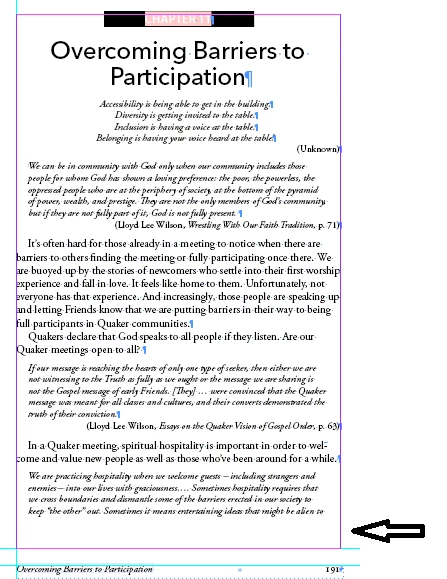
I have mysterious blank space showing up at the bottom of a page. The text refuses to flow into it. I’ve checked for hidden objects, deleted the page itself, and replaced the text. Nothing I’ve tried fixes it. I’m attaching a screen shot with an arrow pointing to the blank space. I’m working on a Windows machine. It’s throwing off my pagination. 

On a different topic, does any one else find the new requirement to choose a “Category” on this page a pain? There is so much vertical space, and it’s not alphabetized, that it’s frustrating and time consuming.
 

    Correct answer Author57

    Sorry, never mind. I figured it out. It was the Keep settings.

    3 replies

    leo.r
    Community Expert
    Community Expert
    June 16, 2026

    On a different topic, does any one else find the new requirement to choose a “Category” on this page a pain? There is so much vertical space, and it’s not alphabetized, that it’s frustrating and time consuming.


    Yes. I now specifically tried to post something on the InDesign forum — and the UX for posting a question is so ridiculous on the new forum, I’m surprised that anyone is able to post anything at all.

    Author57
    Author57AuthorCorrect answer
    Inspiring
    June 16, 2026

    Sorry, never mind. I figured it out. It was the Keep settings.

    Community Expert
    June 16, 2026

    Not sure but did you check the frame inset settings?

    -Manan