
unlocking guides: I seem to have a problem
Hi. Using InDesign 19.2 64-bit on Win 11 (updated).
Summary: I'm having a problem selecting and moving guides. When I try to move an existing guide, the cursor displays a lock icon and the guide does not move. I *think* I have guides unlocked. Images follow. As an aside, if I create a new guide, I cannot move that either once I've dropped it.
Detail: Previously, using ID 19.0 (as I recall -- it was only a couple of weeks ago) I created a book cover that needs PRECISE positioning of several elements (notably the room available on the spine and the extra bit of room the binder needs because nothing in the world is every quite exact). I now need to update the guides because the thickness of the book has changed by half a dozen pages - this engenders a re-layout to accommodate. However, I cannot seem to select and move any of the guides.
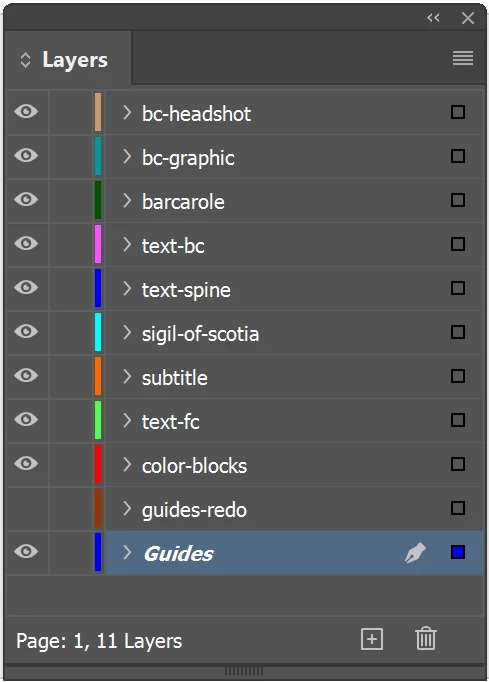
- The guides are on their own bottom layer.
- The layer is not locked (as far as I can tell).
- The layer and the guides are NOT on a parent page.
- I am working on a regular page, which is where the guides are.
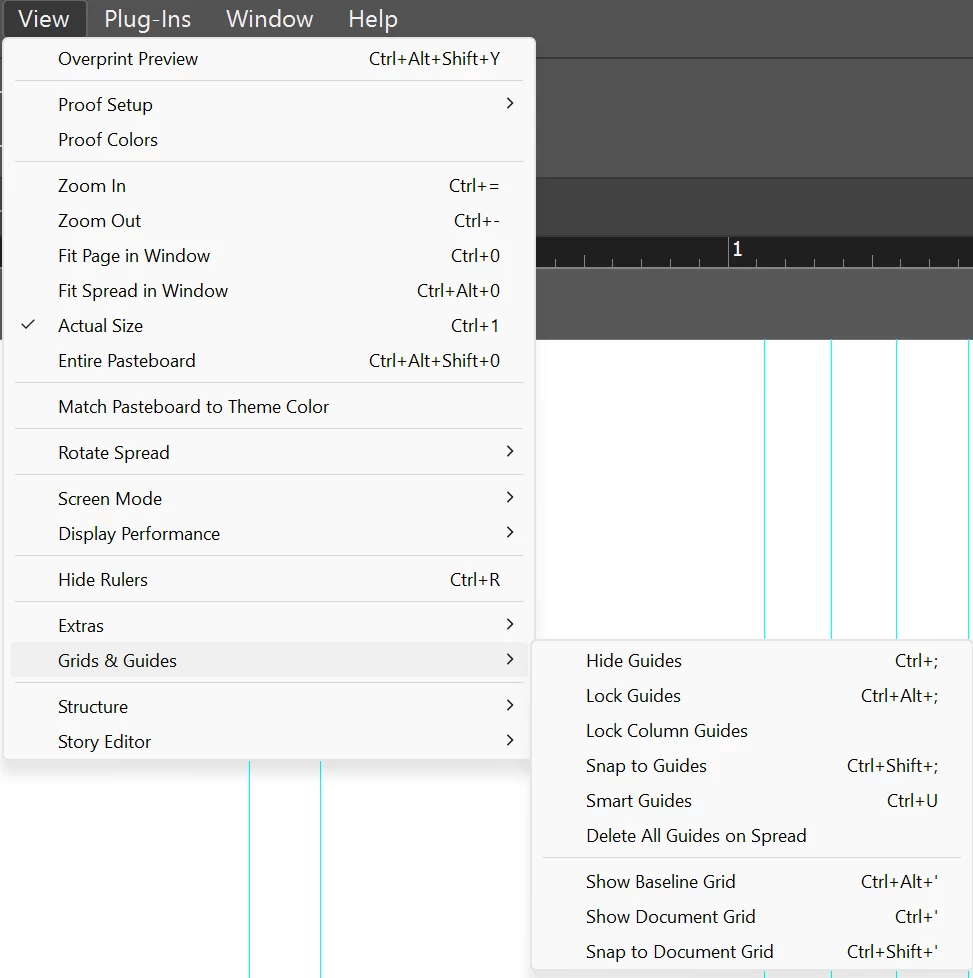
- Guides are (apparently) not locked for the document.
- I can select a guide (it turns black), but when I try to move it, the cursor displays a lock icon. (This is tough to screen-capture, but when I try to move a selected guide, I get a box showing the current X position and a lock icon.)
Obviously I am missing something that any good ID user should know (the shame!). Haven't run into this before. I've tried Control-click, Alt-click, shift-click, and plain old click and various combinations. I can select the guide; just can't do anything with it. I would expect to be able to select it and then type into the X box up on the ribbon to reposition it exactly for the revised cover... but this does not seem to work.
Thanks as always to the community for any advice.
-j
PS: there is another post where the poster has the same problem but says, "Oh! It just began to work." But he leaves no details. -j
Images:
Layers. Guide layer at bottom. Does not appear to be locked. (Yeah, I put in a new guide layer -- and it's there, hidden -- but there's nothing on it because I would rather reposition the existing guides, and besides, when I created a new guide in it, I couldn't move that new guide, either.)
View | Guides menu. Guides do not appear to me to be locked (no checkmarks on the subsidiary menu).
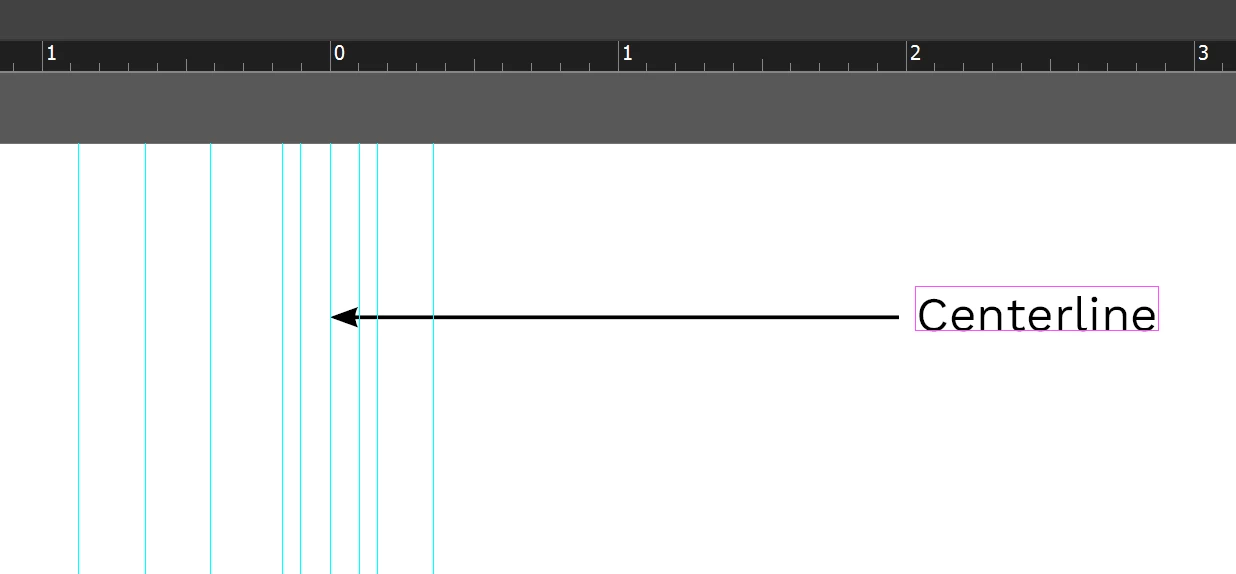
Current location of selected guide. The X position cannot be changed by clicking the up/down arrows or by typing into the box. Note that the guide is centered. Is THAT doing something I'm not aware of?

A collection of guides around the centerline/spine of the cover (back cover and front cover).


 AdChoices