
Known Participant
March 25, 2025
Question

Unnamed character style while flowing docx file in InDesign

  • March 25, 2025
  • 3 replies
  • 727 views

System config

Windows XI

MS office: latest version

Publishing sofware: Adobe InDesign (2025 latest version)


Issue faced: We have 2 documents doc and docx. Same document and different format of word (doc and docx).

Scenario 1: Doc
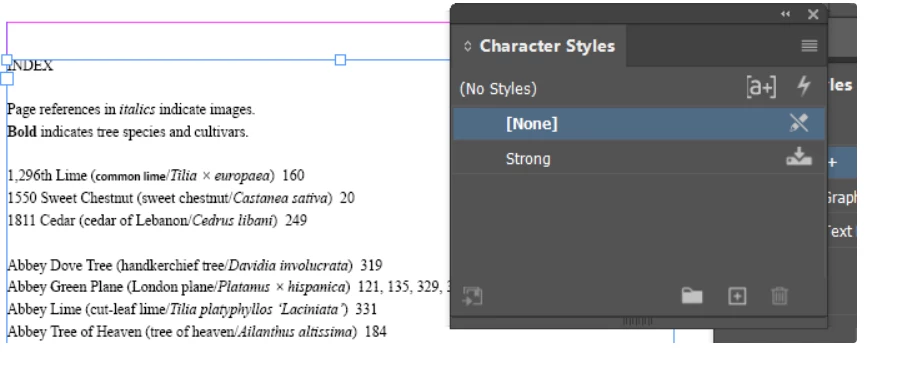
If I flowed the doc file in InDesign there is no issue. I got the correct character style no extra style is there. Please refer the below screen shot there is only 1 character style "Strong"


Scenario 2: DocX

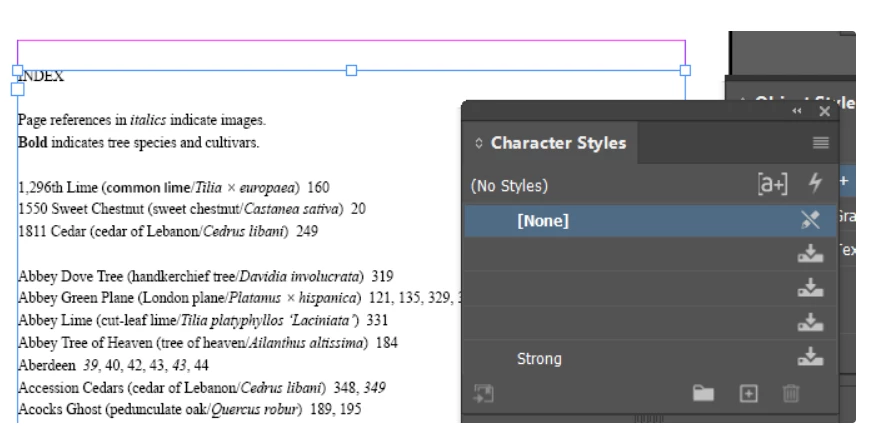
If I flowed the docx file in InDesign i am facing  issue there is some extra character style with unnamed character style please refer the below screenshot.


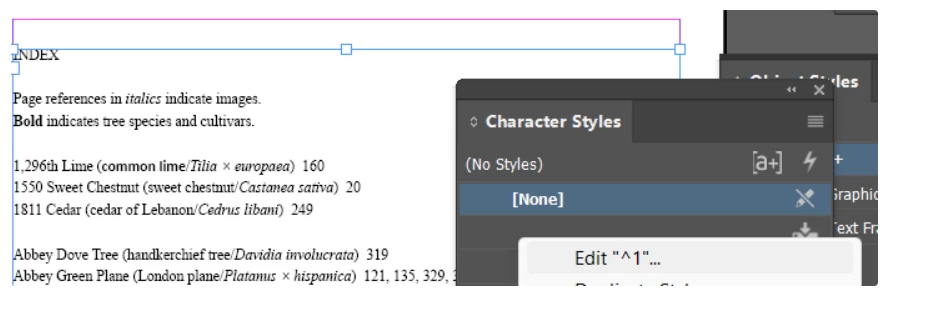
If we right click shows "^1" it seems to be junk style

Please let us know why this issue arising between doc and docx file. 

I attached doc and docx file for your analysis.


3 replies

Dave Creamer of IDEAS
Community Expert
Community Expert
March 25, 2025

I see the same problem on my end. A couple of options...

  • In Word, select all the text and press Cntl-spacebar--this will remove all character formatting. Then apply your character style(s) in Word.
  • Run a VBA script (macro) to remove unused styles: https://word.tips.net/T001337_Removing_Unused_Styles.html
  • After placing, select all unused styles from the Character panel and delete them (your mystery styles are unused). 


David Creamer: Community Expert (ACI and ACE 1995-2023)
Dave Creamer of IDEAS
Community Expert
Community Expert
March 25, 2025

BTW, this is where I believe all the mystery styles are coming from:

David Creamer: Community Expert (ACI and ACE 1995-2023)
James Gifford—NitroPress
Legend
March 25, 2025

I will just note that I rarely import Word files, even simple, clean ones, without phantom styles, color swatches, etc. I think avoiding this "grit" might take more careful file management and editing care than is worth... against, say, just deleting the junk after import.

Robert at ID-Tasker
Legend
March 25, 2025

Which file was first - and which one is a Save As version? 


Doc -> docx or docx -> doc? 


You can also try saving as RTF - in WORD. 


But overall - it's pretty "normal" behavior. 


Known Participant
March 25, 2025

Docx was the first file, so we saved the file as doc.
We are using docx file for importing document into InDesign, so that we need to find why that unnamed style came in docx format..

In RTF format we don't have such issue. But our workflow is we need to flow docx only

BobLevine
Community Expert
Community Expert
March 25, 2025
Are these real Word files or Word files saved from other applications?