
Participant
June 19, 2024
Answered

Unnecessary HIGHLIGHT of text matter

  • June 19, 2024
  • 2 replies
  • 577 views

Hello!
My issue is:
When I am typing something [reference attached] in Adobe InDesign, and decreasing or increasing the Kerning; the text part where the Kerning has been applied, get highlighted unnecessarily. This is evident when I am not pressing ‘w’ to preview.
Can anyone tell me how can I disable this highlight option? Is this related to Settings of the InDesign?
Thanks..
This topic has been closed for replies.
Correct answer jmlevy

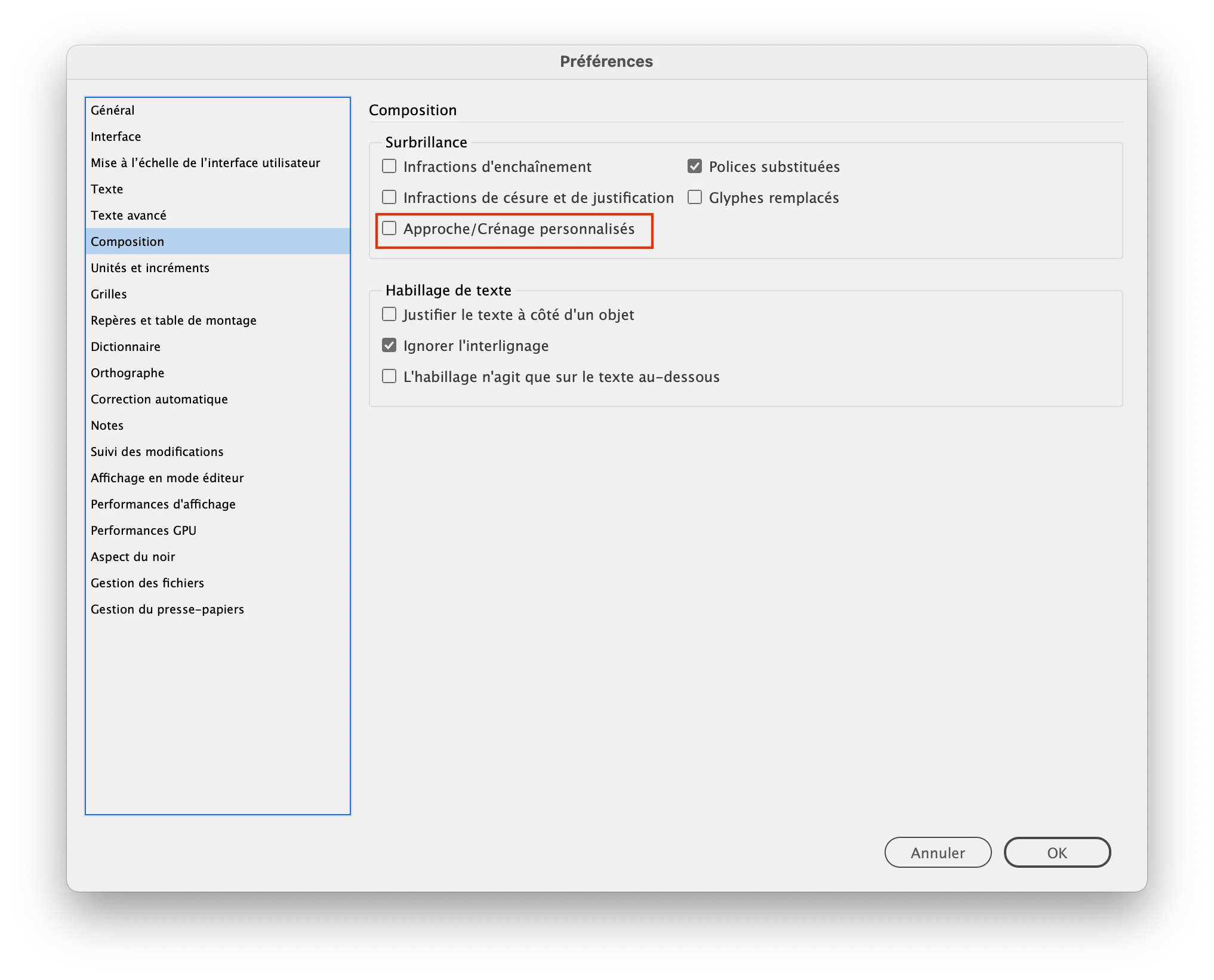
Go to preferences > composition and untick this option

2 replies

Barb Binder
Community Expert
Community Expert
June 19, 2024

InDesign uses highlighting to indicate a number of different things. The teal highlighting in your screenshot indicates a style override. You can disable the Style Override Highlighter by opening either the paragraph styles panel or the character styles panel, and click the plus icon in the top right corner. 

We use this to locate unintentional overrides. But of course, in your case, this one is intentional.


~Barb 

~Barb at Rocky Mountain Training
jmlevy
Community Expert
Community Expert
June 19, 2024

Hi @Barb Binder Hmmm, not sure: style override is more like cyan, not greenish as the OP screenshot.

Barb Binder
Community Expert
Community Expert
June 19, 2024

You are right, @jmlevy. Marking your answer as correct. 😊


~Barb

~Barb at Rocky Mountain Training
jmlevy
Community Expert
jmlevyCommunity ExpertCorrect answer
Community Expert
June 19, 2024

Go to preferences > composition and untick this option