
Question
Unreadable Text in EVEMultilineTextEditBoxWidget
Hello,
i n my C++ InDesign Plug-in i use EVEMultilineTextEditBoxWidget in a dialog.
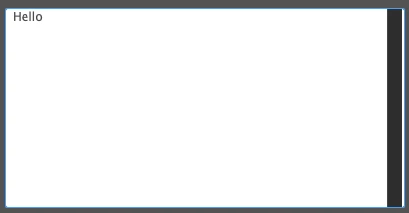
If i set the text in the dialog’s controller in InitializeDialogFields(), the text initially becomes unreadable.

I have to click into the text field to make it readable:
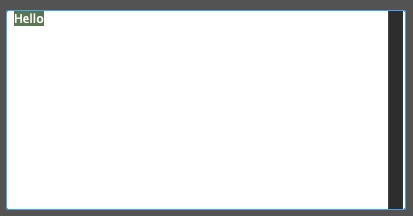
This seems not to be the text-selection, selected texts look like this:
EVEMultilineTextEditBoxWidget
(
	kFileConfirmationDialogEditTextWidgetID, // Widget ID
	kSysEditBoxPMRsrcId,            // RsrcID
	kBindNone,                         // Binding
	Frame(0,0,400,200)
	kTrue, kTrue, // Visible, Enabled
	0,            // widget id of nudge button
	1,            // small nudge amount
	10,           // large nudge amount
	0,            // max num chars(0 = no limit)
	kTrue,   // is read only
	kFalse,   // should notify each key stroke (NEW)
	kFalse,  // range checking enabled
	kTrue,  // blank entry allowed
	0, 0,    // upper/lower limit
	"",      // initial text
	kEVEAlignCenter | kEVEJumboSpaceAfter,
),
void FileConfirmationDialogController::InitializeDialogFields( IActiveContext* dlgContext)
{
	#pragma unused(dlgContext)

	this->SetTextControlData(kFileConfirmationDialogEditTextWidgetID, "Hello");
}
What can i do to solve the problem?
Regards


 AdChoices