dublove
Legend
February 5, 2020
Answered

Unusual, weird layout (ID CC2020): fonts are scaled

  • February 5, 2020
  • 4 replies
  • 10024 views

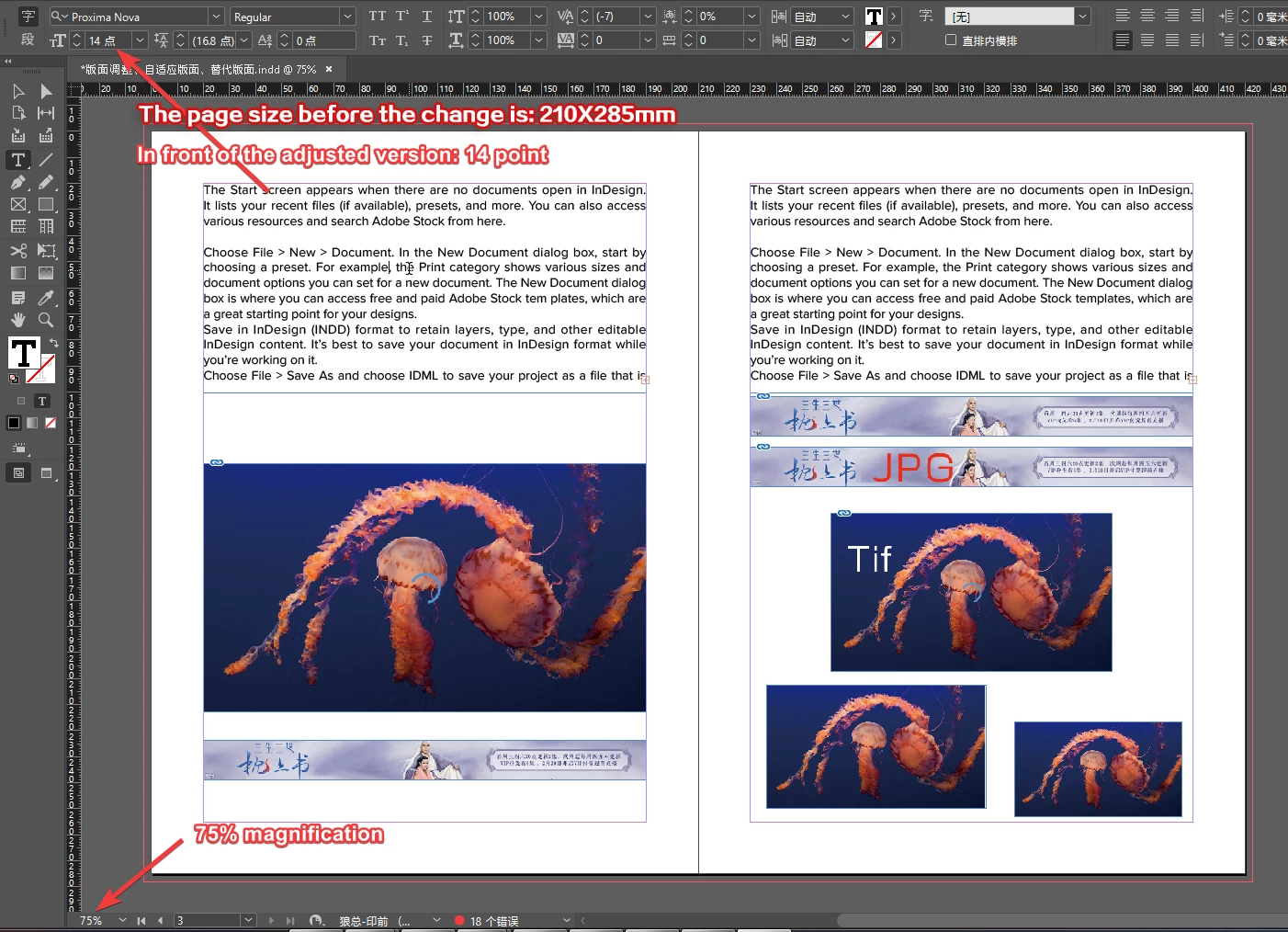
The left and right pages are the same text and the same frame.
The text on the left page has not changed and is correct.
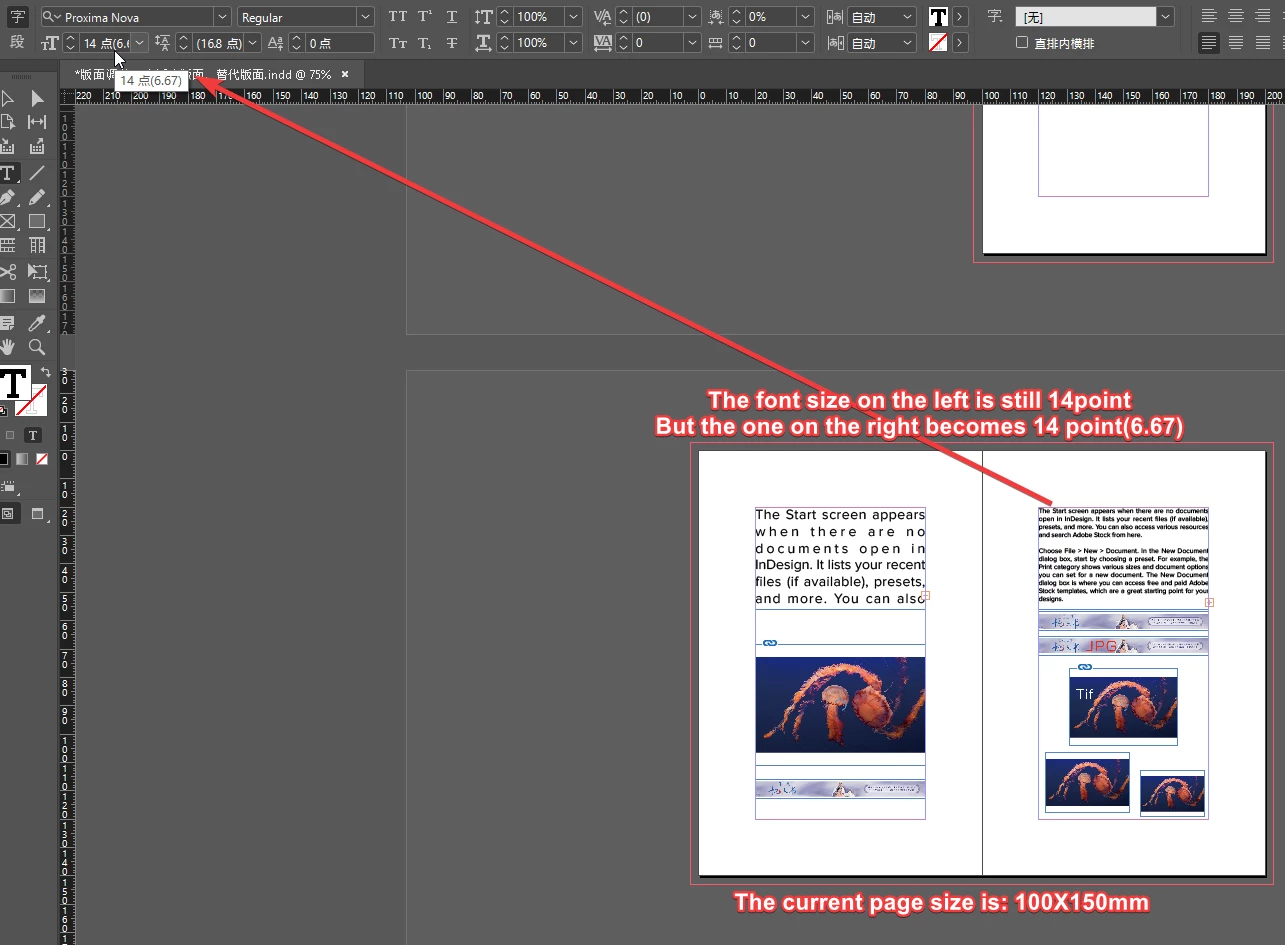
The font size on the right page has become smaller (this is not what I expected, and I did not change the font settings).

In addition, the picture has also been reduced non-proportionally.
For changed pictures, the frame should automatically fit the content.
This really drives me crazy ...


ID original file is here

http://www.fileconvoy.com/dfl.php?id=gb450bbe2e4f3a0f9100022577733180b566bbca5de  
 

This topic has been closed for replies.
Correct answer Laubender

Hi,

I looked into your document.


What I tested:

1. Removed the text frame from page 3

2. Duplicated the text frame from page 2.

3. Moved the duplicate to page 3.

4. Did Adjust Layout to new page size 100 x 150 mm


Still I see a difference in the text size of both text frames.

5.4 Pt on page 2

2.57 Pt on page 3


I think I found the reason for the difference.

The difference is not in the text frame. It's in the page itself.

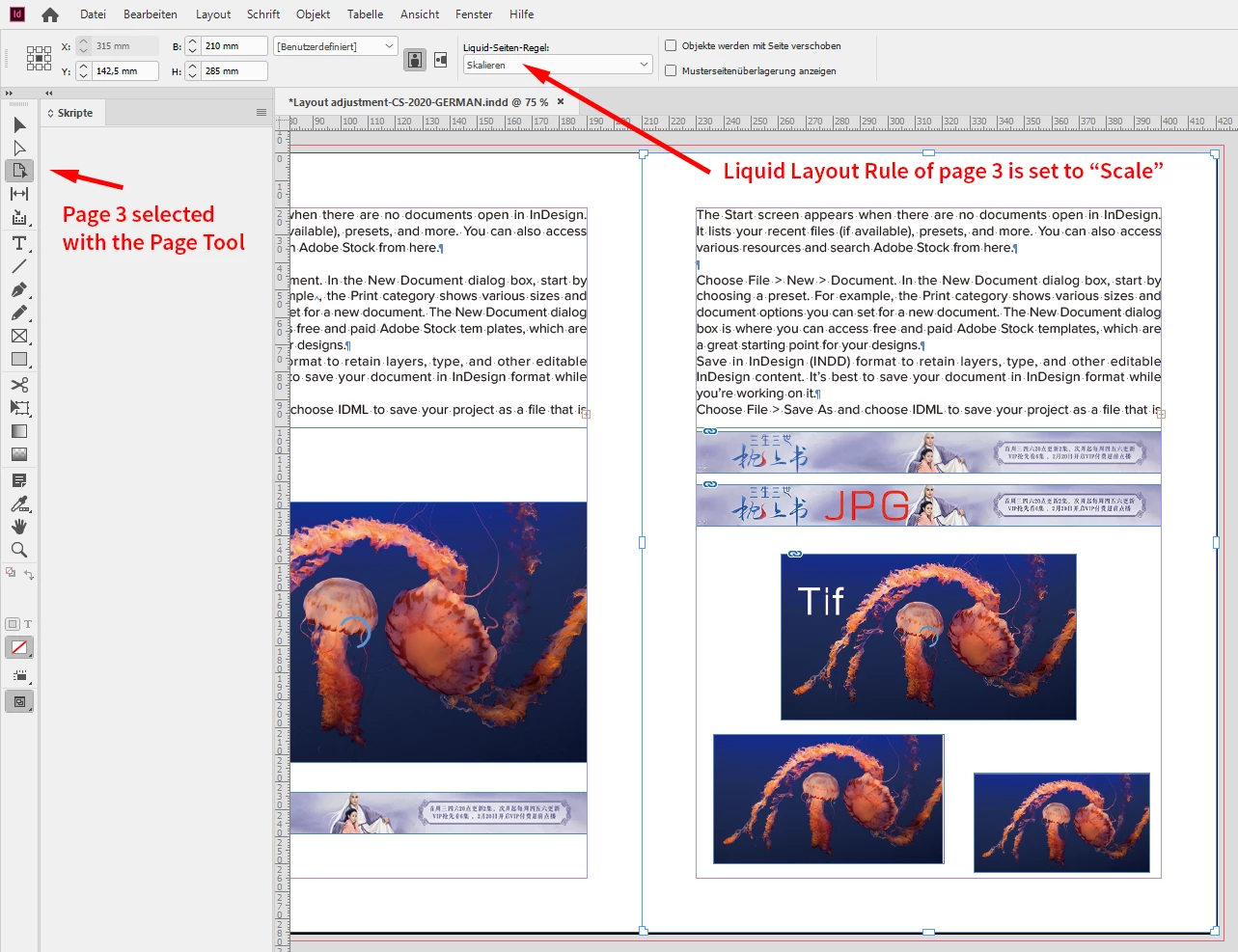
Liquid Layout Rules for page 2 is different compared to page 3.


For page 2 is is set to: Guide Based Based on Master

For page 3 it is set to: Scale


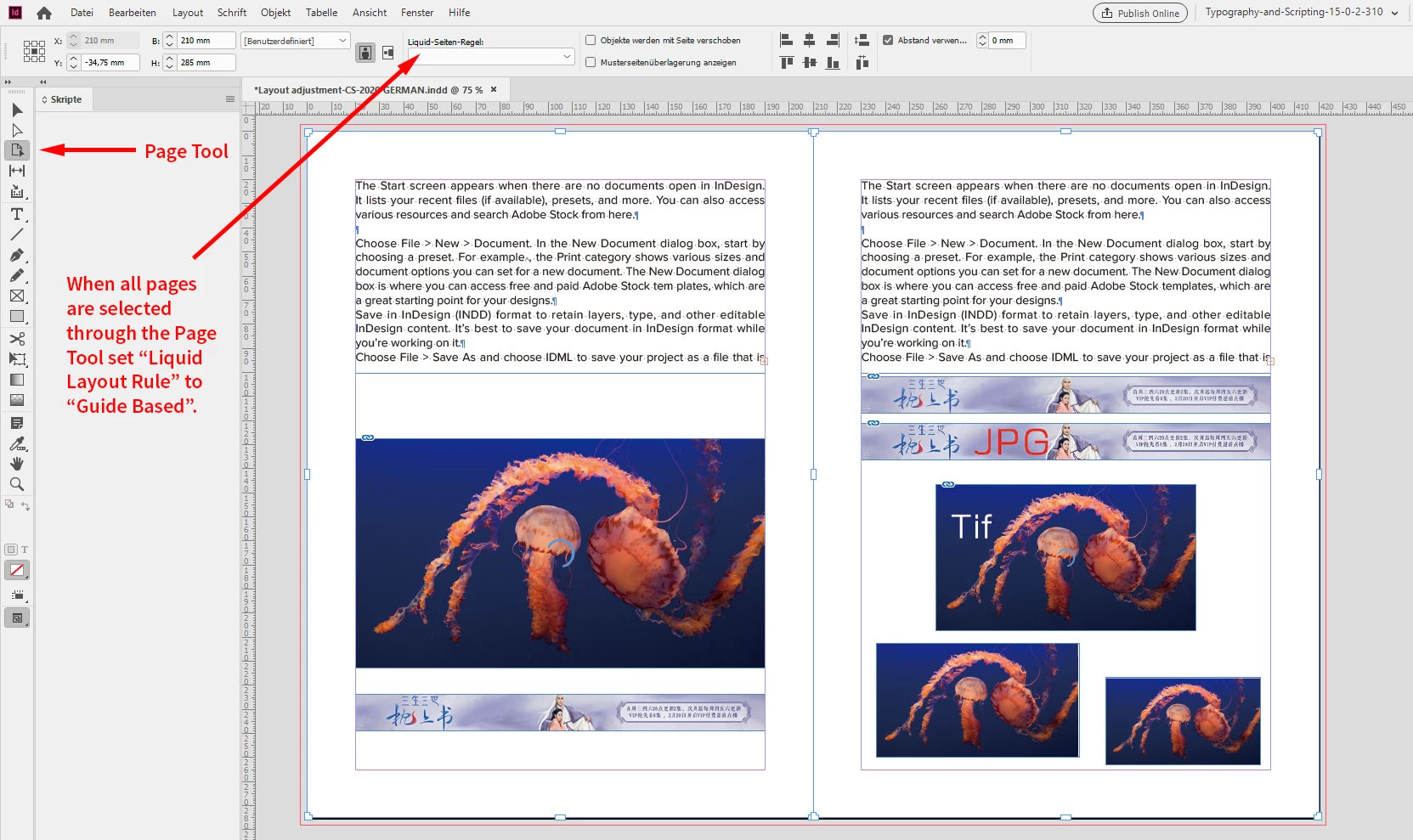
So I would suggest that you change the Liquid Layout Rule for all pages to: Guide Base Based on Master before doing Adjust Layout.

To do that select the Page Tool and do the keyboard shortcut for Select All. Enable the Control panel if Liquid Layout Rule options are not visible. Just tested that with your document and it is working.


Don't know if this behavior is a bug or a feature.


EDITED: It was Based On Master and not Guide Based


Regards,
Uwe Laubender

( ACP )


4 replies

Community Expert
February 11, 2020

Hi 喜狼_edny,

I did a bug report at Adobe InDesign UserVoice:


[ Versions 14 and 15 ] Adjust Layout | Liquid Page Rule "Scale" is affecting the result
Uwe Laubender · February 11, 2020

https://indesign.uservoice.com/forums/601180-adobe-indesign-bugs/suggestions/39682729--versions-14-and-15-adjust-layout-liquid-page


Please vote for fixing the bug.


Thanks,
Uwe Laubender

( ACP )

LaubenderCommunity ExpertCorrect answer
Community Expert
February 6, 2020

Hi,

I looked into your document.


What I tested:

1. Removed the text frame from page 3

2. Duplicated the text frame from page 2.

3. Moved the duplicate to page 3.

4. Did Adjust Layout to new page size 100 x 150 mm


Still I see a difference in the text size of both text frames.

5.4 Pt on page 2

2.57 Pt on page 3


I think I found the reason for the difference.

The difference is not in the text frame. It's in the page itself.

Liquid Layout Rules for page 2 is different compared to page 3.


For page 2 is is set to: Guide Based Based on Master

For page 3 it is set to: Scale


So I would suggest that you change the Liquid Layout Rule for all pages to: Guide Base Based on Master before doing Adjust Layout.

To do that select the Page Tool and do the keyboard shortcut for Select All. Enable the Control panel if Liquid Layout Rule options are not visible. Just tested that with your document and it is working.


Don't know if this behavior is a bug or a feature.


EDITED: It was Based On Master and not Guide Based


Regards,
Uwe Laubender

( ACP )


dublove
dubloveAuthor
Legend
February 7, 2020

Hi Laubender ~

You are awesome, thank you so much for solving my confusion ~
Good luck ~

Community Expert
February 6, 2020

Hi 喜狼_edny,

what function did you use to scale the pages?


Regards,
Uwe Laubender

( ACP )

Legend
February 5, 2020
 

In your Preferences, When Scaling is, I think,  be set to Adjust Scaling Percentage. That's why you are seeing this.

You can make the change in your preferences (to Apply to Content) to prevent this going forward. 

To fix the existing problems, selct the text and chose Redefine Scaling as 100% from the upper right hambuger menu.


dublove
dubloveAuthor
Legend
February 6, 2020

It's weird: why the left and right pages are different
Isn't this a big bug?