
Participant
August 19, 2020
Answered

Unwanted tabs in numbered paragraphs

  • August 19, 2020
  • 2 replies
  • 853 views

Hello all,


I'm preparing a document with numbered headings, sub headings and body text with three levels. section 1, sub heading 1.1. and body text 1.1.1 etc. I have set everything up in paragraph styles.


The problem I'm having is with the heading and sub heading. The first iteration (1.1) of everything has no tab between the number and text. Whilst the subsequent iterations (1.2, 1.3 etc) have a tab between the number and the text. How do I keep these consistently with no tab between them? I have tried playing the the tabs and indents in the 'paragrph syles options' to no avail. It only does it with the heading and sub heading and not the body text. See example below.
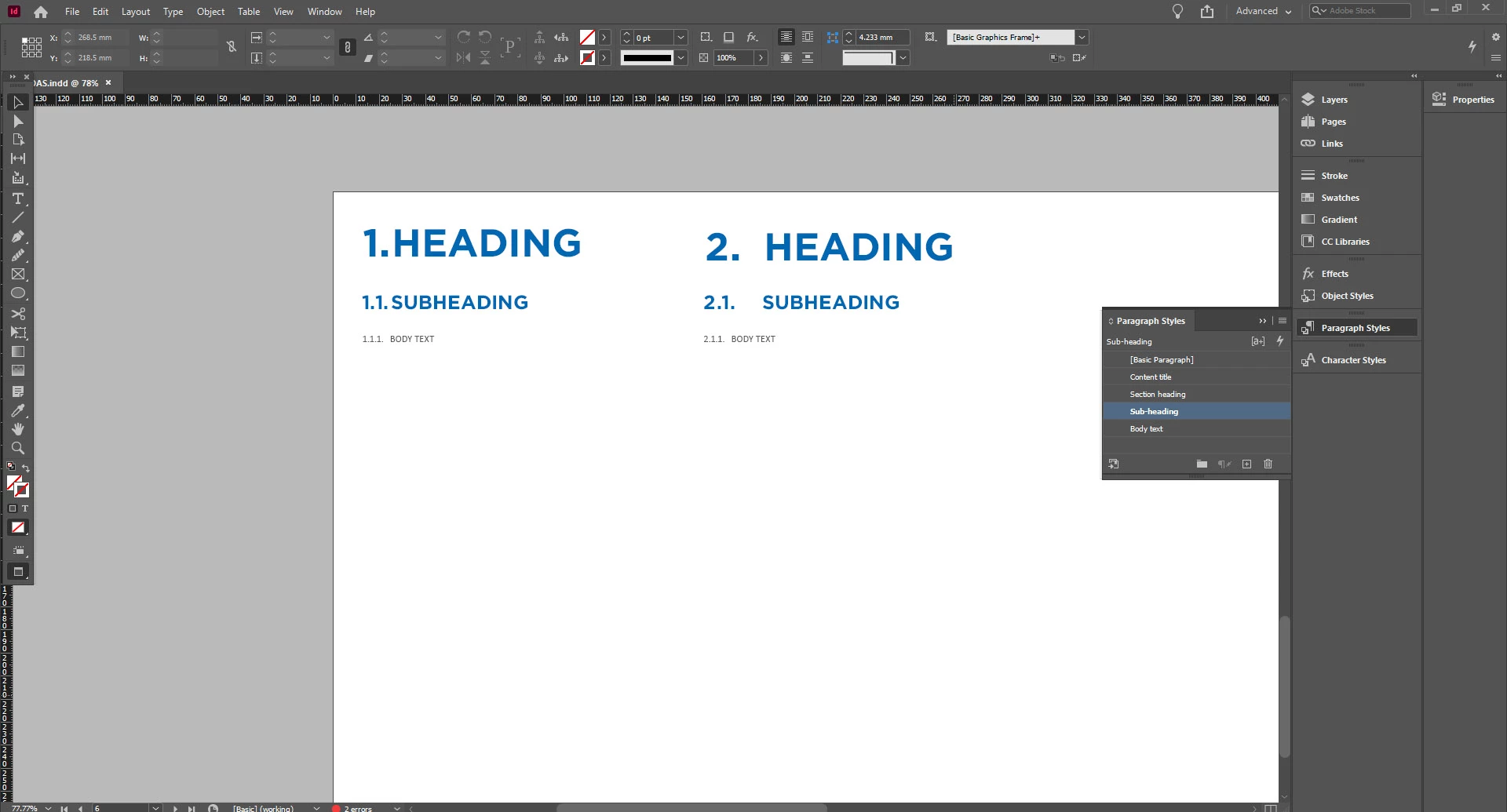
I'm using windows 10 indesign version 15.1.1.


Any help much appreciated

This topic has been closed for replies.
Correct answer Willi Adelberger

I suppose that there is a tab stop close to the 1. And because the 1 in your font is narrower than the 2 it is used, but with 2 it falls to the next tabulator stop. Remove the first tabulator stop in your paragraph style.


2 replies

Willi Adelberger
Community Expert
Willi AdelbergerCommunity ExpertCorrect answer
Community Expert
August 19, 2020

I suppose that there is a tab stop close to the 1. And because the 1 in your font is narrower than the 2 it is used, but with 2 it falls to the next tabulator stop. Remove the first tabulator stop in your paragraph style.


dh_01Author
Participant
August 19, 2020

Thank you so much for your help.

Steve Werner
Community Expert
Community Expert
August 19, 2020

In the Bullets and Numbering dialog, replace the space in your heading now using a tab (^t), by replacing it with a fixed space from the list of options shown in the menu illustrated below:


dh_01Author
Participant
August 19, 2020

Perfect. Thank yo SO MUCH for your help!