
Known Participant
March 3, 2022
Answered

Updating numbering based on reordering pages

  • March 3, 2022
  • 1 reply
  • 378 views

I am doing a long document and I want to generate numbers (starting at 01) on the section divider pages that will update. The sections frequently get rearranged. I want it to automatically update based on where they are moved to. The section pages aren't marked as sections in the page panel. I am making parent pages for the sections. 

I tried bulleted list, but then I have to thread them. That won't work for my needs. 

I thought about a text variable but not sure how I would make that work.

(attached a sample)
This topic has been closed for replies.
Correct answer Jens Trost

Hi @Veronica22551996i6fw 


not quite sure I understand you're workflow or what you're trying to achieve (why not use page numbers and proper page sections?) but the main reason numbering lists need to be threaded is the default setting of the default numbering list.

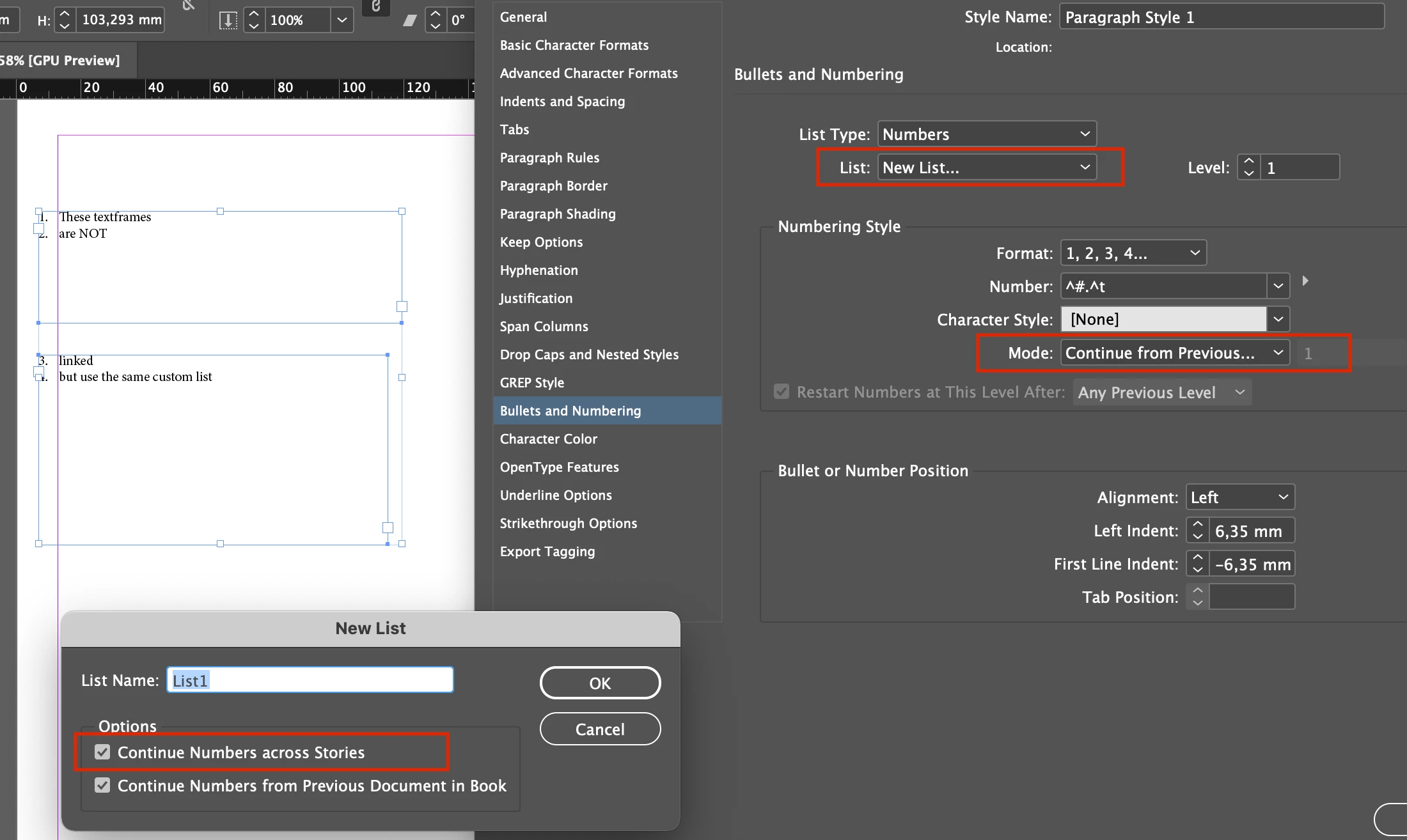
Create a custom numbering list and make sure that the checkbox "Continue Numbers across Stories" is checked.

And set the mode to continue from previous number:

1 reply

Jens Trost
Jens TrostCorrect answer
Inspiring
March 9, 2022

Hi @Veronica22551996i6fw 


not quite sure I understand you're workflow or what you're trying to achieve (why not use page numbers and proper page sections?) but the main reason numbering lists need to be threaded is the default setting of the default numbering list.

Create a custom numbering list and make sure that the checkbox "Continue Numbers across Stories" is checked.

And set the mode to continue from previous number:

Known Participant
March 11, 2022

This works great! Thank you.