
"Uploaded unsupported trim size" And how to I make Ink Coverage premium print?
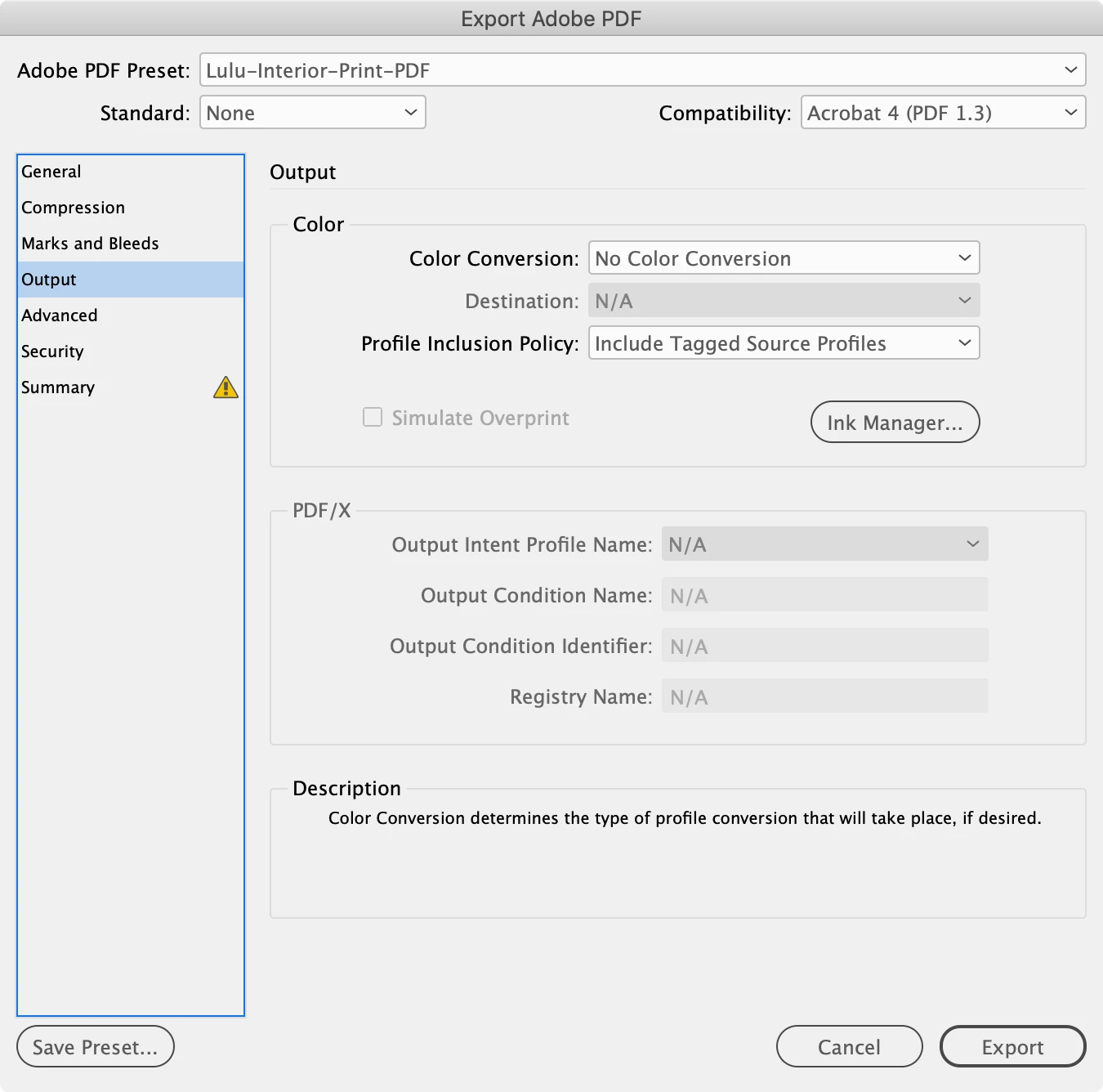
How do I set up ink coverage to premium print in Adobe Indesign when exporting? I'm trying to publish a manga book. I've been trying to use Lulu.com's e A5 PDF Job Option to export the file in InDesign. I’m trying to make it as close to a typical manga styled print size. That’s the option I’m trying to go with so I’m not sure how it got to that weird size. Is there something I’m missing? I’m exporting it with using the ‘define’ attachment for PDF in InDesign. Also how do I change the options for ink coverage to premium print in InDesign? I’m a bit new to the program as it seemed easier to use for my manga prints compared to using Word in the past.
This is the error I get on their website: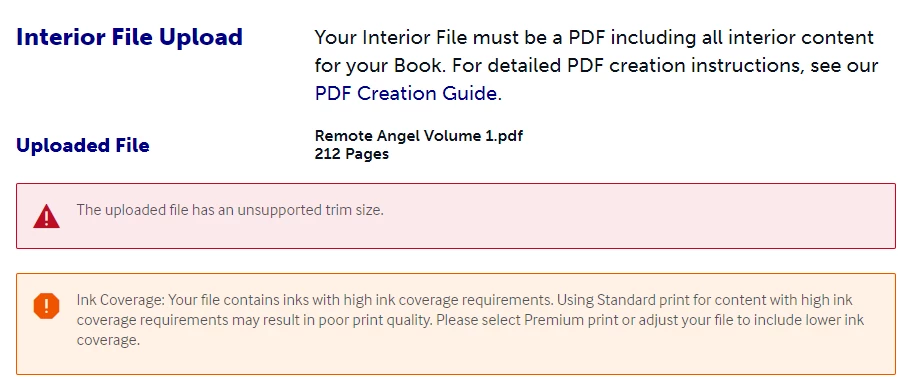
Anything I need to change with these visuals I provide? I've tinkered with them but it still has the same error
Here's the settings I've used.
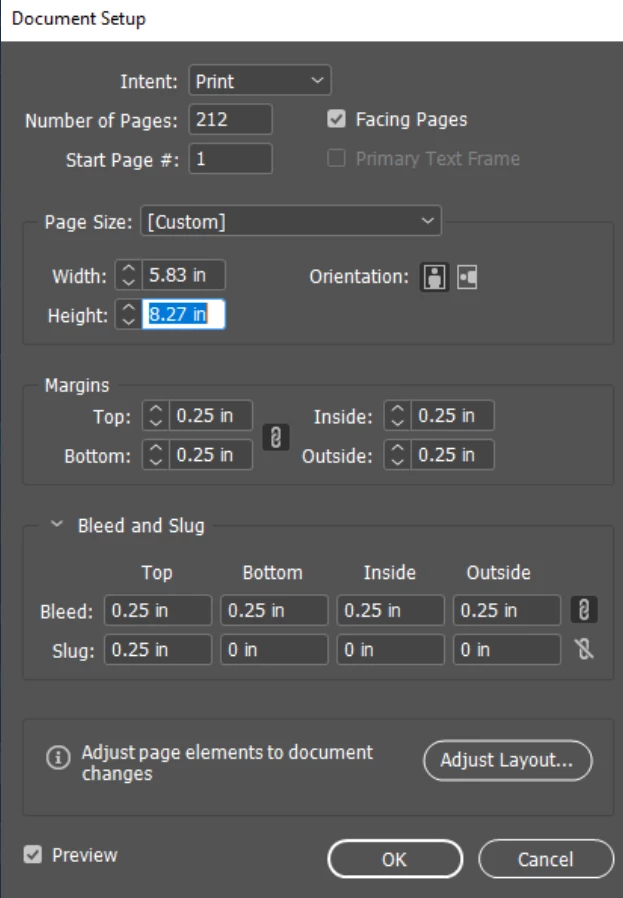
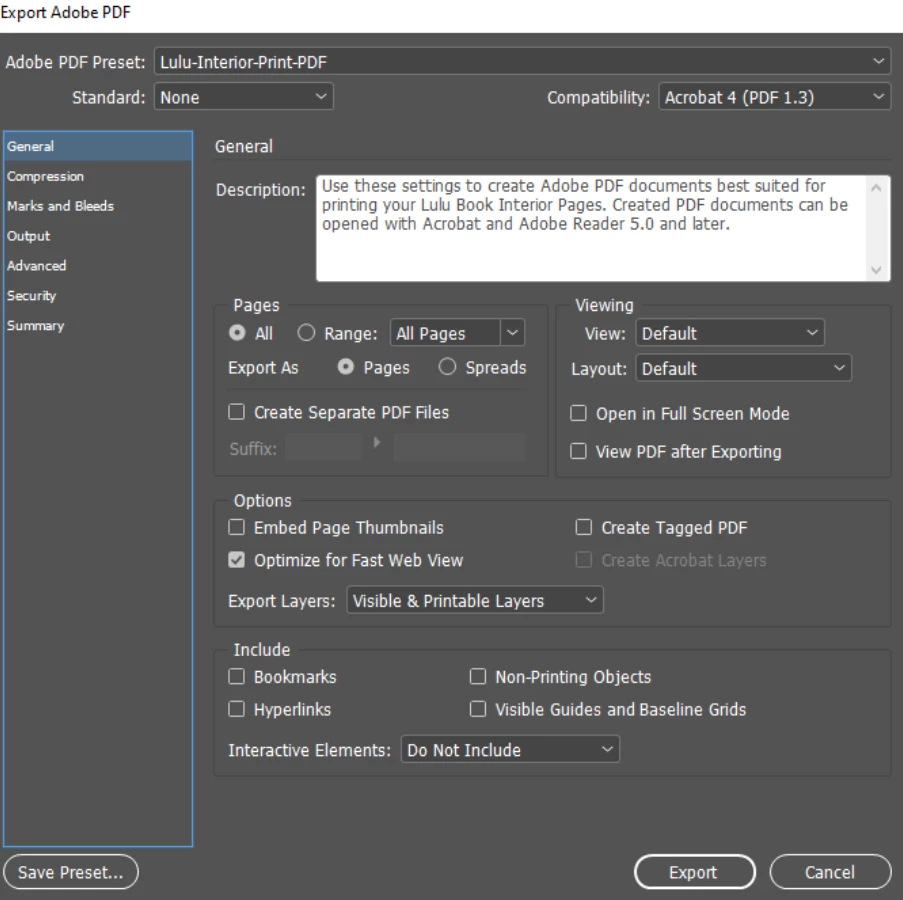
If anyone can help me, I'm a visual learner so this has been a very confusing process to me. I've contacted support and all I've gotten was:
"Hello! Thanks for reaching out. The file uploaded to your project ID q72dge is currently sized to 6.91" x 9.35", which is not a product format we have available unfortunately. You will need to resize your interior file to a book size that we do have available. Another option that may fit the design you’re looking for would be our Royal size, which is 6.14" x 9.21". You can see all our available trim sizes and formats on our Products page: https://lulu.com/products"
Which I've used the product template..And made it A5 format instead of the sizes they said I was using. I'm very confused.
 AdChoices