If you have an image of the Skia font, you can use Photoshop's Match Font feature to find a similar looking font (I'm assuming here you might have Adobe Creative Cloud access and have Adobe Photoshop installed as part of that on your system).
- Open an image that contains text set in Skia (you could open a PDF of a job you've set with Skia for example).
- Use the Crop tool to crop the image so it isolates just the text to match (or you can use the Rectangle Marquee tool to select an area in the image that contains text set in Skia).
- Choose Type > Match Font, select the Show fonts available to sync from Typekit.
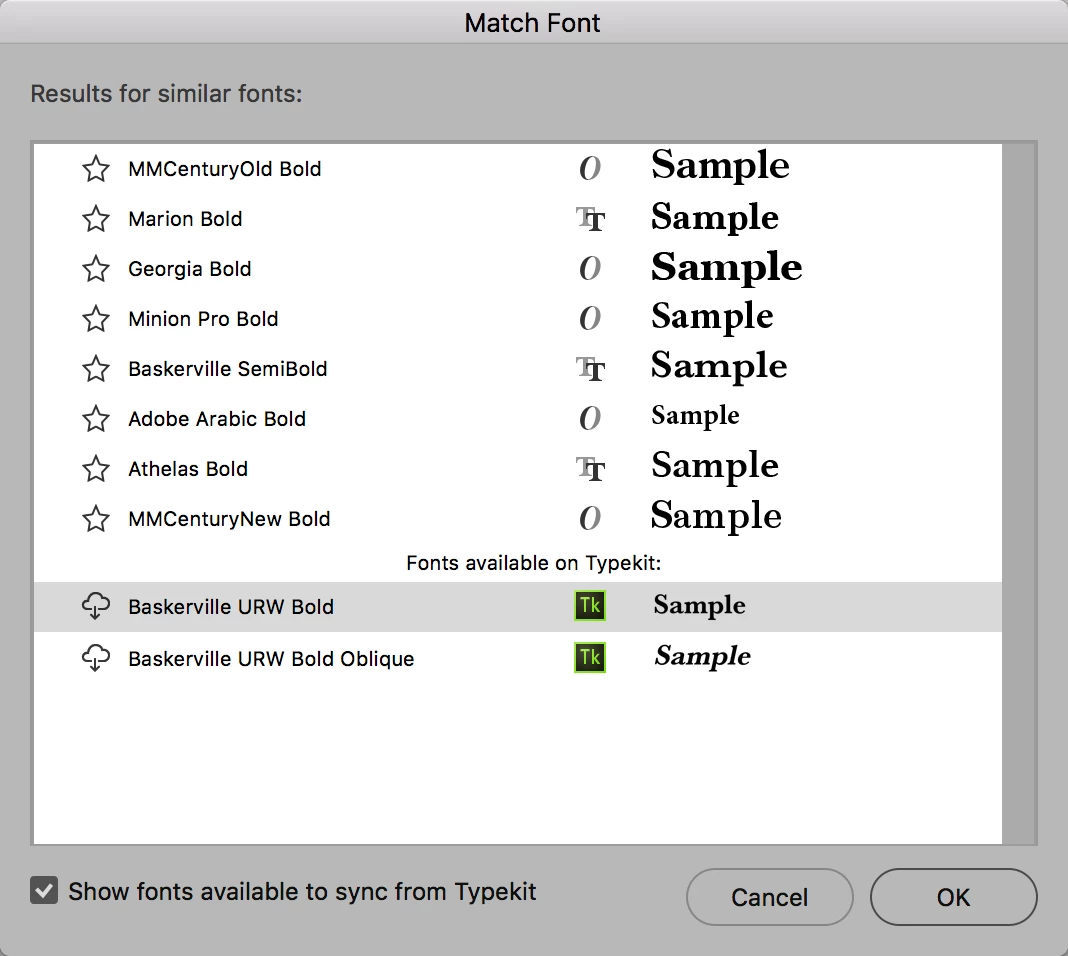
Photoshop will look for fonts in your system as well as those available as part of Adobe Typekit, you can then select a font to use.
Alternatively you can use 'Identifont' to look for similar fonts:
Skia seems to be a very old font that has known issues indeed with non-Apple applications - there are a range of posts available on various forums online that verify that. So my recommendation would indeed be to replace this font with a lookalike.
Alternatively, with just the Regular style available in InDesign you could 'fake' things (not that I'd recommend that, as it does 'bastardise' the font when you do that):
- Add a stroke to the font to create a bolder version
- Adjust the Horizontal Scale of the font to create condensed versions

 AdChoices