Participant
May 25, 2021
Answered

Useless toolbar

  • May 25, 2021
  • 4 replies
  • 1071 views

How to get rid of this thing?

This topic has been closed for replies.
Correct answer Barb Binder

Hi @andrusk46591390:


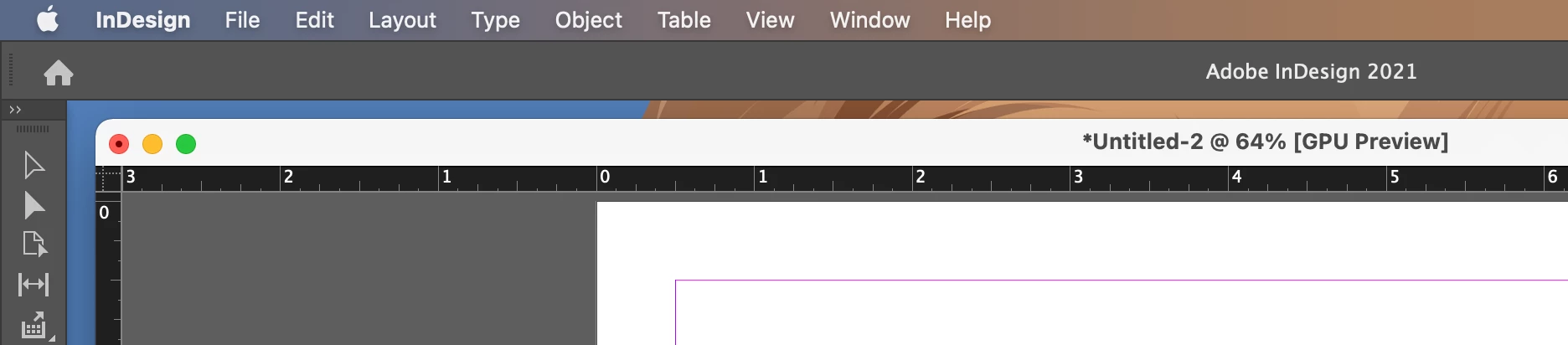
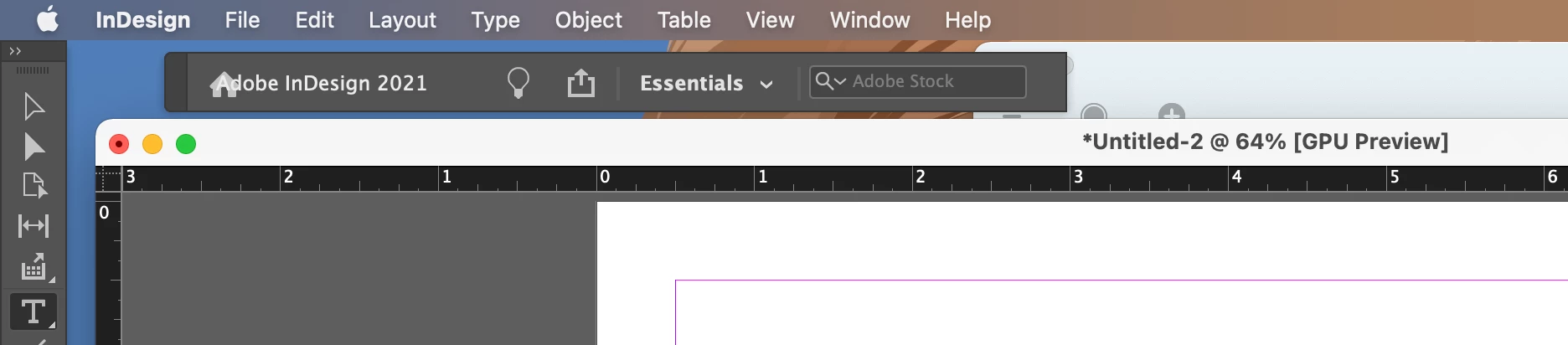
That is the InDesign Title Bar. It can't be turned off but you have undocked it, which is why it is now in the way. Interestingly, you cannot re-dock it by just resetting the workspace. You will need to grab the far left edge which is a slightly darker gray in your screen shot and then drag it up towards the Menu Bar. When you see a blue horizontal line under the Menu Bar you can release the mouse and it will go back to its normal position.


You can also reset preferences, but that seems like overkill.


~Barb


Docked 
 

Undocked
4 replies

Orba
Participant
May 22, 2022

I really wish Adobe would give the user the option to keep that Title bar open or not. For me, it wastes valuable screen space and is completely useless. Seems like it should be a simple fix. 

James Gifford—NitroPress
Legend
May 22, 2022

Well, it doesn't seem to exist on Windows, so there's that. 🙂


Specifically, it merges into the menu bar. Interesting; there aren't that many real differences between the platforms these days.


Barb Binder
Community Expert
Barb BinderCommunity ExpertCorrect answer
Community Expert
May 25, 2021

Hi @andrusk46591390:


That is the InDesign Title Bar. It can't be turned off but you have undocked it, which is why it is now in the way. Interestingly, you cannot re-dock it by just resetting the workspace. You will need to grab the far left edge which is a slightly darker gray in your screen shot and then drag it up towards the Menu Bar. When you see a blue horizontal line under the Menu Bar you can release the mouse and it will go back to its normal position.


You can also reset preferences, but that seems like overkill.


~Barb


Docked 


Undocked

~Barb at Rocky Mountain Training
Inspiring
May 25, 2021

I'm using windows, however, have you tried changing the workspace (Windows >> Workspace >>>) try a different workspace layout. Hope it works out

BobLevine
Community Expert
Community Expert
May 25, 2021

Cmd+Q. Of course, that will close the entire program. It's part of the interface and you can't get rid of it.

Participant
May 25, 2021

Really? After multipe ID crashes i had to reinstall CC, then it appeared. Its quite annoying, cant find a suitable place.

BobLevine
Community Expert
Community Expert
May 25, 2021

Sorry, only caught part of it on screen. You have the application frame turned off and I don't have a Mac here to see if that's the issue. Try turning it on.
