
Participant
May 3, 2018
Answered

Using Arabic version of Indesign

  • May 3, 2018
  • 1 reply
  • 2248 views

I am trying to compose a book which includes both Arabic and English. I have downloaded the Middle Eastern Indesign version based on these instructions:
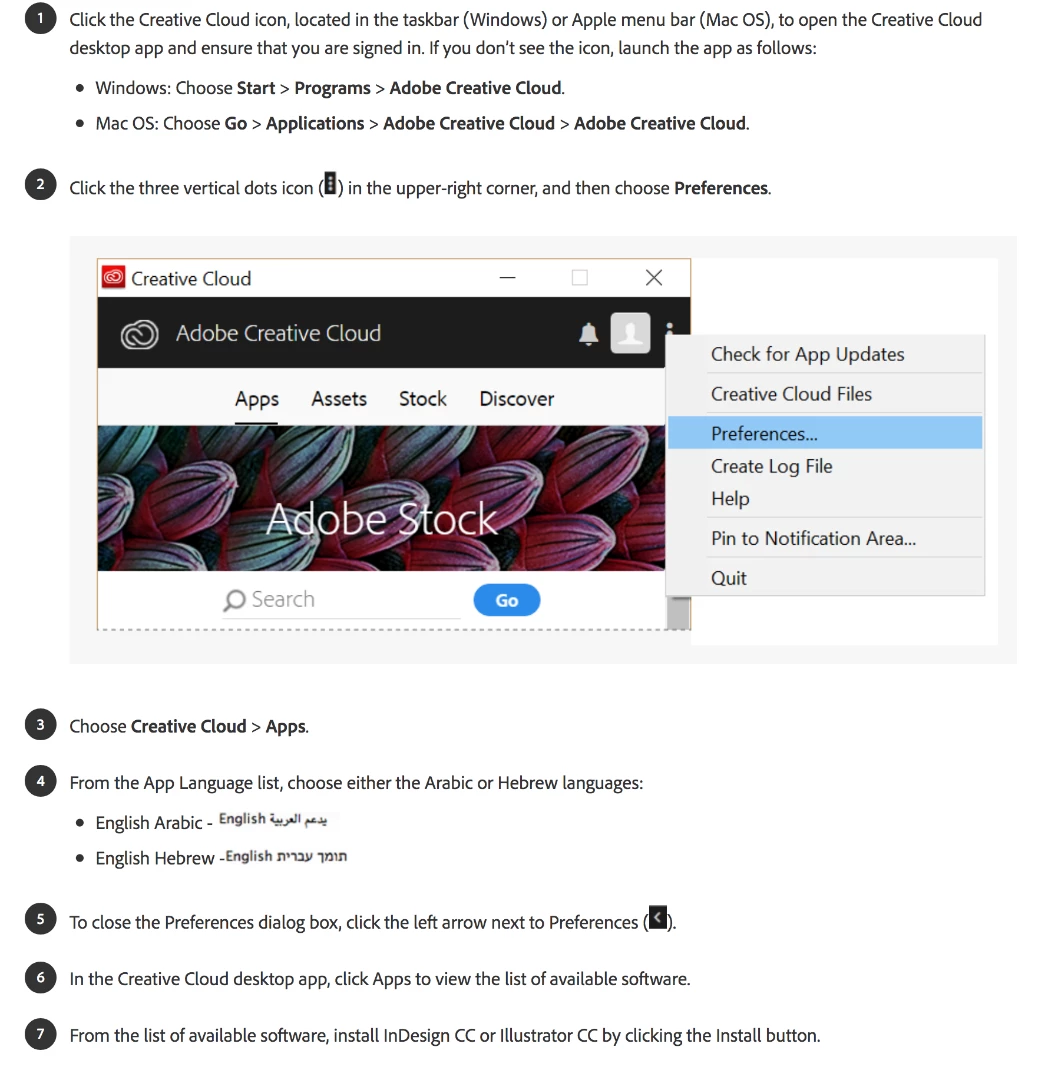
But I am still not getting these options:
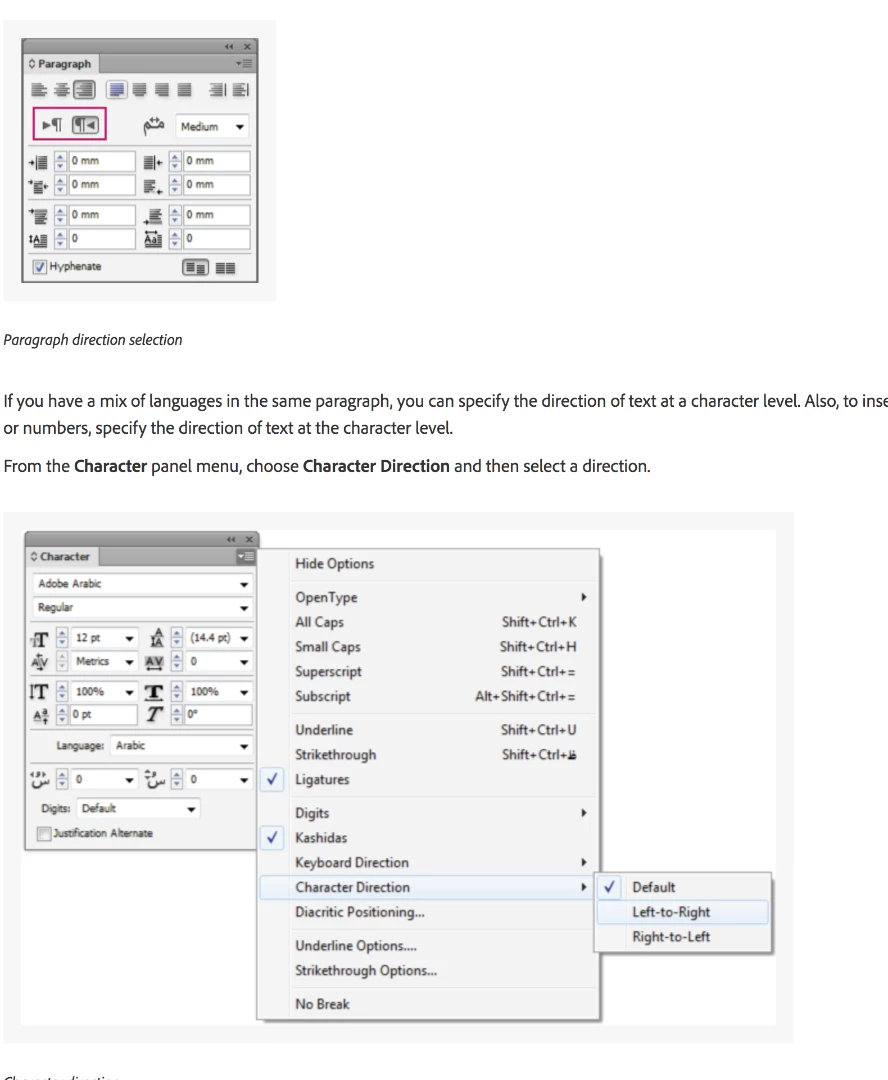
I'm having a very hard time typing in Arabic without these options.. any help as to how I can get these to show up would be greatly appreciated. I got these screenshots directly from the Adobe website, so I assume they are all up to date..

Thanks

    This topic has been closed for replies.
    Correct answer Zaid Al Hilali

    When you have an existing CC applications installed, then you switch to a different language, its normal to see "Install" button beside all applications in the Adobe Desktop… don't panic this is a feature

    What is basically happening, is that what ever Adobe applications you've installed earlier doesn't support Arabic. When you switch the language, it is allowing you now to install yet another copy with Arabic support. Having said that, you cannot have two copies of InDesign of the same version, so you'd better choose an older version like CC2017 for Arabic.

    Check this topic if you're an Arabic reader.

    1 reply

    amaarora
    Inspiring
    May 3, 2018

    Hi,

    Please check if the below steps help:

    1. With current language settings, uninstall InDesign

    2. Change to the previous language setting you had (English maybe?) and uninstall InDesign

    3. Clean both cache and preferences for InDesign. See: Troubleshooting 101: Replace, or "trash" your InDesign preferences [Locked]

    4. Now change language to " " and reinstall InDesign

    -Aman

    Participant
    May 3, 2018

    Hi,

    Thanks for your prompt reply.

    I uninstalled my current Arabic version, but when I change the preferences language back to what I had before (English North America), it is showing all of my apps as though I never installed them.. even though I have Illustrator, Photoshop, Indesign, Dreamweaver, Acrobat, and Bridge installed.

    I did the cache reset as well, but still face the same issue. I tried uninstalling it from the uninstall option in finder, but it is not doing anything when I click it. I tried uninstalling other adobe apps through this method, and those actually do uninstall. For some reason it's just the indesign one thats giving me issues.

    Zaid Al Hilali
    Community Expert
    Zaid Al HilaliCommunity ExpertCorrect answer
    Community Expert
    May 3, 2018

    When you have an existing CC applications installed, then you switch to a different language, its normal to see "Install" button beside all applications in the Adobe Desktop… don't panic this is a feature

    What is basically happening, is that what ever Adobe applications you've installed earlier doesn't support Arabic. When you switch the language, it is allowing you now to install yet another copy with Arabic support. Having said that, you cannot have two copies of InDesign of the same version, so you'd better choose an older version like CC2017 for Arabic.

    Check this topic if you're an Arabic reader.