deborrah120
Known Participant
March 7, 2020
Answered

Using tabs in split column

  • March 7, 2020
  • 2 replies
  • 1762 views

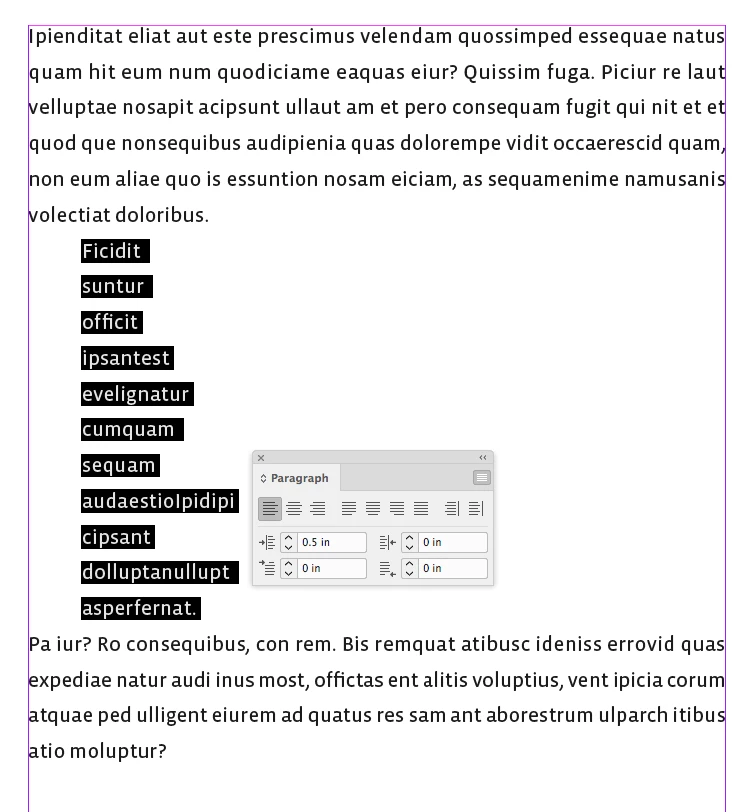
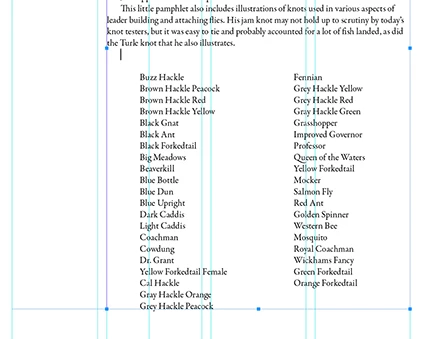
Hi. I've used the Control Panel Split Column feature to make a list 2 columns in my text frame. I want to move the second column over an inch, so I tried using tabs but it won't work. Any advice? Thanks so much in advance.


This topic has been closed for replies.
Correct answer rob day

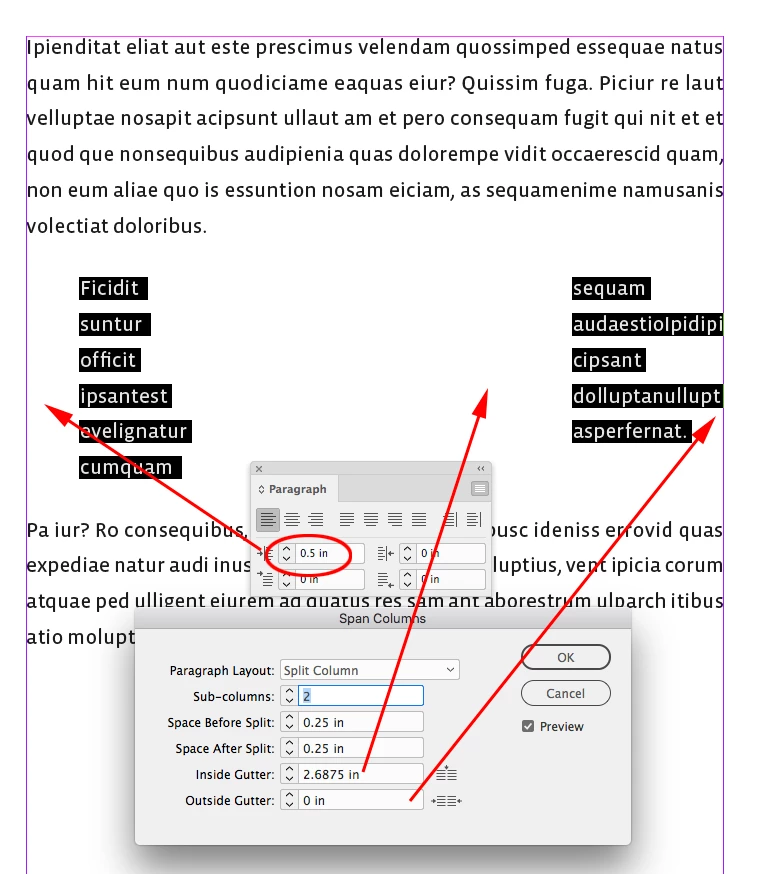
Try setting a Left paragraph indent for the list paragraphs, and leave the Outside Gutter as 0, which will let you move the right column via the Inside Gutter until there is no space on the right.


2 replies

rob day
Community Expert
rob dayCommunity ExpertCorrect answer
Community Expert
March 8, 2020

Try setting a Left paragraph indent for the list paragraphs, and leave the Outside Gutter as 0, which will let you move the right column via the Inside Gutter until there is no space on the right.


deborrah120
Known Participant
March 15, 2020

Thanks for this idea. I'll test it out and see if it works for this project. I appreciate your help!

Community Expert
March 15, 2020

Another approach that might give you more flexibility...

Set the text frame as a two column frame and have first paragraph span the columns. You can adjust the left and right indents of the two column text as necessary.

Michael Bullo
Community Expert
Community Expert
March 7, 2020

The Span Columns feature has adjustable values for both Inside Gutter and Outside Gutter.

The Paragraph formatting feature contains adjustable values for both Left Indent and Right Indent.

Can any of these options help you out?

deborrah120
Known Participant
March 7, 2020

Thanks very much for taking the time to help me. I can't find any features that change the inside or outside gutter for Split Columns or for Span Columns. I also can't find any way that the paragraph formatting feature can apply to these columns. It seems they are both accessed via the Tabs feature. When I explore that, I can't find any way to control the placement of the columns.

Michael Bullo
Community Expert
Community Expert
March 7, 2020

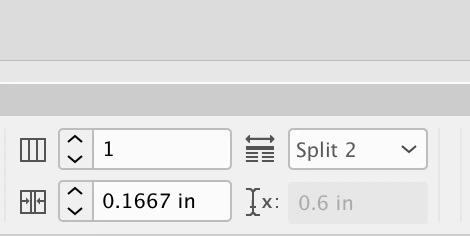
If you are using Paragraph Styles you can find those options here…


The Inside and Outside Gutter options can also be found by holding down the Alt/Option key while clicking on the icon within the Control panel that runs across the top of InDesign. To see this option ensure that you are looking at the Paragraph options and not the Character options.


Hope this helps.