Participant
Apr 16, 2025 8:47 AM UTC
Answered

variable GREP styles based on amount of digits before the decimal.

My mind is doing a 360 to even try to explain what I want to do, but I will try:
I am responsible for making a giant retail catalogue and prices range from 0.⁰⁰ to 0000.⁰⁰


I wish to automate a rule with GREP where it will automatically fill in the decimal after x or y amount of digits.


I want to be able to automatically fill in the decimal after 1 or 4 digits, based on the data.


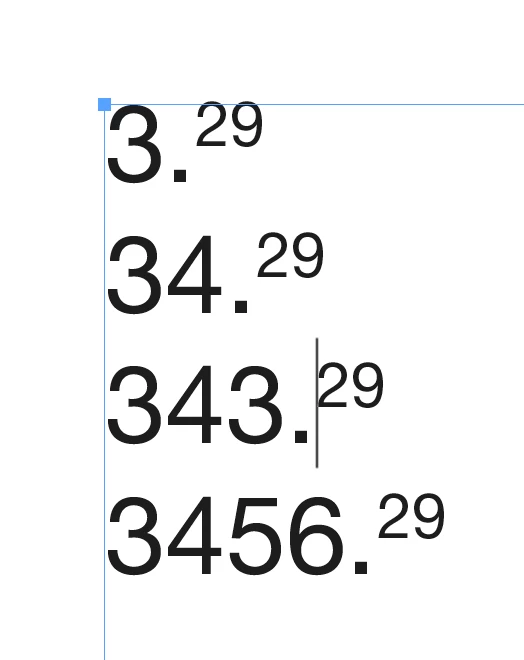
so if the price is 34.29. I want GREP styling to see that this spefific speficially has 2 main digits ( 34 ) and should then jump to decimal and fill it (29 ).


for a longer price, lets say 2432.28, I want GREP to notice the 4 main digits and then jump to decimals.

In short, I am trying to make GREP style see the difference in main digits and decimals and decide what to do accordingly.

is this possible at all?


thank you very much!

 

jmlevy
jmlevyCorrect answer
Community Expert
Apr 16, 2025 10:37 AM UTC

If I understand well, you need this?

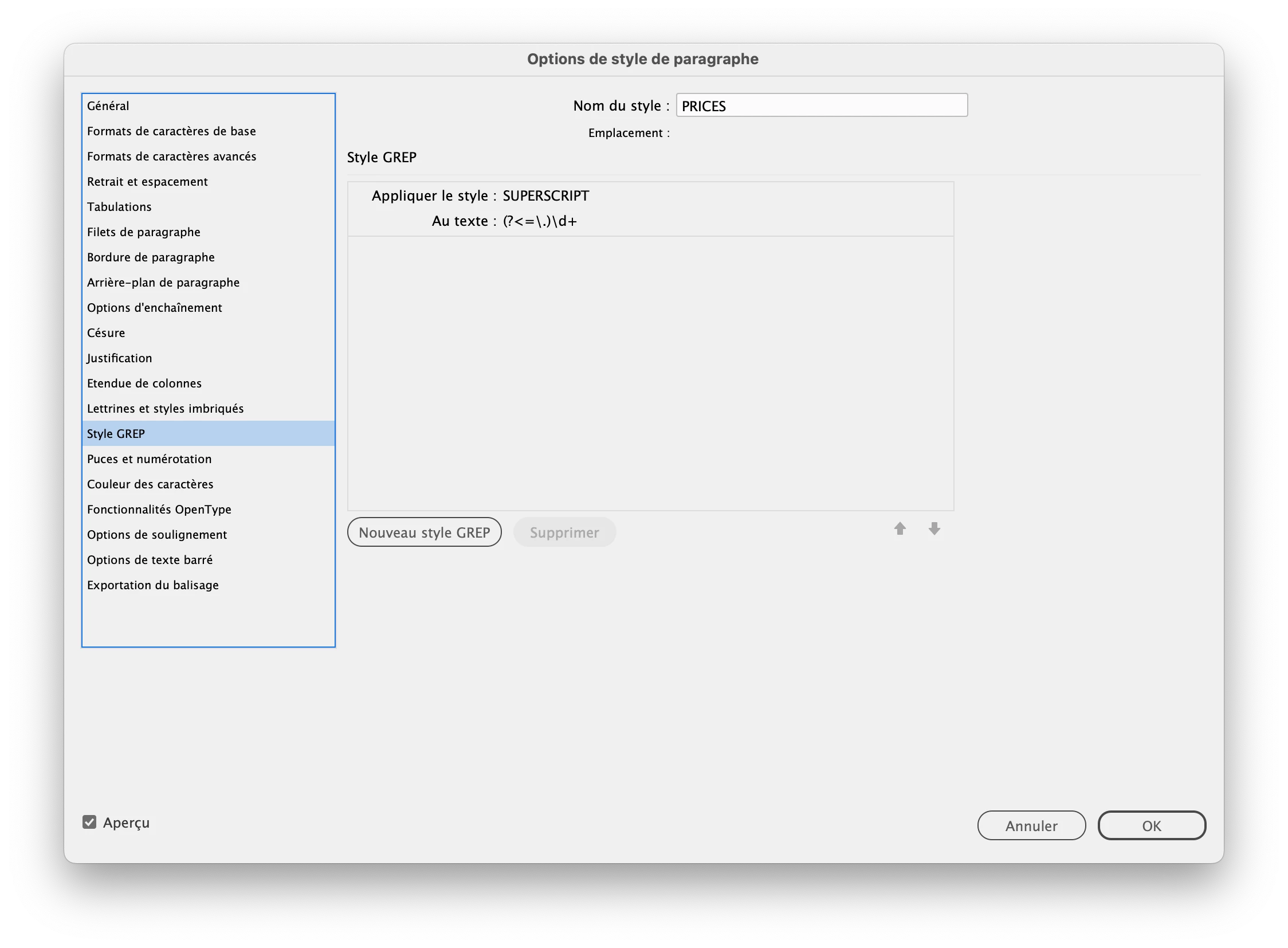
This GREP style should work

If the prices are the only text on the text frame and if there are only one price in a frame, a single nested style will work.

4 replies

Scott Falkner
Community Expert
Community Expert
Apr 22, 2025 8:22 AM UTC

That is an odd format. Superscipting the pennies usually doesn’t need a decimal. The prices look better without. GREP Style could apply a format to make the decimal effectively invisible. Make the szie 0.1 pt and horizontal scaling 1%, then fill with none.


I used the Numerator form of Myriad for the cents, not superscript. This puts the top of the cents in line with the dollars. The decimal is still there (it needs to be for the cents formatting to work).


Translate
Participant
Apr 22, 2025 8:53 AM UTC

thanks a lot! It's a shame but te customer requires a decimal point. I dont have a say.

Translate
jmlevy
Community Expert
jmlevyCommunity ExpertCorrect answer
Community Expert
Apr 16, 2025 10:37 AM UTC

If I understand well, you need this?

This GREP style should work

If the prices are the only text on the text frame and if there are only one price in a frame, a single nested style will work.

Translate
Participant
Apr 22, 2025 7:48 AM UTC

thank you! This helped me out a lot!

Translate