

Roger Breton
Legend
August 2, 2021
Answered

VBscript no longer supported on Windows?

  • August 2, 2021
  • 7 replies
  • 1184 views

Please excuse the dumb question but :
a) Is it possible that the Windows version of InDesign no longer supports VBscripts?

(All I get is a "beep" when I try to excute any of them on my Win 10 PC)

b) If that's the case, I can't help wonder why they still ship with the installer?
This topic has been closed for replies.
Correct answer Laubender

Hi Roger,

just tested that the pre-installed VBscripts are working as expected in the latest prerelease version of InDesign.

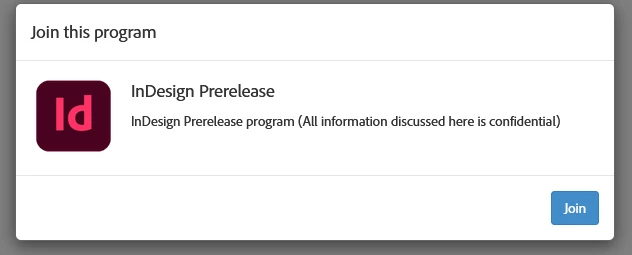
To test that you could join InDesign Prerelease:

https://www.adobeprerelease.com/


Or use this one directly:

https://www.adobeprerelease.com/beta/C6DFA254-C40C-4EEB-8F6D-F4AEDA2E6171


You should be greeted like that:


Source:

https://medium.com/adobetech/how-to-join-creative-cloud-prerelease-programs-ccecc10ae7d3


Regards,
Uwe Laubender

( ACP )

7 replies

LaubenderCommunity ExpertCorrect answer
Community Expert
August 3, 2021

Hi Roger,

just tested that the pre-installed VBscripts are working as expected in the latest prerelease version of InDesign.

To test that you could join InDesign Prerelease:

https://www.adobeprerelease.com/


Or use this one directly:

https://www.adobeprerelease.com/beta/C6DFA254-C40C-4EEB-8F6D-F4AEDA2E6171


You should be greeted like that:


Source:

https://medium.com/adobetech/how-to-join-creative-cloud-prerelease-programs-ccecc10ae7d3


Regards,
Uwe Laubender

( ACP )

Community Expert
August 3, 2021

As a workaround use the provided JavaScript files.


Regards,
Uwe Laubender

( ACP )

Community Expert
August 3, 2021

Hi Roger,

currently I see this behavior with my 16.3.0 version of InDesign on Windows 10:

With a double-click on a script file in the Scripts panel > Application > Samples > VBScript, InDesign is launching the current prerelease version of InDesign.


Regards,
Uwe Laubender

( ACP )

Kasyan Servetsky
Legend
August 3, 2021

Here is my post on this issue I wrote a few years ago.

To cut a long story short, you can execute VBS but you can't debug it in a modern version.

Whenever I need to debug a VBS, I get my wife's old notebook with CS3 installed from the pantry, blow away dust from it and debug it in VB6.

I just tested a few sample scripts and they do work for me in the latest version of InDesign.

Participating Frequently
August 12, 2021

In that worst case, I used to use Word Macro Editor and paste code and debug it will work. You have to add Adobe Indesign Reference in that editor. It works fine. After your debug over save the code as vbs script. 

Community Expert
August 3, 2021

Hi @Roger Breton,

Could you try once by launching InDesign as an admin. Maybe the tlb file needed for VBScript is not created and hence the issue. Launching as admin may resolve any permission issues that might be stalling the tlb file creatiion.

-Manan

-Manan
Peter Kahrel
Community Expert
Community Expert
August 2, 2021

The latest version of InDesign still includes VBscripts in the samples folder, so you'd think that it is still supported. Try running any of those samples. If you don't hear 'beep' then there's something wrong with the script you're trying.


Peter Spier
Community Expert
Community Expert
August 2, 2021

I can't say one way or another, but it will help if you tell us which verion of ID you use.

Roger Breton
Legend
August 2, 2021

Hi Peter,


I may go the wrong way about this but I think all that's required is to double-clic on a script?

So, I have this square, sitting in the middle of the page.

I select it and double-click on the AddGuides script, for instance -- nothing but a beep.

The JavaScript "flavor" on the other hand works as expected.