
Want to add URL link to text in script-imported table
Hi all, I have a script that I use for making a catalogue. The script imports text/info from XML and makes good-looking tables, saves me a lot of time 🙂 However, I would like it to apply clickable URL to two cells (same URL used in both cells).
So for instance, the first line, I want "3368166" and "Normal matt 7W 827 E27 A60" to be clickable, pointing to an URL I will add as an extra column into the datasheet/XML.
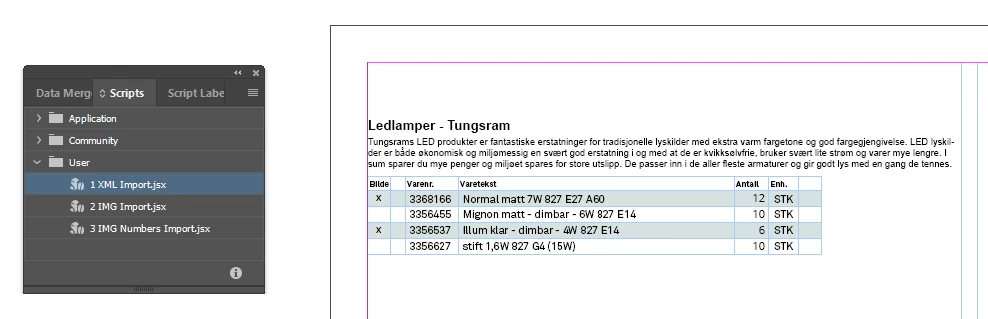
Workflow is Excel data sheet, export to XML, import XML to ID.
I'm asking for help to do this, not pointers or help - sorry to say I know nothing about scripting BUT I'm hoping that this has a quick fix and that one of you might be able to help, and send me a new script.
File explanations:
"Import XML to this.indd" - open this file and import XML here. Make sure the marker is placed in the text box before import!
"XML TEST AD-ID.xml" - this is the file you choose after running the script. You will get an error that no images are found, no problem, they are not needed.
"XML TEST AD-ID.xlsx" - this file is the source for the XML.
So where's the script file itself?? I can't attach that file type, please open the ID file and you will find the source code for it under the table.
Many thanks in advance, best regards from Øyvind in Norway 🙂
 AdChoices