Participant
September 24, 2019
Answered

Want to create paragraph style where all numbers are bold.

  • September 24, 2019
  • 2 replies
  • 1305 views

I'm wondering if there's a way to create a paragraph style where all the numbers in it will always be bold, or use a bold font. I'm not talking about a numbered list, I'm talking about having numbers integrated into my paragraph, but style them so that they're bold without me having to individually highlight and change the font. Thank you in advance for your help!
    This topic has been closed for replies.
    Correct answer Barb Binder

    Yes. You will need to define a GREP style.


    Edit the existing paragraph:

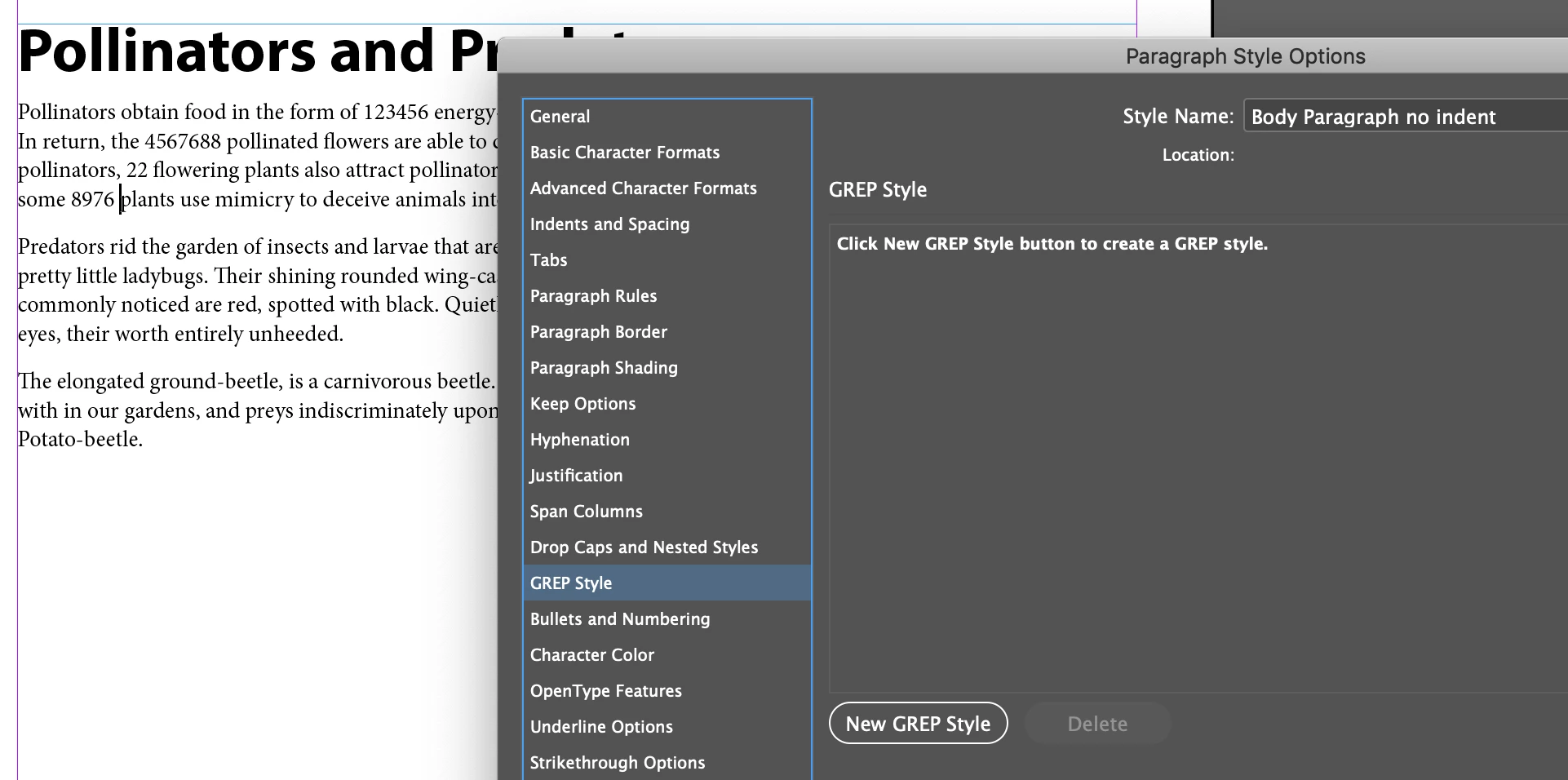
    • Click on GREP Style, then New GREP Style:

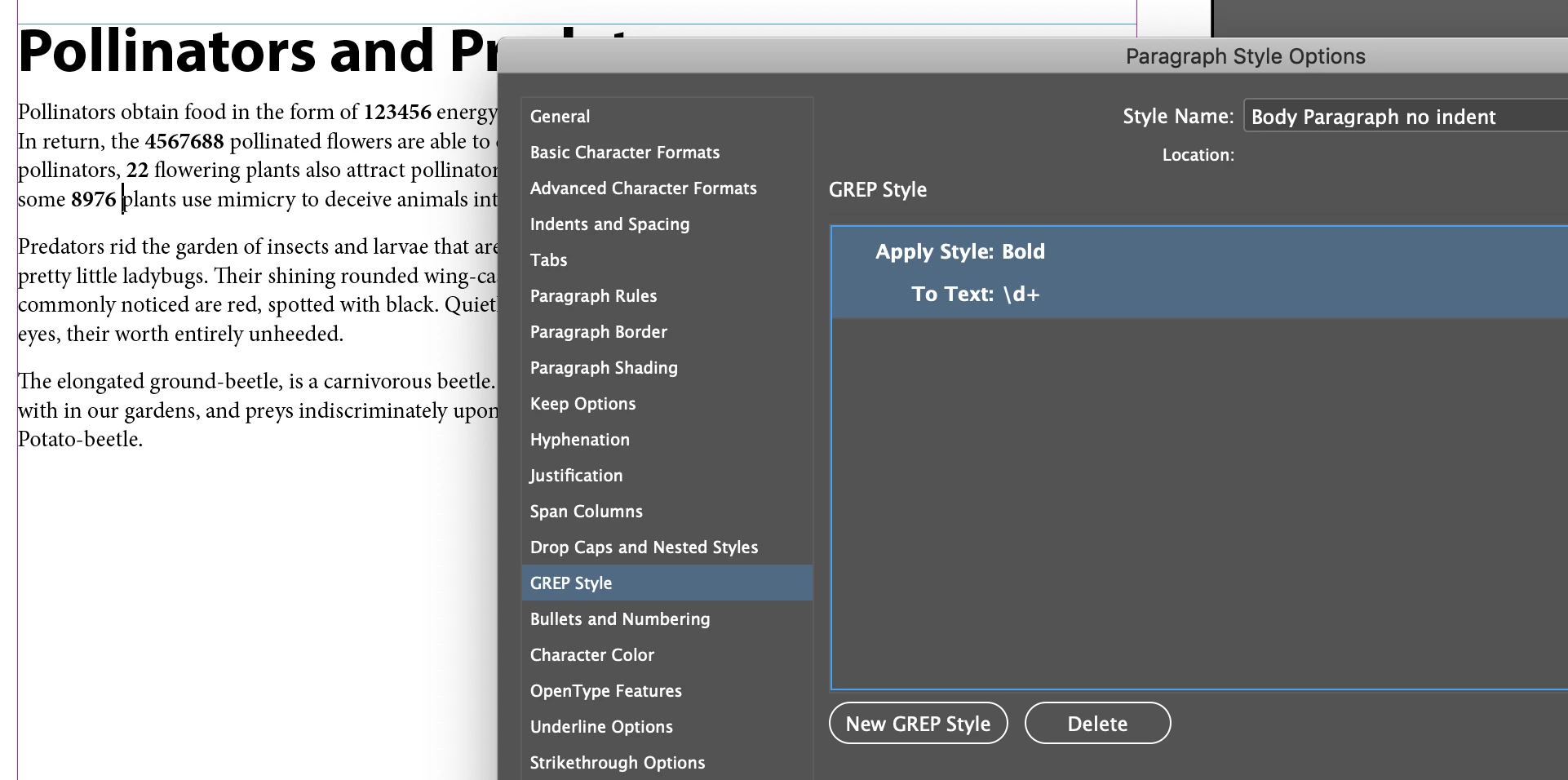
    • Apply style Bold (or whatever you called it) and assign it to all numbers, one or more (the default for new GREP styles).


    ~Barb

    2 replies

    Barb Binder
    Community Expert
    Community Expert
    September 24, 2019

    We are always happy to help, Max.


    ~Barb

    ~Barb at Rocky Mountain Training
    Barb Binder
    Community Expert
    Barb BinderCommunity ExpertCorrect answer
    Community Expert
    September 24, 2019

    Yes. You will need to define a GREP style.


    Edit the existing paragraph:

    • Click on GREP Style, then New GREP Style:

    • Apply style Bold (or whatever you called it) and assign it to all numbers, one or more (the default for new GREP styles).


    ~Barb

    ~Barb at Rocky Mountain Training
    Participant
    September 24, 2019
    Thank you thank you so much!!!