
billr7260232
Participating Frequently
May 29, 2023
Question

Want To Remove line around a pdf imported file

  • May 29, 2023
  • 4 replies
  • 2202 views

I exported a PDF file to certain dimensions. However, when I dragged the file into an Indesign file with the same dimensions, I get lines that surround the file and the file won't snap to the box.
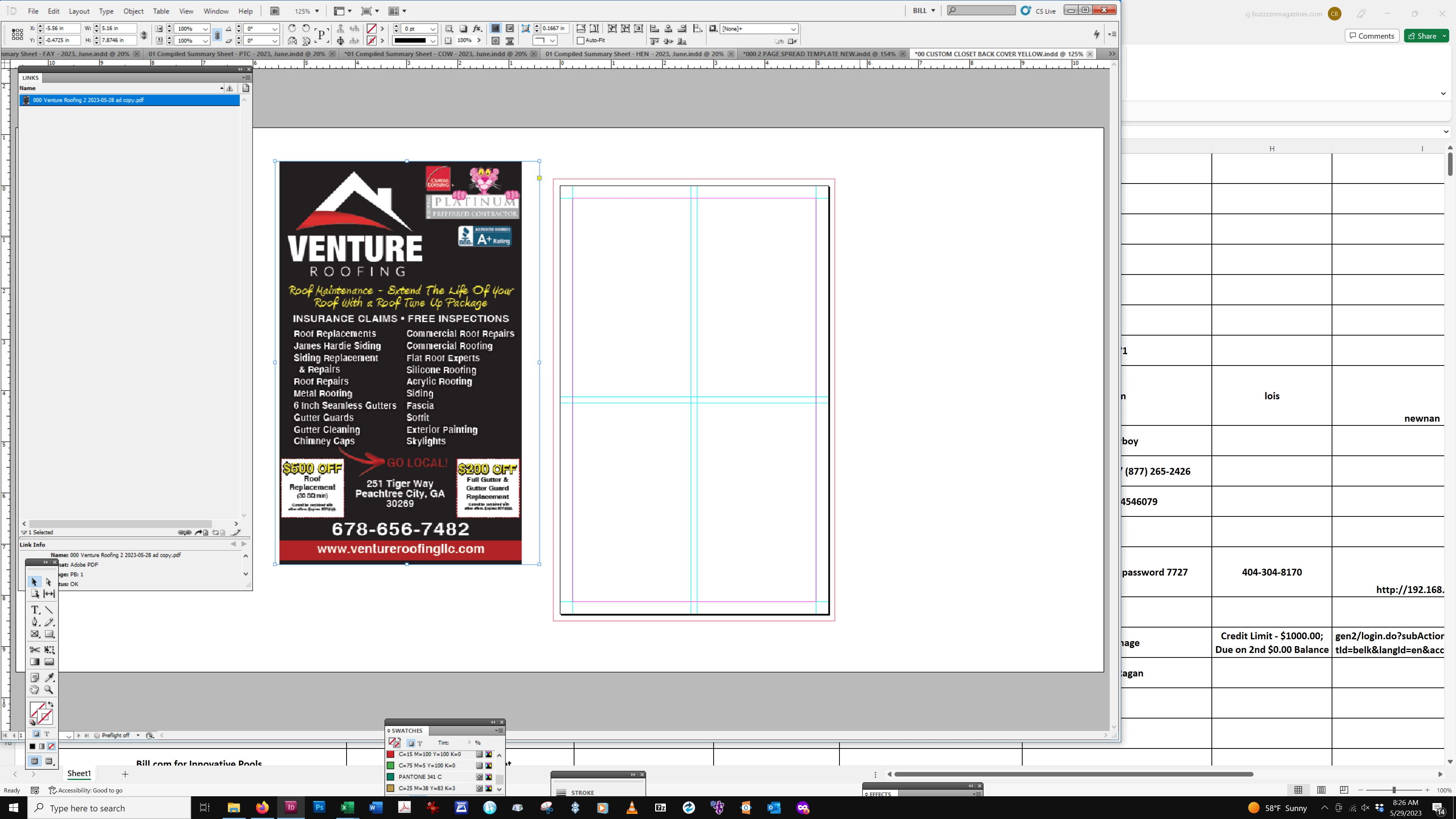
How can I export the file so these lines don't appear? I export with no marks or bleeds and zero offset. Some files that I export do not have these lines.

This topic has been closed for replies.

4 replies

Community Expert
June 1, 2023

Hi @billr7260232 ,

first, I see no line around the PDF when I place your PDF file.

But of course there are white margins around the motif.

Open the PDF in Acrobat Pro DC after you enabled option "Show art, trim, & bleed boxes" in Acrobat's Preferences > Page Display > Page Content and Information dialog:


It does not hurt when you also enable option "Always show document page size".

As you will notice then the overall page size will be shown as 5.25 x 8.38 inches. Is that to your expectation?

If not you can either change the page size in your original InDesign document where you did the layout or change the crop box of the page with Acrobat Pro's feature "Set Page Boxes" in category Print Production like that:


The result is this:

Save the PDF to a new file name and place the cropped PDF in your InDesign layout.


Regards,
Uwe Laubender
( Adobe Community Expert )

Robert at ID-Tasker
Legend
May 29, 2023

What Object Style is active when you place your PDF? 


billr7260232
Participating Frequently
May 30, 2023

I forgot to say that I am using Indesign CS5 if that matters. Here is the export settings window


Here is the imported file window


Again, some of the files have the lines and some don't. I noticed that the object styles window changed from the basic graphics frame setting to none when I dropped the file.

The frame was even larger when I used <Ctrl> D to paste over a file that already fit the space properly.

Peter Spier
Community Expert
Community Expert
May 30, 2023

There were some bugs in CS5, though I don't recall if tyhis was one of them.

The revert to the [None] object style is something that was hard-coded, apparently way back around version 1 and has newver been changed.

Can you share these files?

Peter Spier
Community Expert
Community Expert
May 29, 2023

The only lines I'm seeing around the PDF are the edges of the frame containing it, and the frame is wider than the image.

I'm confused...

Perhaps the original file for the PDF was set up with bleed left and right that had no content?

billr7260232
Participating Frequently
May 29, 2023

I exported the file using Indesign with no bleeds, no marks, zero offset using the same Indesign file that is shown to the right (it fit the pink area). Then I dragged the exported file back to the same Indesign file (blank) and the frame lines appear. This does not happen to all the exported files, just seems to be random. I need to drag the files and not place them as that won't work for my workflow.

Legend
May 29, 2023

Don't drag. Place. If you need to drag in your workflow, revisit your workflow. Fix the dependency. Then get to Place.

HOWEVER, do test this one file, with PLACE first. It may be a different issue.

Community Expert
May 29, 2023