


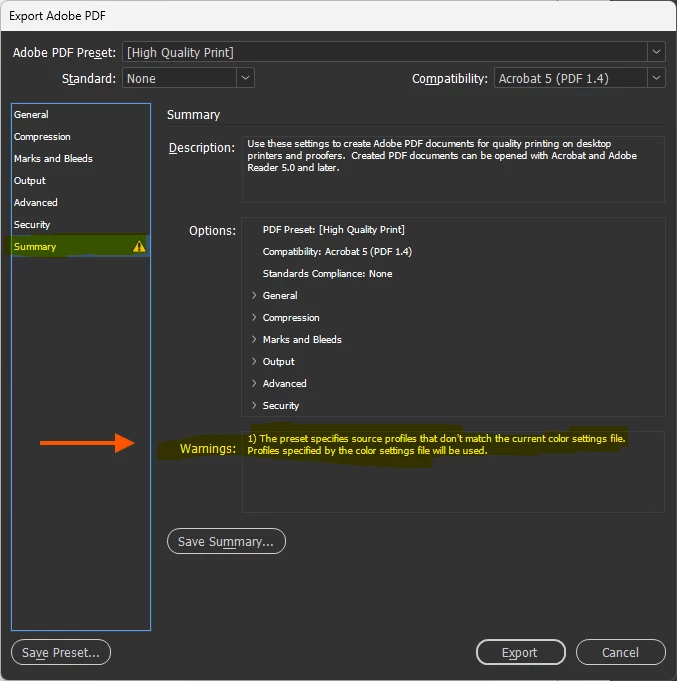
Warning: "The preset specifies source profiles that don't match the current color settings file. Profiles specified by the color settings file will be used."
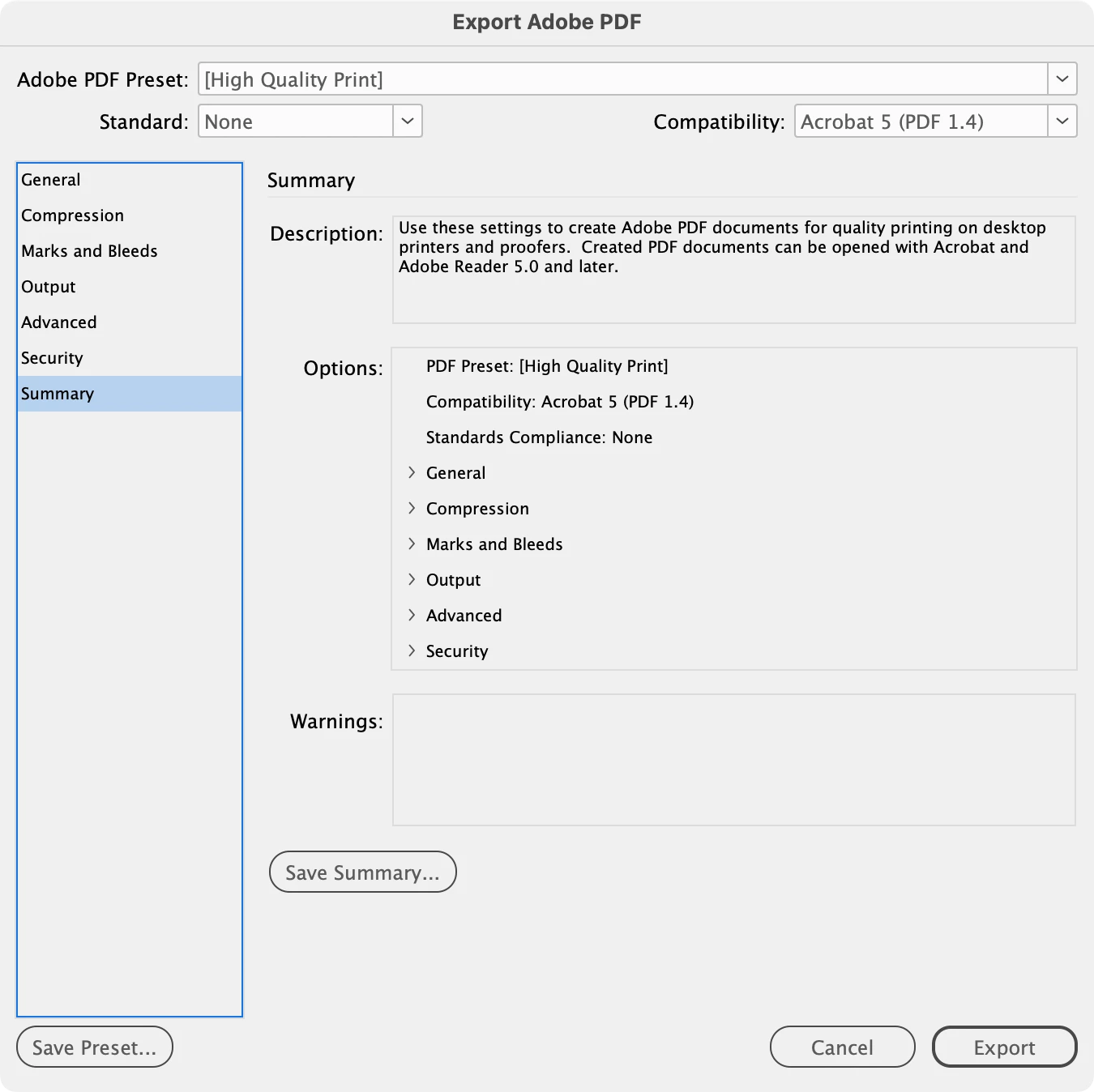
I just installed InDesign (planning to make a book for print). When trying to export to PDF, I always get this warning (in the Export Adobe PDF dialog, see screenshots below):
"The preset specifies source profiles that don't match the current color settings file. Profiles specified by the color settings file will be used."
I get this warning even when trying to export a single page document with no content. I am new to InDesign, but I have used Photoshop for 15-20 years and have a good working knowledge of color management.
What is the warning trying to tell me? And how can I fix this?
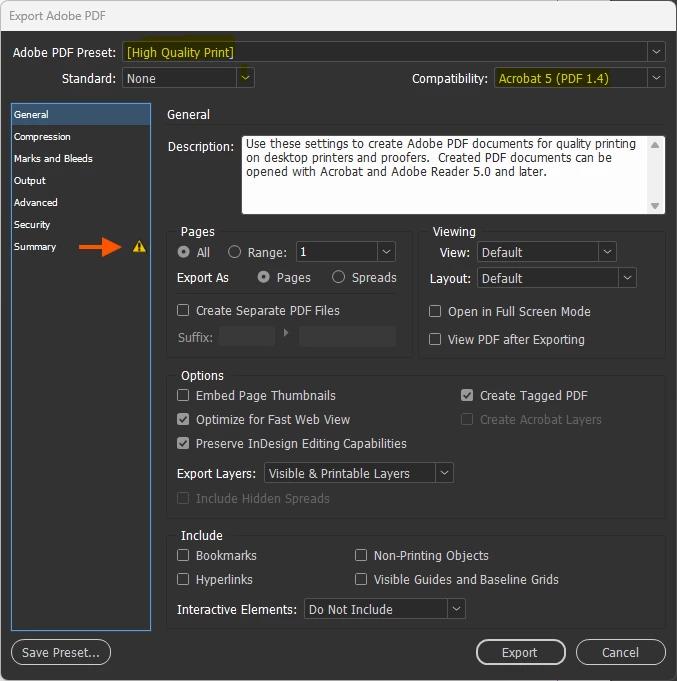
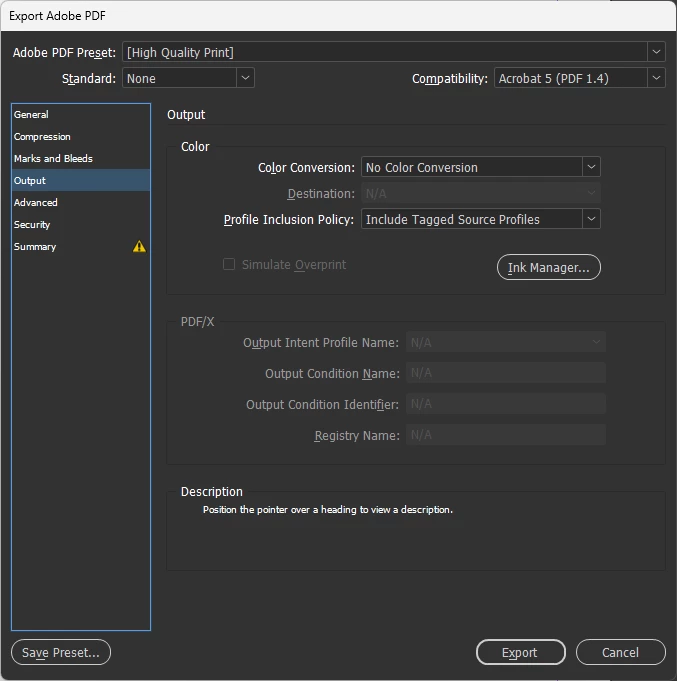
I am using the standard [High Quality Print] export profile (changing no settings). In the Output section I have Color Conversion set to “No Color Conversion” (no “source profiles” here).
What is meant by “the current color settings file”? Where can I find/edit this file?
Here is a detailed description of what I am doing before getting to this warning:
Adobe InDesign version: 21.3 x64
Windows 11 version 25H2 (OS Build 26200.8246)
- Start InDesign
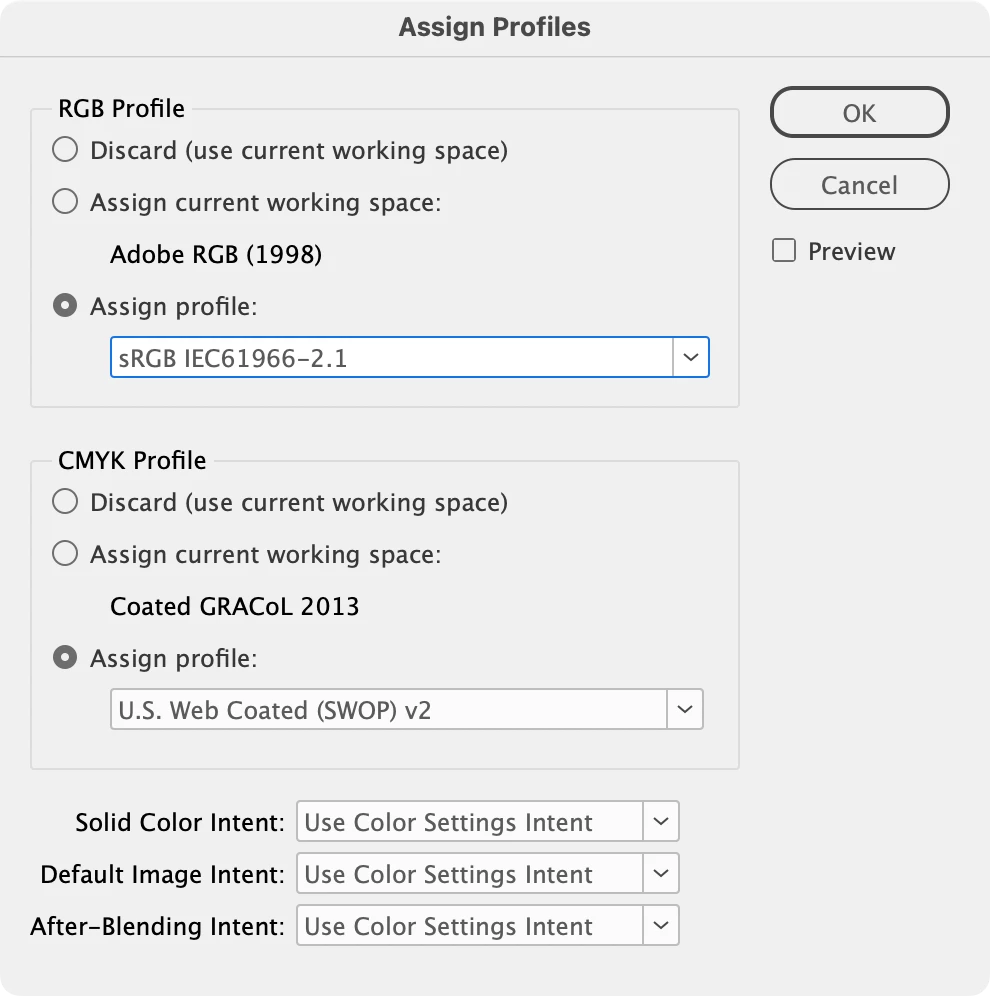
- Check “Color Settings”:
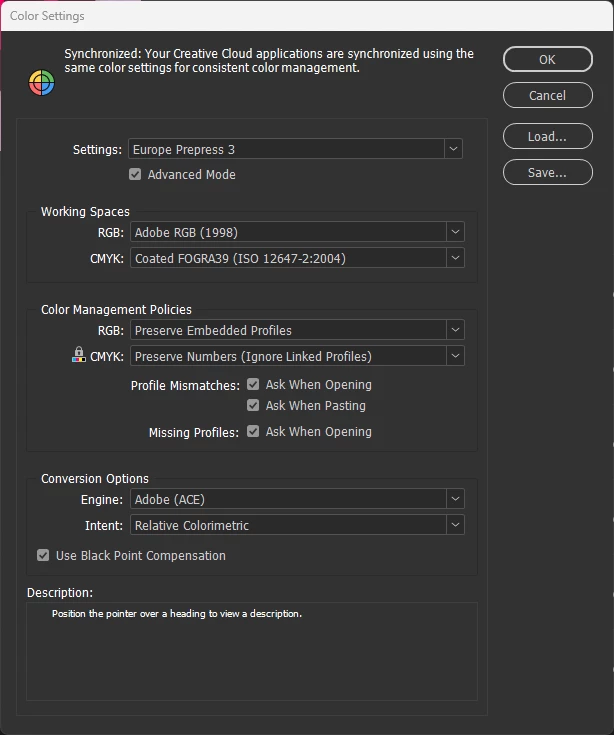
- Make a new file: click “New file” > Print… > A4, 1 page > “Create”
- File > Export…
- Save as type: “Adobe PDF (Print) (*.pdf)”
- Save
- Export Adobe PDF dialog:

 AdChoices