Piontek
Inspiring
February 10, 2026
Question

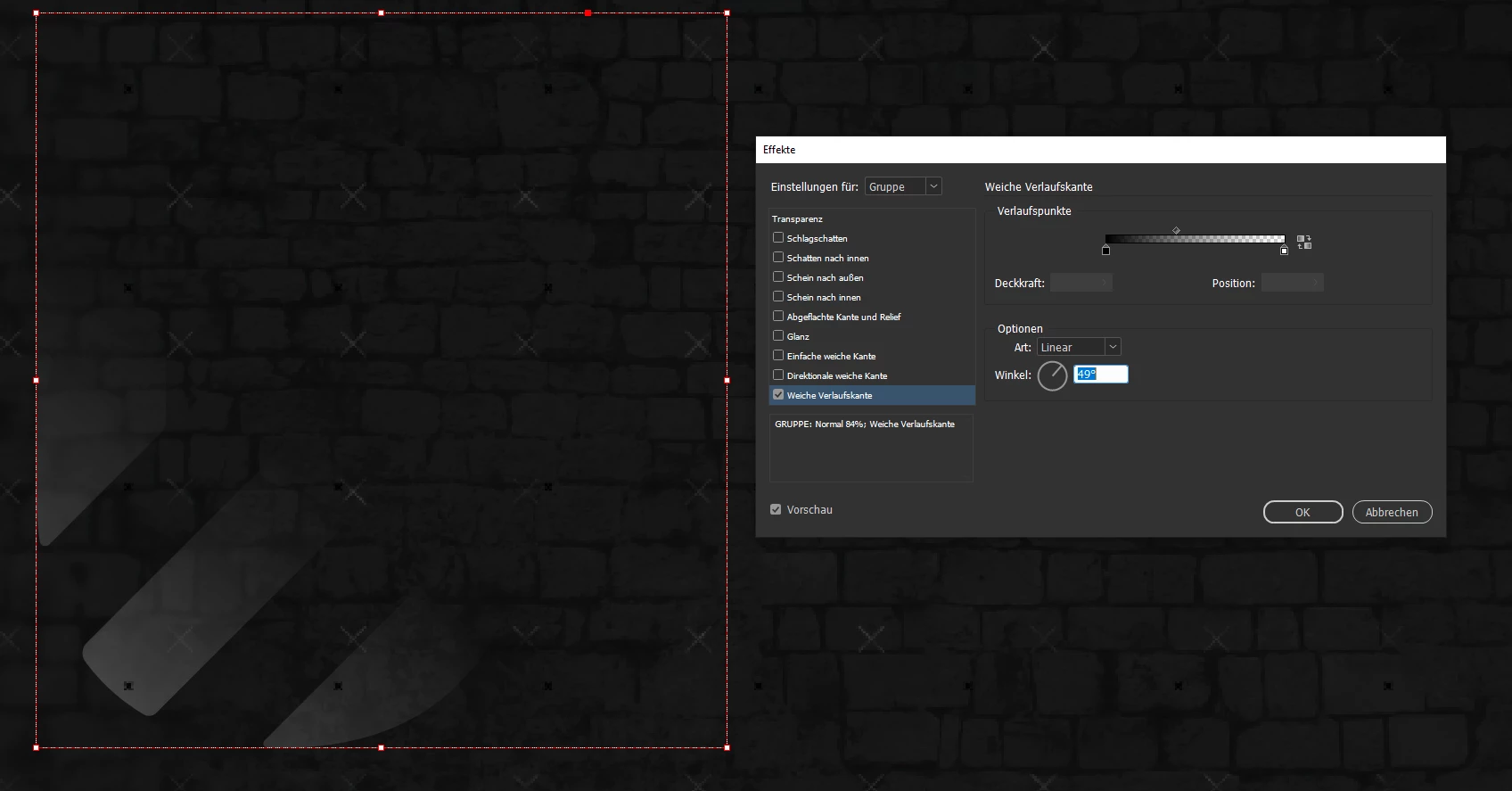
Weiche Verlaufskante wird nicht skaliert seit Indesign 21.2

  • February 10, 2026
  • 1 reply
  • 25 views

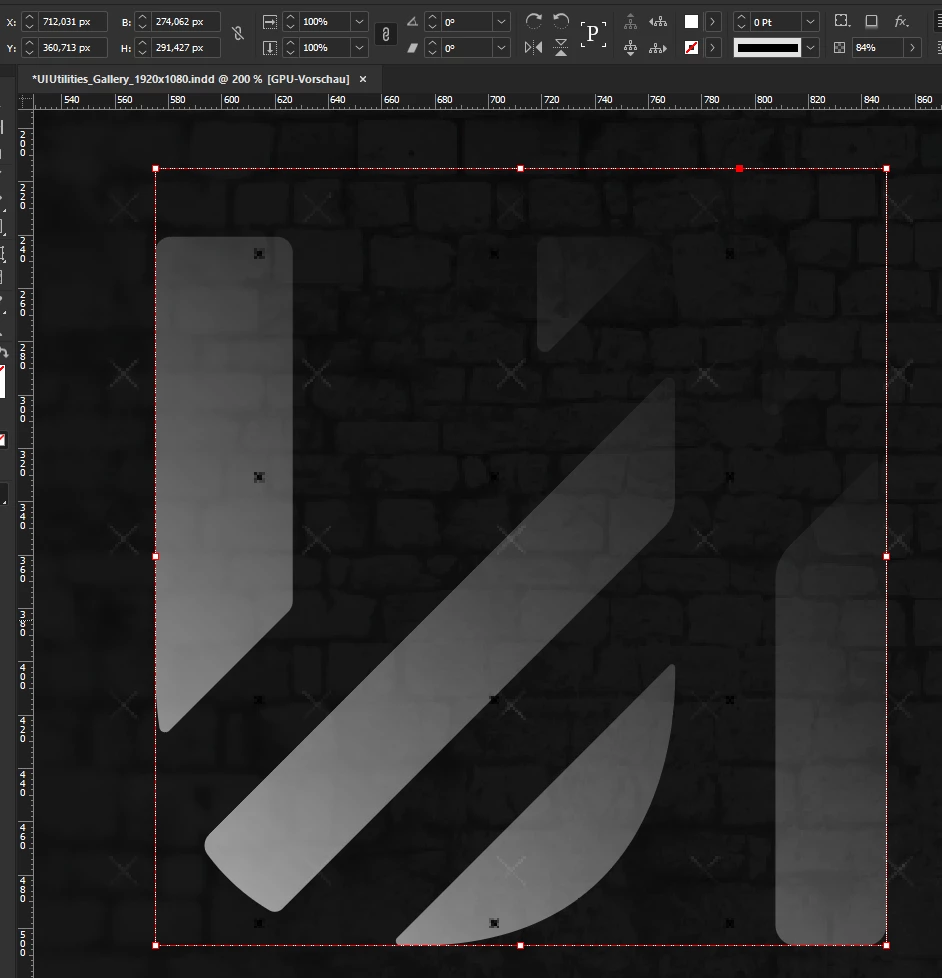
Bei der neuesten Indesign Version 21.2 (Stand 10. Feb 2026) wird die “Weiche Verlaufskante” (Effekt) bei einem Vektor nicht mit skaliert (CTRL+Shift+Skalieren). Sie bleibt bei der Ursprungsgröße.
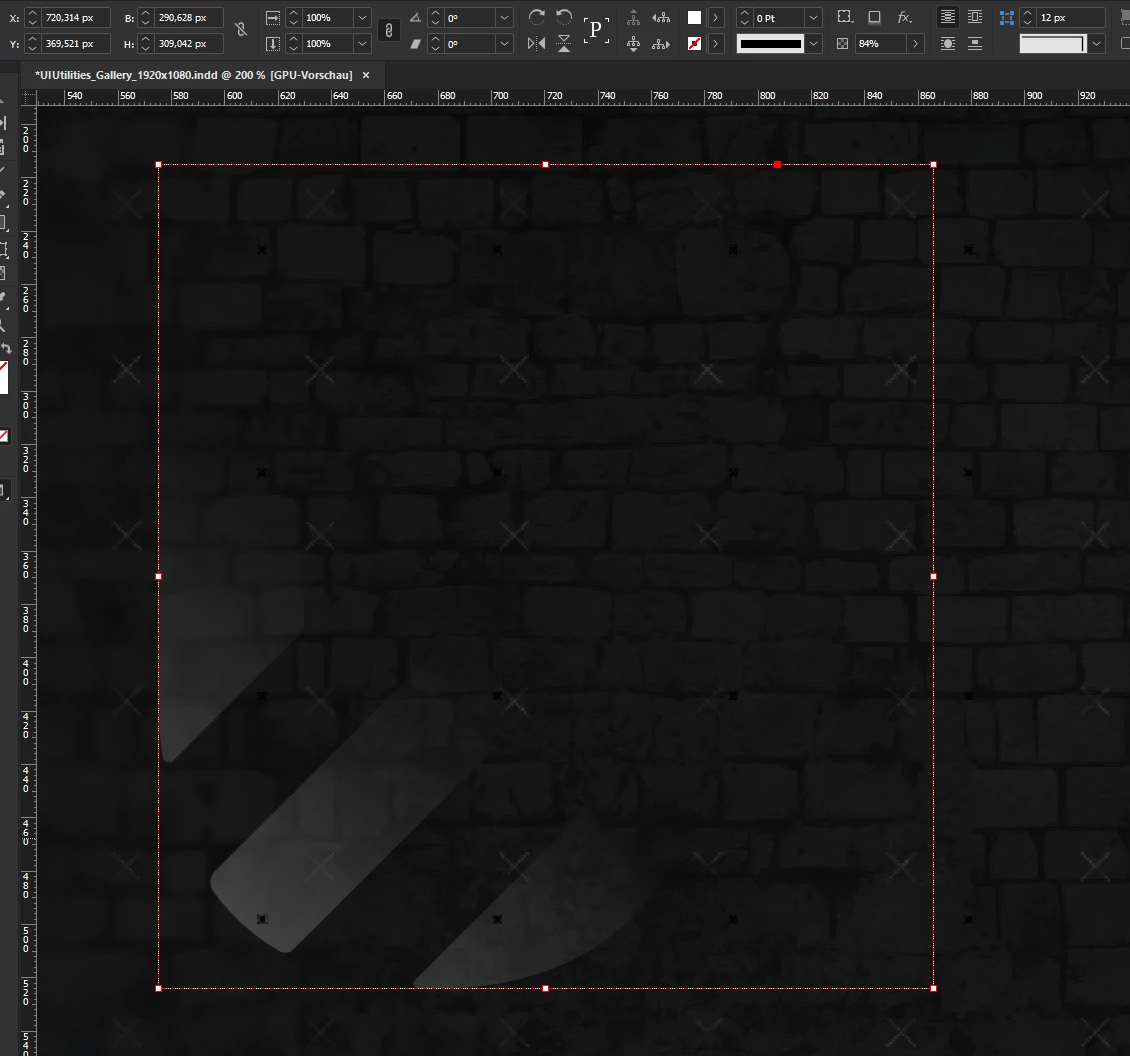
 

Ursprungsgrafik etwas höher skaliert (CTRL+Shift+Skalieren)
Weiche Verlaufskante (Effekte)
Ursprüngliche Skalierung der Grafik


In vorherigen Versionen hat es stets problemlos funktioniert!

    1 reply

    Abhishek Rao
    Community Manager
    Community Manager
    February 10, 2026

    Hi @Piontek,

    Thanks for sharing the details. Could you please confirm your OS version as well? I tested this on Windows 11 with InDesign 21.2 on my end and it worked as expected, so this may be specific to your setup. As a next step, could you please try manually resetting your InDesign preferences and then test the behavior again? You can follow the steps here: https://helpx.adobe.com/indesign/using/setting-preferences.html

    If the issue still persists after that, please share a screen recording showing your full workflow from applying the effect to scaling the object, so I can review it with the team.


    Looking forward to your update.

    Abhishek

    Piontek
    PiontekAuthor
    Inspiring
    February 10, 2026

    Hey, thanks for your reply. I’m still on Win10 (with extended support) with Desktop Hardware and that’s not the first serious issue I noticed with the latest Indesign version on Win10. I.e. Drop shadows are displayed very different after export, as if their configuration has changed. Scaling objects which have applied any ‘effects’ lead to serious visual artifacts. Something is off with this new indesign version on Win10.