
reneg84
Participant
March 3, 2020
Question

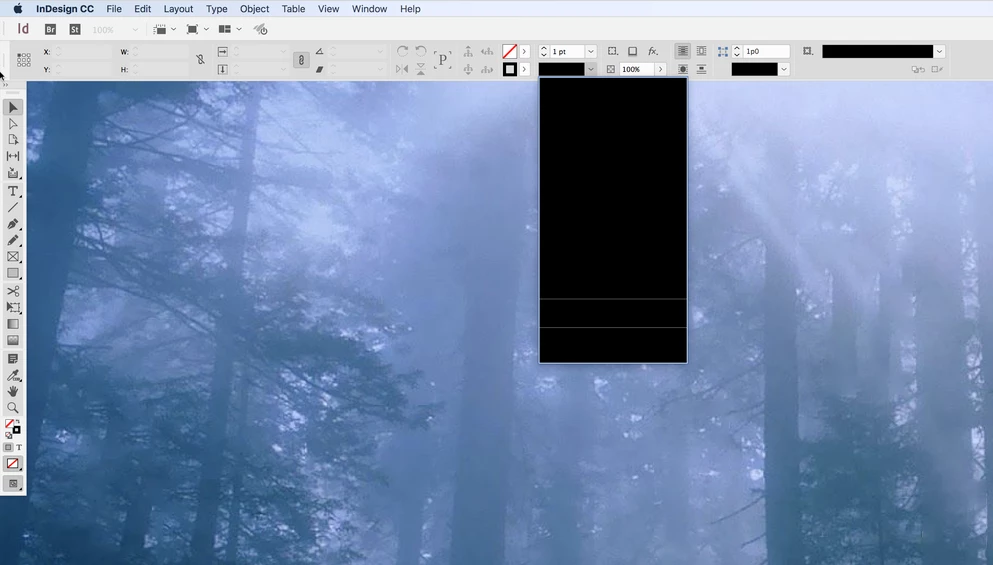
Weird black filled boxes in application tools

  • March 3, 2020
  • 2 replies
  • 249 views

I have an iMac running InDesign CC 2017 that is showing black filled areas in application tool drop downs like for example the line tool. I can't upgrade to a newer version of InDesign because of some third party software we are using. I have several other users running the same OS and InDesign version on the same exact iMac model, but this iMac is the only one giving me this problem. Is there a preference file that is corrupt causing this? Thanks in advance for any help. See attached screenshots...

 

This topic has been closed for replies.

2 replies

BobLevine
Community Expert
Community Expert
March 3, 2020
Try disabling GPU performance.
reneg84
reneg84Author
Participant
March 3, 2020

GPU Performance is not enabled...

Derek Cross
Community Expert
Community Expert
March 3, 2020

Have you tried:

Resetting the InDesign preferences?

Turning off GPU Performance in preferences.

reneg84
reneg84Author
Participant
March 3, 2020

I have several InDesign presets that I would like to keep. How do I reset the InDesign prefs without losing everything? Is there a plist file just for the Application toolset?

BobLevine
Community Expert
Community Expert
March 3, 2020

Workspaces, etc shouldn't be lost. I didn't see your screenshot earlier and I concur that preferences need to be reset.
