Morazan
Known Participant
December 13, 2025
Answered

Weird Page Break, Keep Options Off

  • December 13, 2025
  • 1 reply
  • 262 views

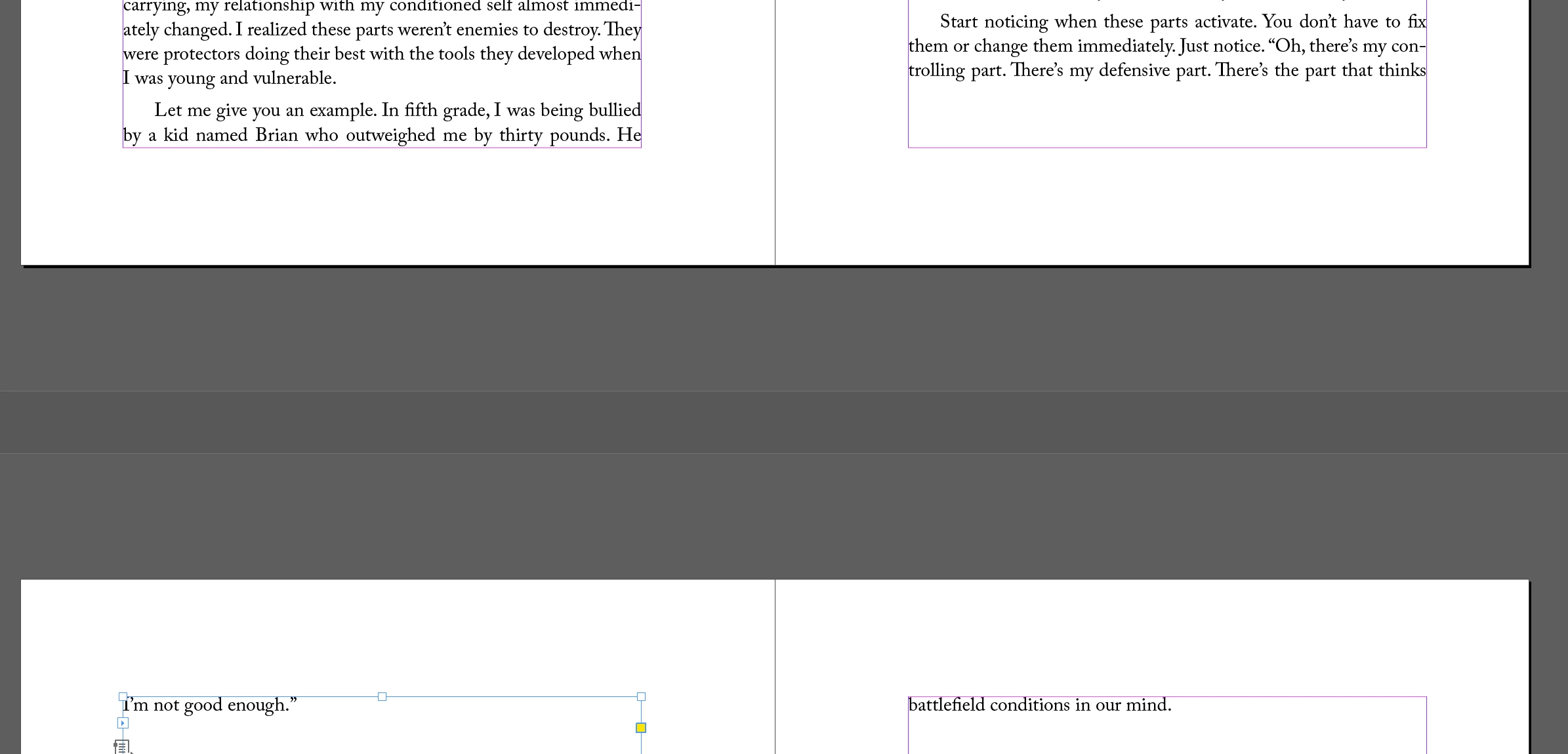
Why is my page breaking like this even though all Keep Options are off and there are no special characters, breaks, etc? 
 

Screenshot 2025-12-13 111334.png

Correct answer Dave Creamer of IDEAS

First, don't use Basic Paragraph in your document, even for the body text. Make a standalone style with the same settings. Don't base anything off of the Basic Paragraph either.


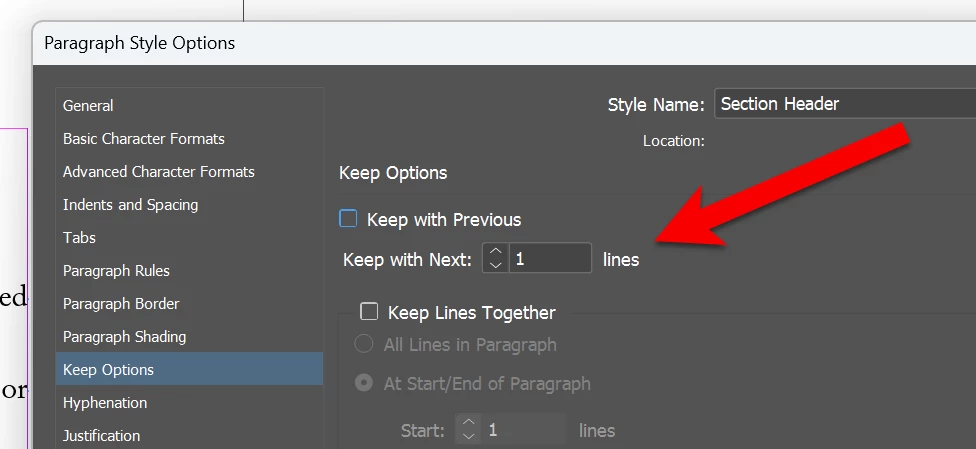
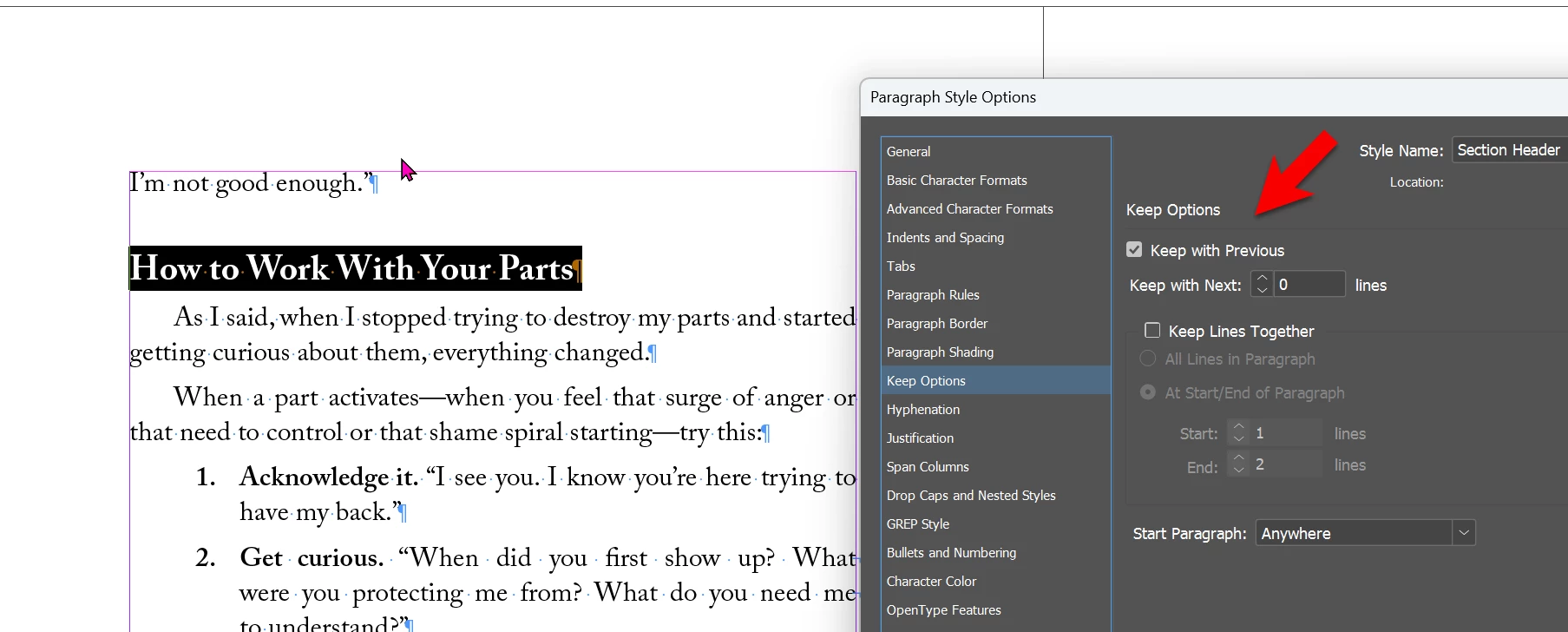
Your heading underneath the problem line has keep option "Keep with Previous". That's "gluing" it to the line above.

image.png


This is what the heading should have:

image.png


1 reply

Dave Creamer of IDEAS
Community Expert
Community Expert
December 13, 2025

Can you upload the document?


David Creamer: Community Expert (ACI and ACE 1995-2023)
Morazan
MorazanAuthor
Known Participant
December 13, 2025

Sure, here it is, thanks so much. It's between pages 29-30 (I just added the page numbers). Everything beyond that point is completely unformatted. Using Adobe Caslon Pro as main body text. Much appreciated!

Dave Creamer of IDEAS
Community Expert
Dave Creamer of IDEASCommunity ExpertCorrect answer
Community Expert
December 13, 2025

First, don't use Basic Paragraph in your document, even for the body text. Make a standalone style with the same settings. Don't base anything off of the Basic Paragraph either.


Your heading underneath the problem line has keep option "Keep with Previous". That's "gluing" it to the line above.

image.png


This is what the heading should have:

image.png


David Creamer: Community Expert (ACI and ACE 1995-2023)