
Participating Frequently
July 15, 2023
Answered

What does the Percentage shown on Document tab mean?

  • July 15, 2023
  • 4 replies
  • 1585 views

In InDesign, each document open has a tab with a percentage on it. What does that percentage mean and how does it relate to the zoom level shown in the bottom-left corner of the interface? In my InDesign, the document tab percentage is 175% when the bottom-left corner shows 100%.
This topic has been closed for replies.
Correct answer Eugene Tyson

I think the zoom level in InDesign is the bottom left -and it always frustrated users as it didn't show exactly 100% for everyone due to different resolutions.


So the document tab shows the actual zoom level.


So if your resolution is scaled in Windows or Mac it will show differences

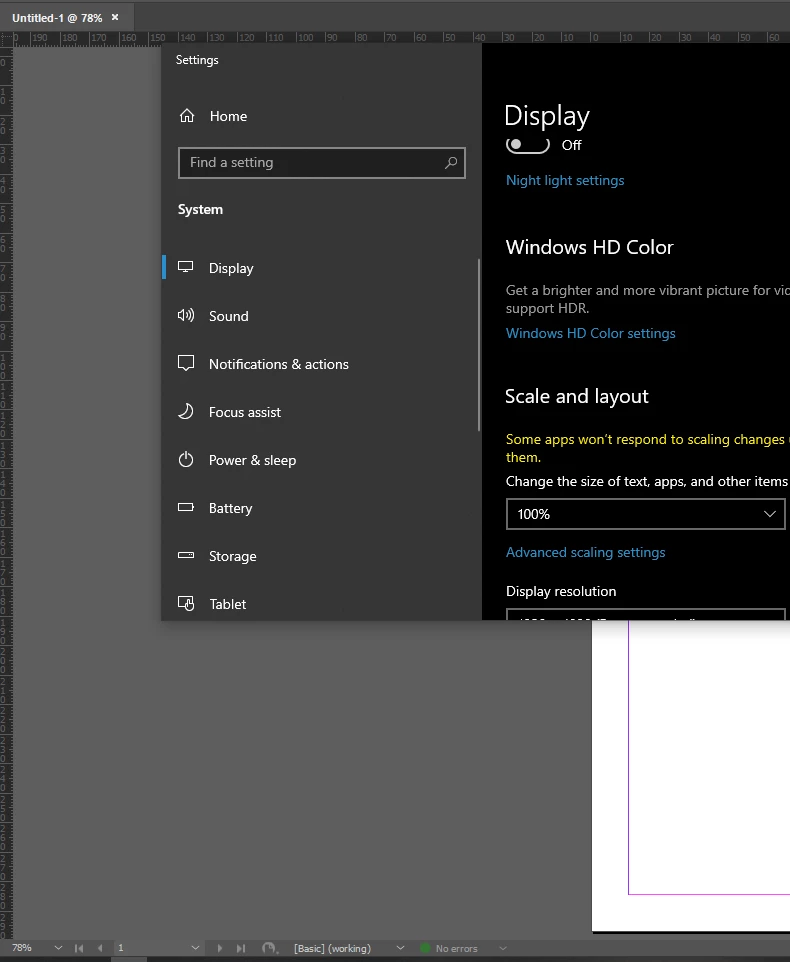
Here it is with 100% set in the Windows environment and the value smatch


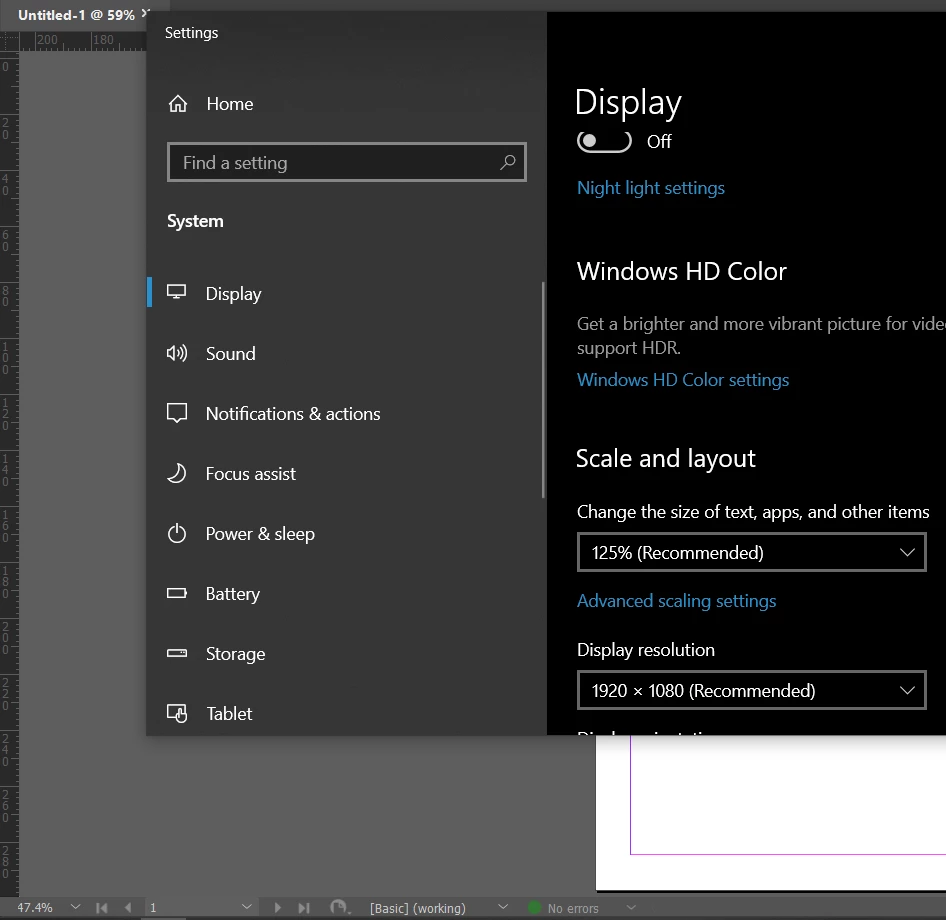
And when I change to my preferred 125%

And the values differ


4 replies

rob day
Community Expert
Community Expert
July 15, 2023
rob day
Community Expert
Community Expert
July 15, 2023

Doesn’t seem to be  a problem on OSX. I prefer space over a larger UI, but changing the OS scaling gives me accurate rulers with any choice—100% represents 100% print output. On Windows could it be a collision of OS and InDesign UI scaling?


ndunn219Author
Participating Frequently
July 15, 2023

Here's a screenshot in case it helps:


Eugene TysonCommunity ExpertCorrect answer
Community Expert
July 15, 2023

I think the zoom level in InDesign is the bottom left -and it always frustrated users as it didn't show exactly 100% for everyone due to different resolutions.


So the document tab shows the actual zoom level.


So if your resolution is scaled in Windows or Mac it will show differences

Here it is with 100% set in the Windows environment and the value smatch


And when I change to my preferred 125%

And the values differ


ndunn219Author
Participating Frequently
July 15, 2023

And 59 / 47.4 is just about 1.25, so that make sense. Thanks!

Peter Kahrel
Community Expert
Community Expert
July 15, 2023

Those two percentages should correspond, and they do over here. Maybe delete INDesign's preferences -- that often fixes display problems.

ndunn219Author
Participating Frequently
July 15, 2023

Thanks Peter, but deleting preferences didn't work. Could it have to do with monitor display settings?