



dublove
Legend
October 1, 2026
Answered

What is the code that pops up the save dialog box?

  • October 1, 2026
  • 9 replies
  • 46 views

If a document has not been saved, I want to pop up a prompt and a save dialog box at the same time.

var doc=app.activeDocument;
if (!doc.saved) {
alert("Please save the document first")
exit();
}
 

    Correct answer Manan Joshi

    @dublove this is as simple as it can get. If this feels too complicated then I don’t know what you will categorise as simple. Use the following code

    	var f = File.saveDialog("Please save the document first");
    if(f)
    {
    app.documents[0].save(f);
    }

    Put the above code inside your if and it should work

    9 replies

    rob day
    Community Expert
    Community Expert
    October 1, 2026

    If a document has not been saved,


    Hi ​@dublove , Are you trying to prevent users from working on a document for an extended period of time and forgetting to save? 

    dublove
    dubloveAuthor
    Legend
    October 1, 2026

    Hi rob day.

    I want to save a new document before running a script.
    This is already sufficient.

    Community Expert
    October 1, 2026

    Try the following code 

    File.saveDialog("Please save the document first")

    If the user cancels this will return null, otherwise it will return the file object for the selected file

    -Manan
    dublove
    dubloveAuthor
    Legend
    October 1, 2026

    Hi ​@Manan Joshi 

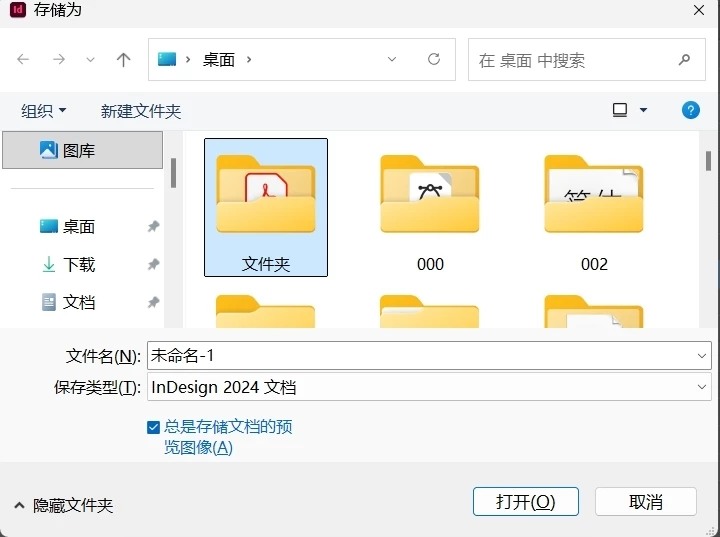
    Below is this:
    The save dialog box has popped up.
    I saved it as AA, but eventually found out that it wasn't saved.

    var doc = app.activeDocument;

    if (!doc.saved) {

        File.saveDialog("Please save the document first")

    }
    Community Expert
    October 1, 2026

    It will not save. You will have to write that code yourself. So you get the path on which the user wants to save as return from the saveDialog method. Using that path you can call save method on the InDesign document object

    -Manan