I’ve done this before, but now I can’t get it to work (Windows 11 Pro; InDesign: 21.5.1). The font is Aviano Flare. I want to always substitute a specific “A” glyph. None of the Open Type Stylistic Sets work. How do I set up a new one? Also, do I need a style for both upper- and lowercase “As”? What am I forgetting or doing wrong? Many thanks for your help!
Thanks to those of you who replied. To try to create a correct answer, the method to substitute one glyph character automatically is as follows. Keep in mind that not all fonts have a stylistic set that can be applied using GREP in a paragraph style. If that is the case, using Find/Change is the best alternative method.
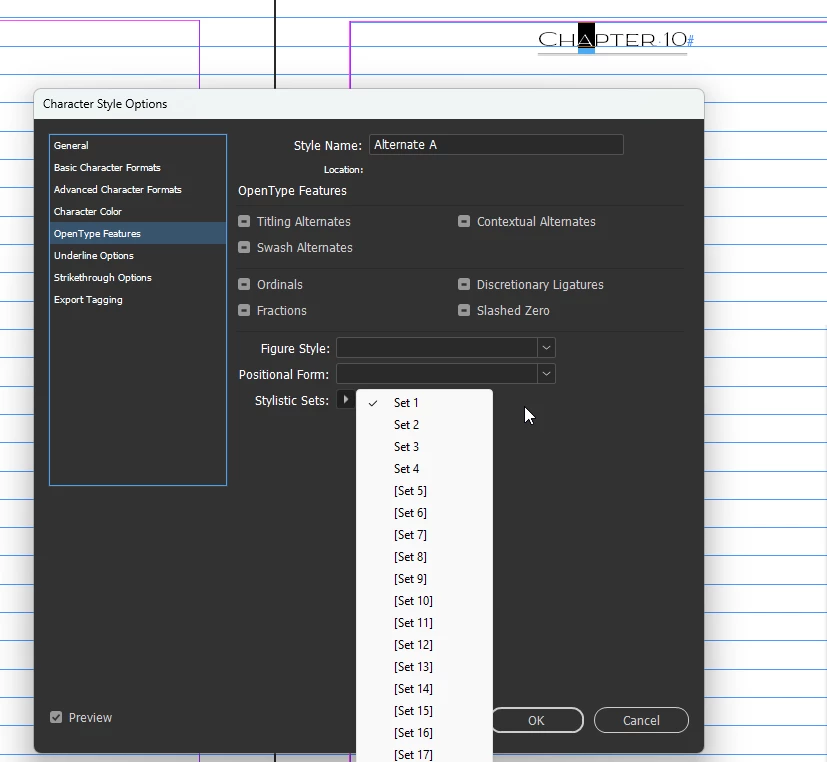
Create a new Character Style (e.g., Alternate A). Under Basic Character Formats, select the font. Under Open Type Features, select the Stylistic Set that corresponds to the glyph you want to substitute.
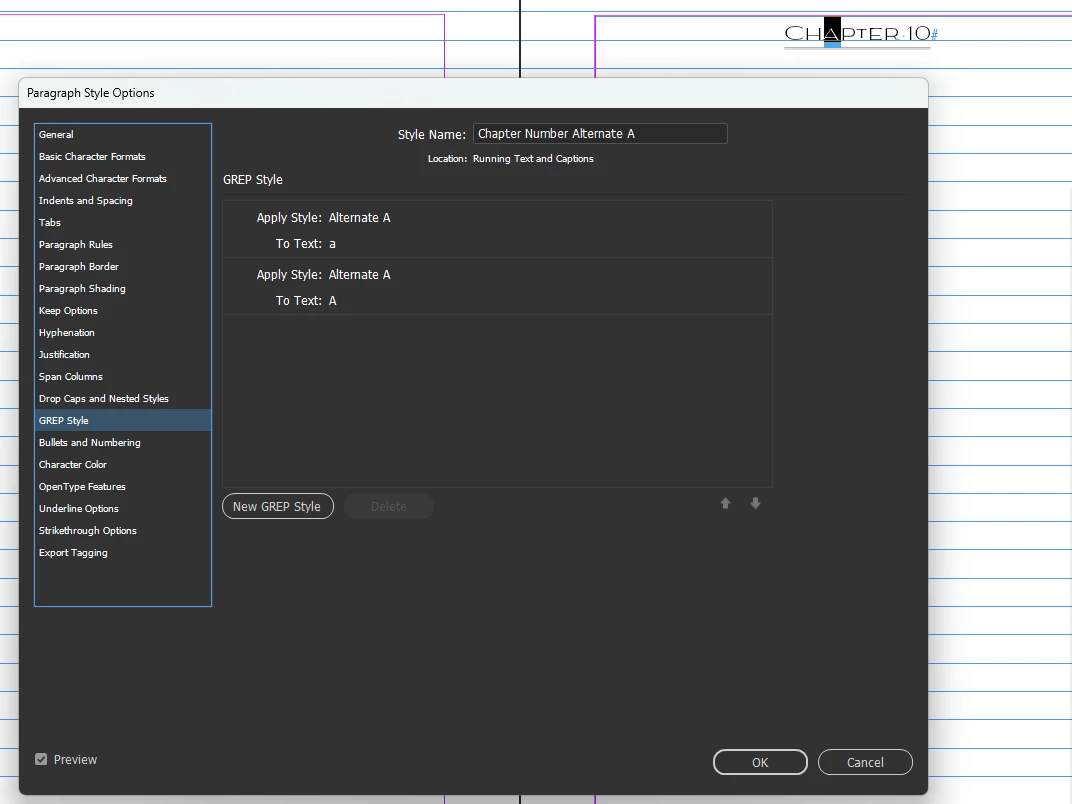
Create a new Paragraph Style. Under GREP Style, apply the character style you just created (Alternate A) to Text: a. You can also select a wildcard for all uppercase or lowercase letters.
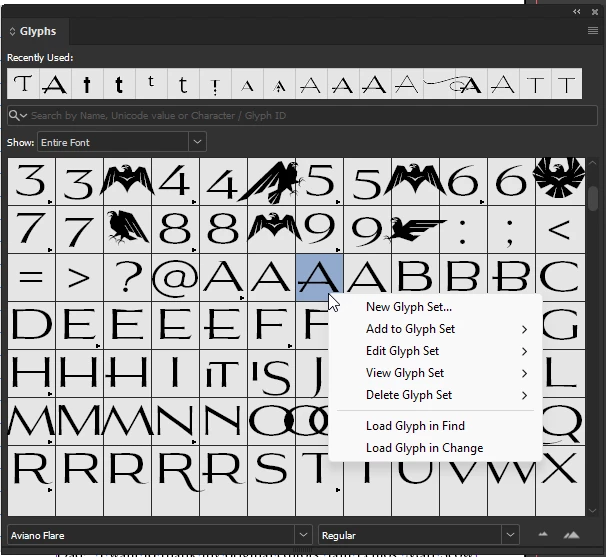
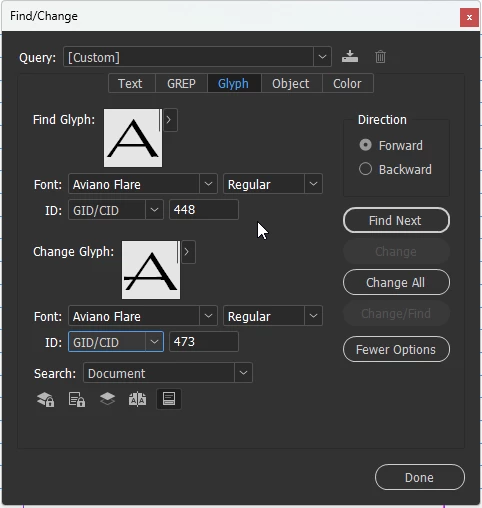
From the Glyphs panel, when right-clicking on a character, a fly-out menu gives a lot of choices, including loading the glyph in Find/Change to make it easier to use that method. Note you might need to change the ID from Unicode to GID/CID if the Unicode is the same for both characters.
Thanks to those of you who replied. To try to create a correct answer, the method to substitute one glyph character automatically is as follows. Keep in mind that not all fonts have a stylistic set that can be applied using GREP in a paragraph style. If that is the case, using Find/Change is the best alternative method.
Create a new Character Style (e.g., Alternate A). Under Basic Character Formats, select the font. Under Open Type Features, select the Stylistic Set that corresponds to the glyph you want to substitute.
Create a new Paragraph Style. Under GREP Style, apply the character style you just created (Alternate A) to Text: a. You can also select a wildcard for all uppercase or lowercase letters.
From the Glyphs panel, when right-clicking on a character, a fly-out menu gives a lot of choices, including loading the glyph in Find/Change to make it easier to use that method. Note you might need to change the ID from Unicode to GID/CID if the Unicode is the same for both characters.
\x{0061} is the Unicode value of the lower-case ‘a’. Any/all variants (smallcaps, the variant that JEL is after, etc.) have the same Unicode value.
@J E L -- You’d have to use the Glyph panel and replace the As by their GID. Problem with that is that you can constrain the replacement only by font (not by style).
Thank you, @Peter Kahrel and @rob day. That’s not the exact A that I want to swap out, but I think I’ll have to use the find/replace method that you show.
Does anyone know what (salt) means?
These are the two glyph "A" characters I want to use:
Capital letter A - Aviano Flare Thin GID: 473 Unicode: 0041 Stylistic Alternates (salt)
Small letter A GID: 441 Unicode: 0061 Stylistic Alternates (salt)
Also, I’m not using small caps as a case style. For the chapter number line, CHAPTER is in All Caps. For the chapter title, I use Normal case.
Ah, it's the font. And no way to make it part of a stylistic set, I guess. Thank you so much for trying, @jmlevy. If anyone knows of a workaround, I would be very grateful. Otherwise, it means a manual application, or maybe a script to find and replace?







 AdChoices