
Participating Frequently
Mar 29, 2025 2:06 PM UTC
Question

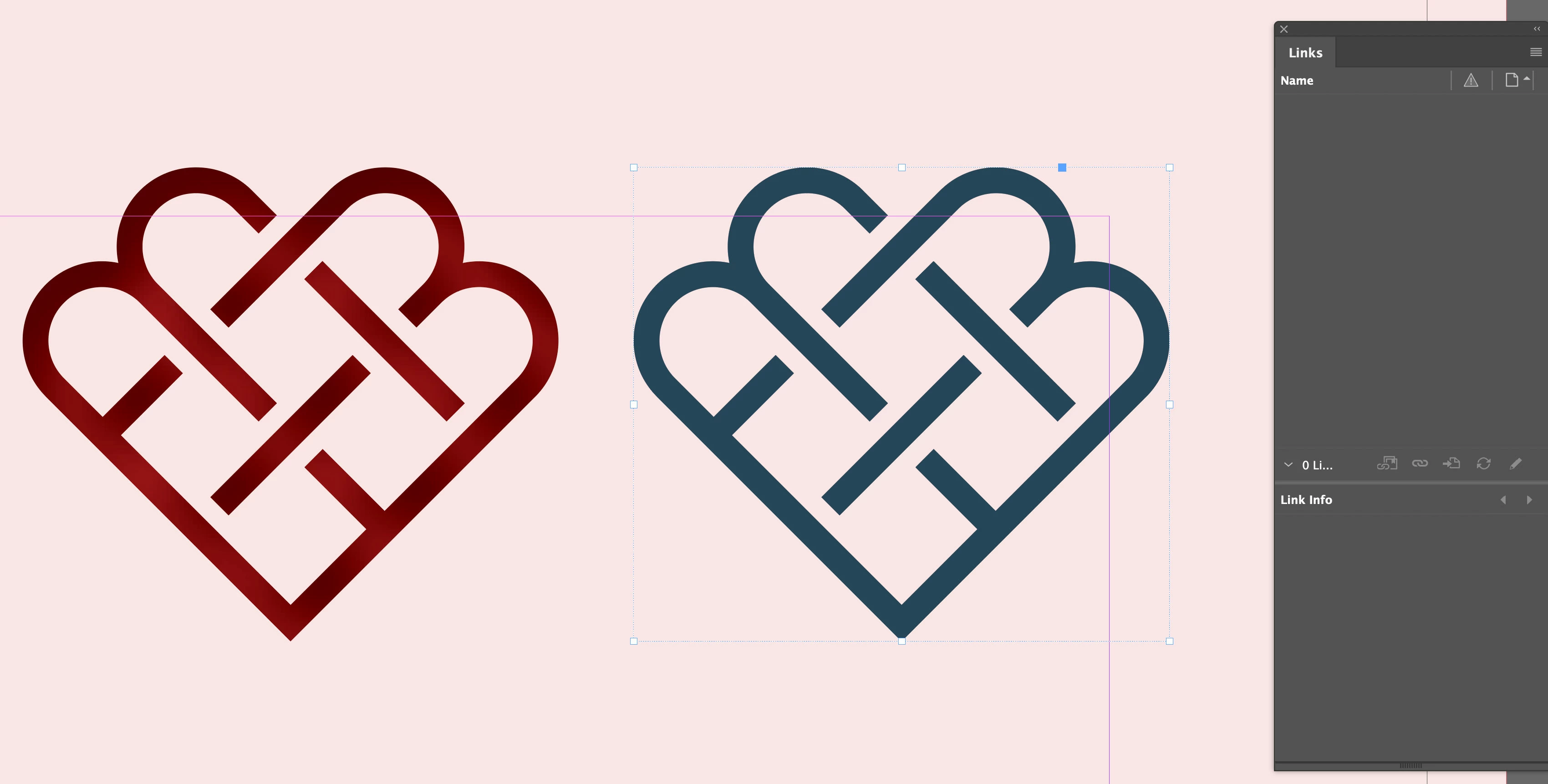
What is this object> Looks like a graphic....

Hi all!


What is this object? It looks like a graphic, but as you can see, when the object is selected it does not show up in the LINKS panel. I can change the colour as you can see, it's a mottled colour, but still can be changed. When I export, it does not show up in the links folder.


Any ideas?
10 replies

Robert at ID-Tasker
Legend
Mar 29, 2025 7:42 PM UTC

@marekw80645926


Try clicking on the object with the Direct Selection Tool. 


Translate
Participating Frequently
Mar 29, 2025 8:03 PM UTC

I did. I athink the previous designer created this in In InDesign, so it's not a seperate file. Why they did that I have no idea, makes no send to me if I was to re-use that asset in different platforms!

Translate
Robert at ID-Tasker
Legend
Mar 29, 2025 8:12 PM UTC
quote

I did. I athink the previous designer created this in In InDesign, so it's not a seperate file. Why they did that I have no idea, makes no send to me if I was to re-use that asset in different platforms!


By @marekw80645926


You can always select this object and export it - as a selection and as JPEG / PNG / PDF - then use it somewhere else. 


Translate
Mike Witherell
Community Expert
Community Expert
Mar 29, 2025 2:30 PM UTC

Vector shapes copy n pasted from Illustrator to InDesign do not create a link in the Links panel. Better to name and save an AI file and File > Place the .ai graphic so that you can have a Link and so that you can Edit > Original and be able to manage the graphic separately.

Translate
Mike Witherell
Participating Frequently
Mar 29, 2025 8:29 PM UTC

thanks! Tried that but when I clicked on the object, EDIT WITH... was not avilable. Ended up copying it and then pasting in Illustrator. Ended up creating a font with the icons so I have a lot of creative choices, like colour, that I can easily do in Indeosgn and not having to go back to Illustrator to change.


Translate
Willi Adelberger
Community Expert
Community Expert
Mar 29, 2025 2:22 PM UTC

It can either be drawn in InDesign or it can be drawn in Illustrator and copied from there and pasted into InDesign. 

Translate
Participating Frequently
Mar 29, 2025 2:27 PM UTC

Thanks, I know this but all my Illustrotr files show up in the links panel, so this must have been created directly in InDesign, am I right in assuming this? Thanks again!


Translate
Participating Frequently
Mar 29, 2025 2:09 PM UTC

Here's another screen grab, same thing.


Translate