Participant
May 6, 2017
Answered

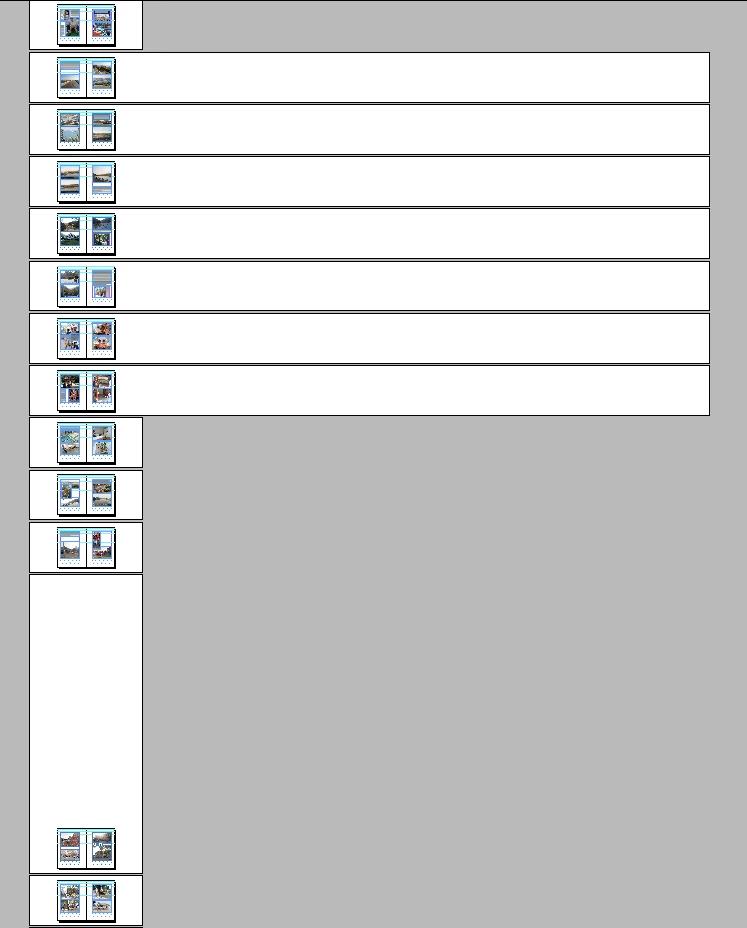
What is this? (See screenshot.)

  • May 6, 2017
  • 1 reply
  • 789 views

What in the world is this? - I had to minimize everything in order to see, where my pages went, when I scrolled down and they suddenly disappeared. As ypu can see, they didn't disappear, but when I now want to move objects, I get warnings.

What is this? How did it happen? And what can I do?

I have InDesign CS6.

In clear language:

Vad farao är detta? Monteringsbordet ser ut på olika sätt, och i de bred fälten varnas jag för att flytt objekt, för då kan de hamna utanför.
Björn i Kiruna
This topic has been closed for replies.
Correct answer loyal_operator154A

I enclose this part. Here: https://dl.dropboxusercontent.com/u/5214997/extract.indd

What I have found: when I <select all> on a normal page, I'll see what has been selected. When I do it on these strange pages, it seems that something gar, far aside also is selected. But there is nothing.

Björn


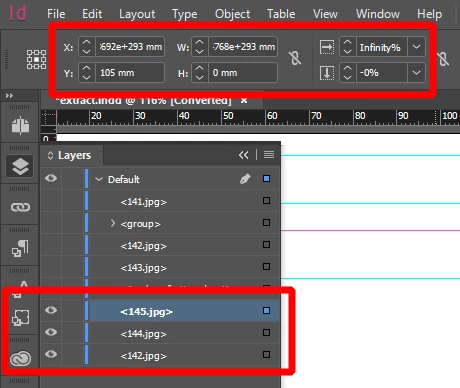
Looks like you have images wich has huge numbers for scale and position - no sure how this happened - probably you used some plugin or script which glitched...

You can select those images in the layers panel.

1 reply

Participant
May 11, 2017

How come noone from the company answers?

loyal_operator154A
Legend
May 11, 2017

It's hard to tell for sure by the screenshot, but probably - there is something in pasteboard - maybe empty text box or something...

Can you share InDesign file?

Participant
May 11, 2017

I enclose this part. Here: https://dl.dropboxusercontent.com/u/5214997/extract.indd

What I have found: when I <select all> on a normal page, I'll see what has been selected. When I do it on these strange pages, it seems that something gar, far aside also is selected. But there is nothing.

Björn